
Best Webinar Software for HR Teams in 2026 (Compared)

Introduction
HR teams run webinars for two very different reasons. The first one is for internal communication: onboarding, compliance training, manager enablement, all-hands updates. The second one is the external communication: thought leadership series, HR community events, employer branding sessions, and industry panels that put HR leaders in front of their peers.
This guide covers both and is made for HR professionals, HR tech companies, and people teams who are evaluating webinar software and want a clear, no-BS comparison. Whether you're building an HR thought leadership program, running recurring internal training, or hosting virtual recruiting events, the platform you choose will shape how your audience experiences the content and whether they show up again.
If you're looking for a broader comparison across all use cases, see our guide to the best webinar software overall. This guide is specifically focused on HR teams and the platforms best suited to how they run webinars.
Why Webinars Work Well for HR Teams
HR professionals are constantly navigating change: new compliance requirements, shifting workforce trends, evolving talent strategies, training the staff. Webinars serve both sides of that. Learning from the outside (from external guest speakers) and sharing updates internally. They provide:
1. Efficient Knowledge Sharing
Webinars allow HR professionals to train employees across multiple locations simultaneously, eliminating the need for travel or separate sessions. This is especially useful for:
- Onboarding new hires
- Explaining company policies
- Delivering compliance training
2. Cost-Effective Learning
Compared to in-person workshops, webinars reduce costs associated with venue rentals, printed materials, and travel expenses, making it easier to reach a large audience without straining budgets.
3. Flexibility and Accessibility
Employees can join live sessions or access recorded webinars later. This supports remote work and accommodates different time zones, ensuring HR messages reach everyone effectively.
4. HR Thought Leadership and Industry Education
HR is a profession built on continuous learning. Compliance changes, workforce strategies shift, and new research on talent and culture surfaces constantly. Webinars give HR teams a fast, scalable way to share expertise and deliver education to an audience that's actively looking for it.
5. Strengthening Company Culture
HR webinars can foster connection across the organization by:
- Sharing leadership updates
- Highlighting success stories
- Providing diversity, equity, and inclusion (DEI) sessions
- Hosting employee town halls
This keeps employees aligned with company values even when teams are geographically dispersed.
6. Recruiting and Talent Events
HR teams also use webinars to support talent acquisition. Virtual open houses, employer brand panels, and hiring manager Q&As give candidates a real sense of the company. Especially for remote-first organizations where in-person touch points are limited.
In short, webinars help HR teams train, engage, and connect with employees efficiently and cost-effectively while providing measurable results.
What HR Teams Should Look for in Webinar Software
Not all webinar platforms are built the same way. Some are designed for broadcast-style presentations, others for marketing funnels. HR teams often need something different.
Here's what you should actually look for in a webinar software:
Ease of Use
HR teams work with employees who have different tech skills, so pick software that is:
- Simple to launch and join (minimal downloads or logins)
- Intuitive for presenters and attendees alike
- Well‑designed for both live and on‑demand use
Strong Engagement Tools
Q&A on stage on Contrast
Choose a tool that makes learning fun and interactive. Your webinar platform should have these features:
- Pre-webinar Q&A: allow questions to be submitted beforehand so you can prepare.
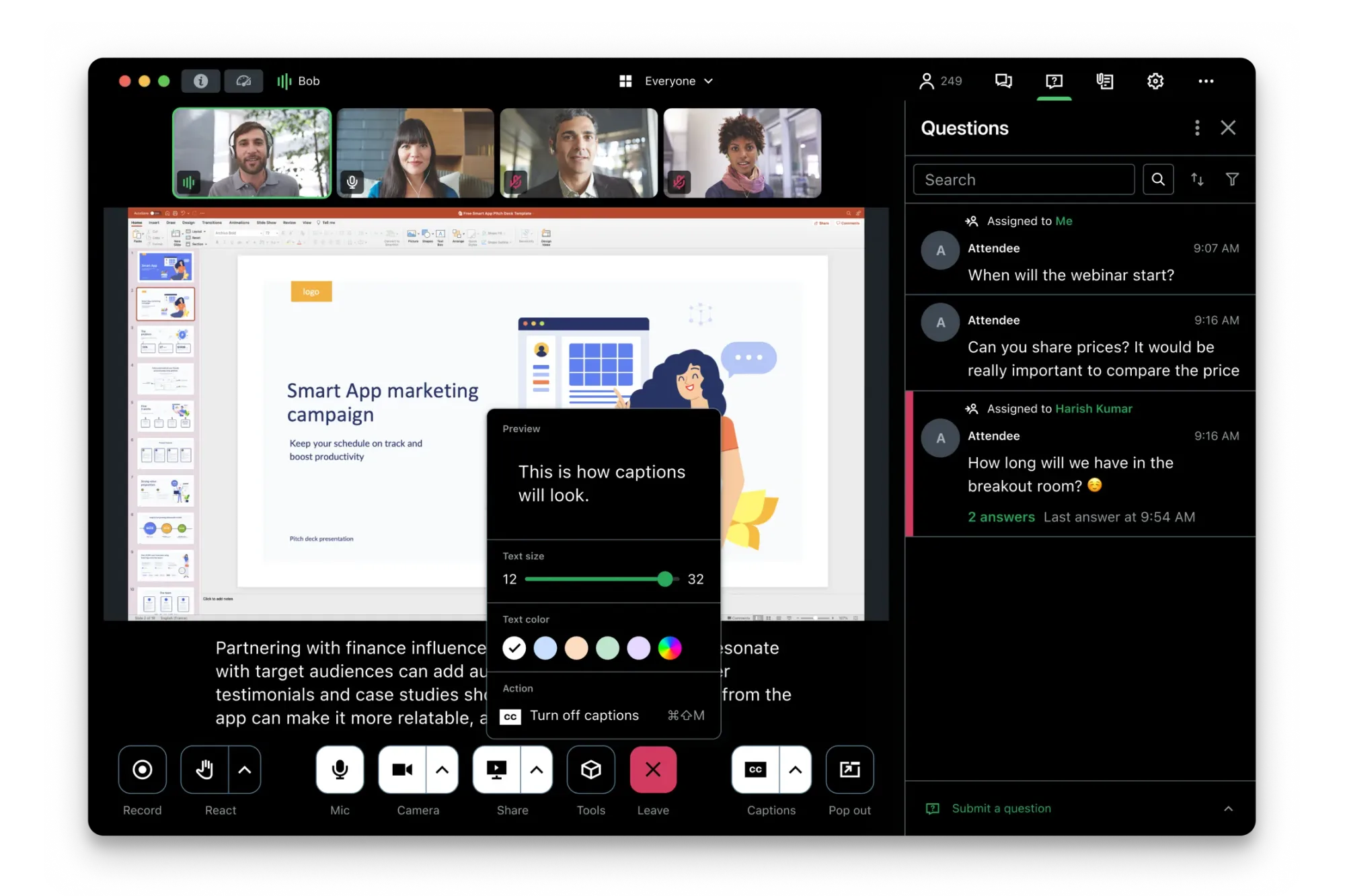
- Live Q&A: let participants ask questions during the session.
- Live polls: get instant feedback and keep attendees involved.
- Chat and reactions: let people interact and share thoughts in real time.
Reliable Recording and On‑Demand Access
For training, compliance, or onboarding, HR professionals need webinars that can be:
- Recorded in high quality (choose a platform that offers local recording)
- Stored securely
- Shared easily with employees later
This ensures content isn’t lost and can be reused across teams.
Security and Compliance
HR teams handle sensitive information: candidate data, employee details, internal communications. When choosing a webinar platform, look for:
- SOC 2 certification
- data privacy controls
- clear documentation on how attendee data is stored and managed.
Customization and Branding
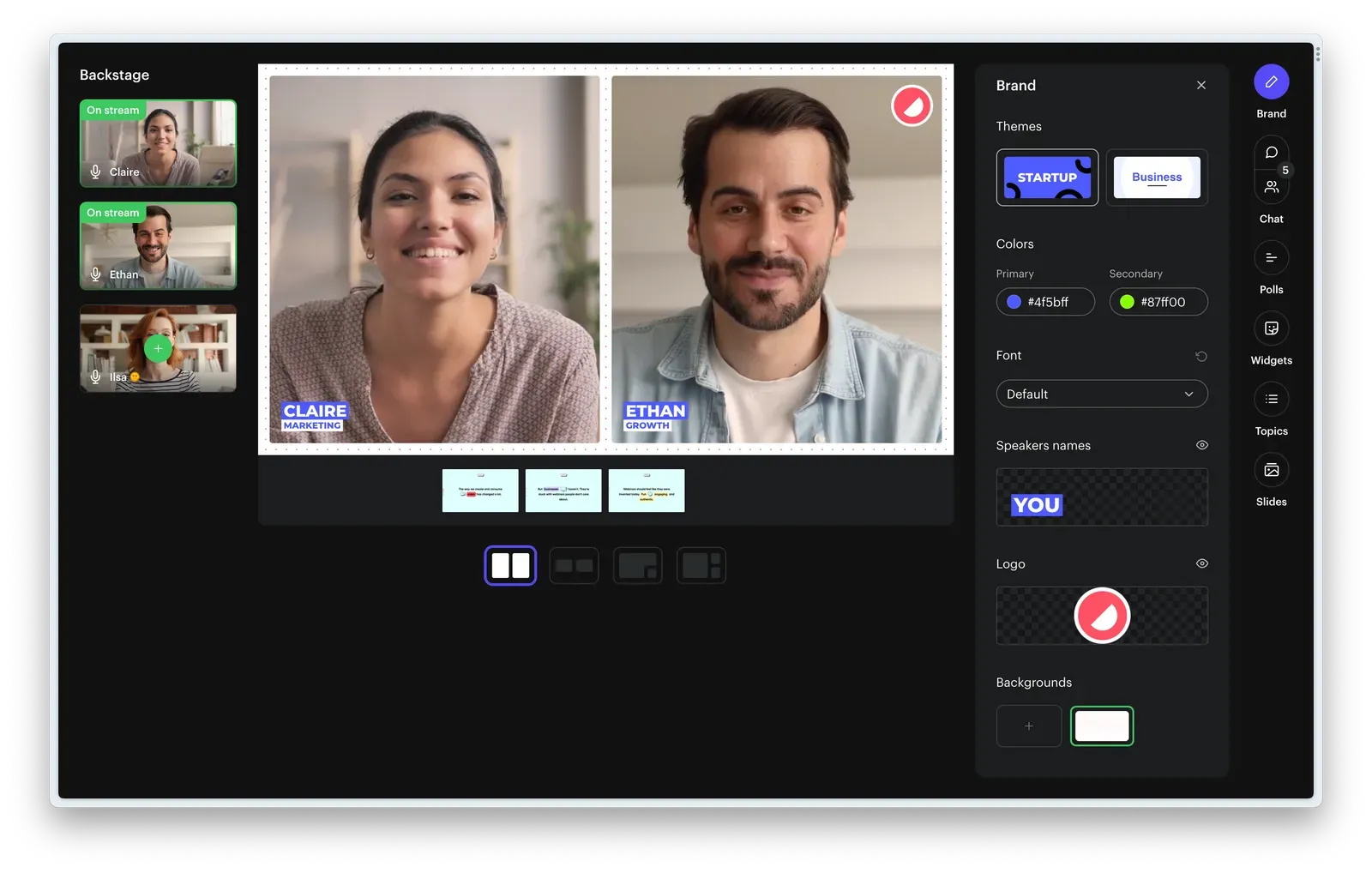
- Custom colors and themes: match the webinar interface with your company’s brand colors.
- Logo and backgrounds: add your company logo and custom backgrounds to the webinar screen.
- Fonts and visual style: choose fonts and design elements that reflect your brand identity.
- Branded registration pages and emails: make sign-up pages and reminder emails look like they come from your company.
- Consistent branding across the experience: your branding should appear in the registration page, webinar room, and replay channel.
These features help webinars look professional and aligned with your company's brand, rather than the webinar platform’s branding.
Content Repurposing
A well-run HR webinar produces valuable content. Recording, clipping, and repurposing that content into other formats extends the value of every session:
- Record webinars automatically: keep a full recording for future use.
- Create short clips: turn key moments into short videos for internal sharing or training.
- Reuse content in different formats: convert webinars into guides, training materials, or internal updates.
Platforms with built-in AI repurposing features make this significantly faster for HR teams that don't have a dedicated content team behind them.
Integrations
Consider whether the webinar software can connect with your existing stack:
- HRIS/LMS systems (e.g., Workday, HiBob, BambooHR, Docebo)
- CRM (e.g., HubSpot, Salesforce)
- Calendars (e.g., Outlook, Google)
- Email/communication tools (e.g., Slack)
Analytics and Reporting
Good webinar platforms provide insights that HR can act on, such as:
- Attendance tracking
- Engagement metrics (polls, chat, Q&A, CTA clicks)
- Watch time
These help evaluate webinar/training effectiveness and adjust future programs accordingly.
Best Webinar Software for HR Teams at a Glance (comparison table)
The right platform depends on how your HR team actually uses webinars. Some tools are built for interactive community sessions, others for large-scale events or on-demand training. The table below frames each platform around its strongest HR use case.
| Platform | Best HR Use Case | Key Strength | G2 Rating | Pricing |
|---|---|---|---|---|
| Contrast | HR thought leadership and industry education webinars | Engagement-first format + strong HubSpot integration | 4.8 | From $69/mo |
| BigMarker | Hybrid events | Handles complex, multi-track event formats | 4.7 | Sales-led |
| Zoom Webinars | Recruiting and talent events | Secure access controls (waiting rooms) | 4.5 | From $89/mo |
| Livestorm | HR community webinars | Reliable recording and on-demand access | 4.4 | From $110/mo |
| ON24 | Enterprise HR webinar programs | Customization and branding | 4.3 | Sales-led |
| GoToWebinar | Internal HR trainings | Detailed post-webinar analytics | 4.2 | From $69/mo |
| Demio | On-demand HR education, employee onboarding | Simple replay workflow with live polls and Q&A | 4.1 | From $99/mo |
Our Top Choices for the Best Webinar Platforms for HR Teams
Here are our top picks for the most common HR webinar use cases:
Best for HR Thought Leadership and Industry Education: Contrast
Contrast has the highest rating on G2 among the platforms reviewed in this guide. It is the strongest option for HR teams running external webinars — thought leadership panels, industry education series, and community roundtables. Its engagement-first format is built around participation, not just broadcasting, which matches how HR audiences actually want to interact.
→ Jump to the full Contrast review
Best for Recruiting and Talent Events: Zoom Webinars
For HR teams running recruiting events and virtual open houses, Zoom Webinars is the most practical choice. Secure access controls like waiting rooms give HR teams full control over who joins and when. This is very important when events are open to external candidates.
→ Jump to the full Zoom Webinars review
Best for Hybrid Events and Large HR Conferences: BigMarker
When HR teams need more than a regular webinar, such as annual summits, multi-session virtual conferences, or hybrid events, BigMarker can handle it. It is designed for more complex events that most webinar platforms cannot support.
→ Jump to the full BigMarker review
The Best Webinar Software for HR Teams (individual platform breakdowns)
Contrast
Best HR use case:
HR thought leadership and industry education webinars
User ratings:
G2: ⭐⭐⭐⭐⭐ 4.8
Pricing:
Free trial: Yes (free plan up to 30 registrants)
Starting price: $69 per month
Summary:
Contrast is a modern, engagement-first webinar platform designed for teams that treat webinars as an ongoing content channel. For HR teams, that means thought leadership panels, industry education series, and community roundtables where audience participation matters as much as the speaker.
Key strengths for HR teams:
- Live polls, Q&A, and reactions
- Native HubSpot integration for post-webinar follow-up and audience tracking
- Built-in AI workflows for post-webinar follow-up and content repurposing
Possible limitations:
- Not designed for internal training sessions that require host controls over attendee cameras and microphones

The Best Webinar Experience for your Viewers
Start for free with up to 30 registrants. No credit card needed.
Start for freeBigMarker
Best HR use case:
Hybrid events and large HR conferences
User ratings:
G2: ⭐⭐⭐⭐⭐ 4.7
Pricing:
Free trial: No
Starting price: Not publicly listed
Notes: Pricing varies by features, usage, and contract terms
Summary:
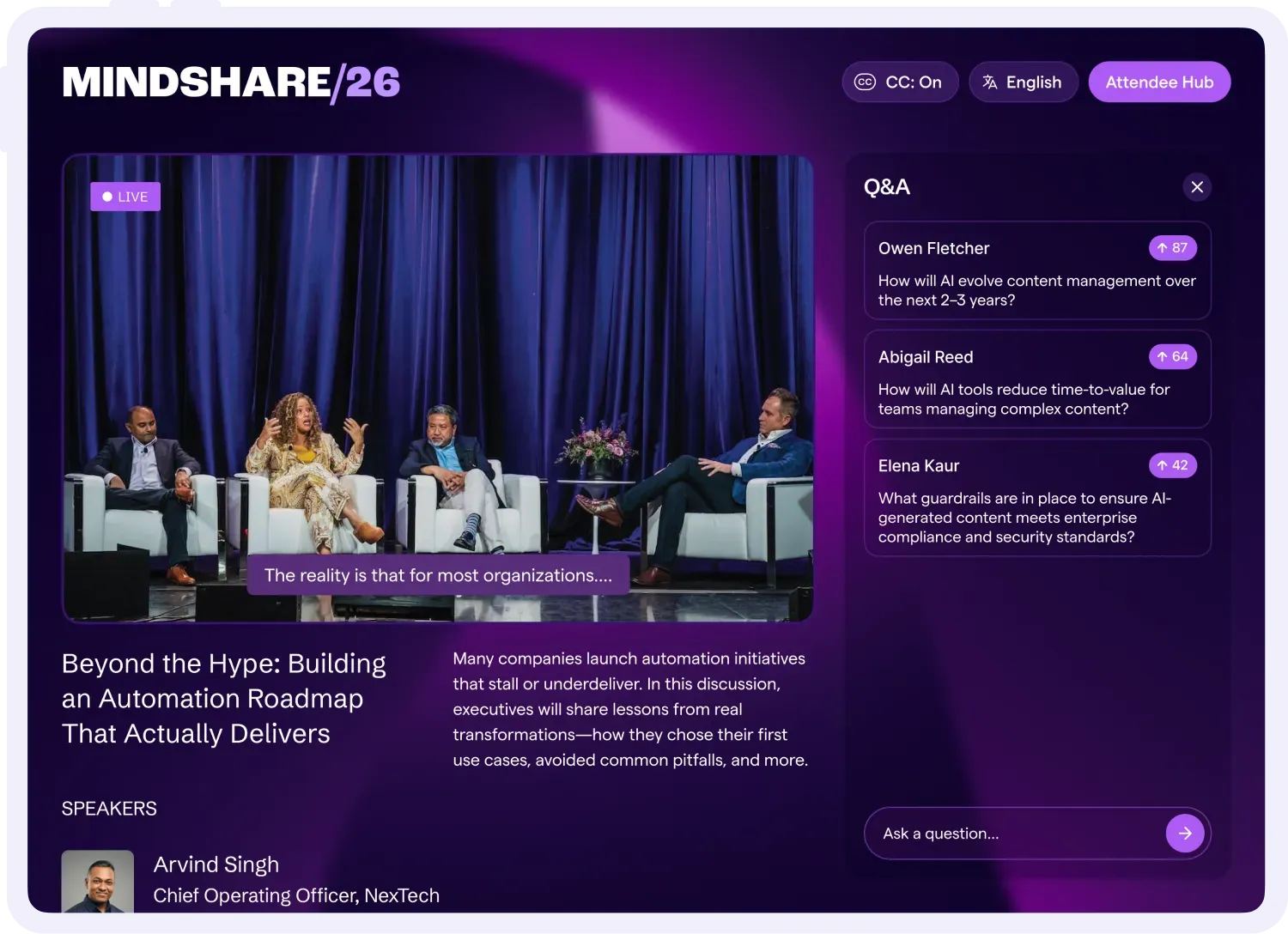
BigMarker is a flexible webinar and virtual events platform built for teams that need more than a standard webinar tool. For HR teams running annual summits, multi-session virtual conferences, or hybrid events, it handles the complexity that most webinar platforms can't.
Key strengths for HR teams:
- Multi-track agendas and breakout rooms built for large-format HR events
- Supports virtual, hybrid, and in-person formats in one platform
- Strong customization for registration, branding, and attendee experience
Possible limitations:
- More complex to set up than simpler webinar tools
- Heavier than necessary for HR teams running standard recurring webinars
Learn more:
Best BigMarker alternatives
Zoom Webinars
Best HR use case:
Recruiting and talent events
User ratings:
G2: ⭐⭐⭐⭐⭐ 4.5
Pricing:
Free trial: No
Starting price: $89 per month
Notes: You must have a paid "Licensed" Zoom account and purchase a specific Zoom Webinar license (add-on) to host a webinar.
Summary:
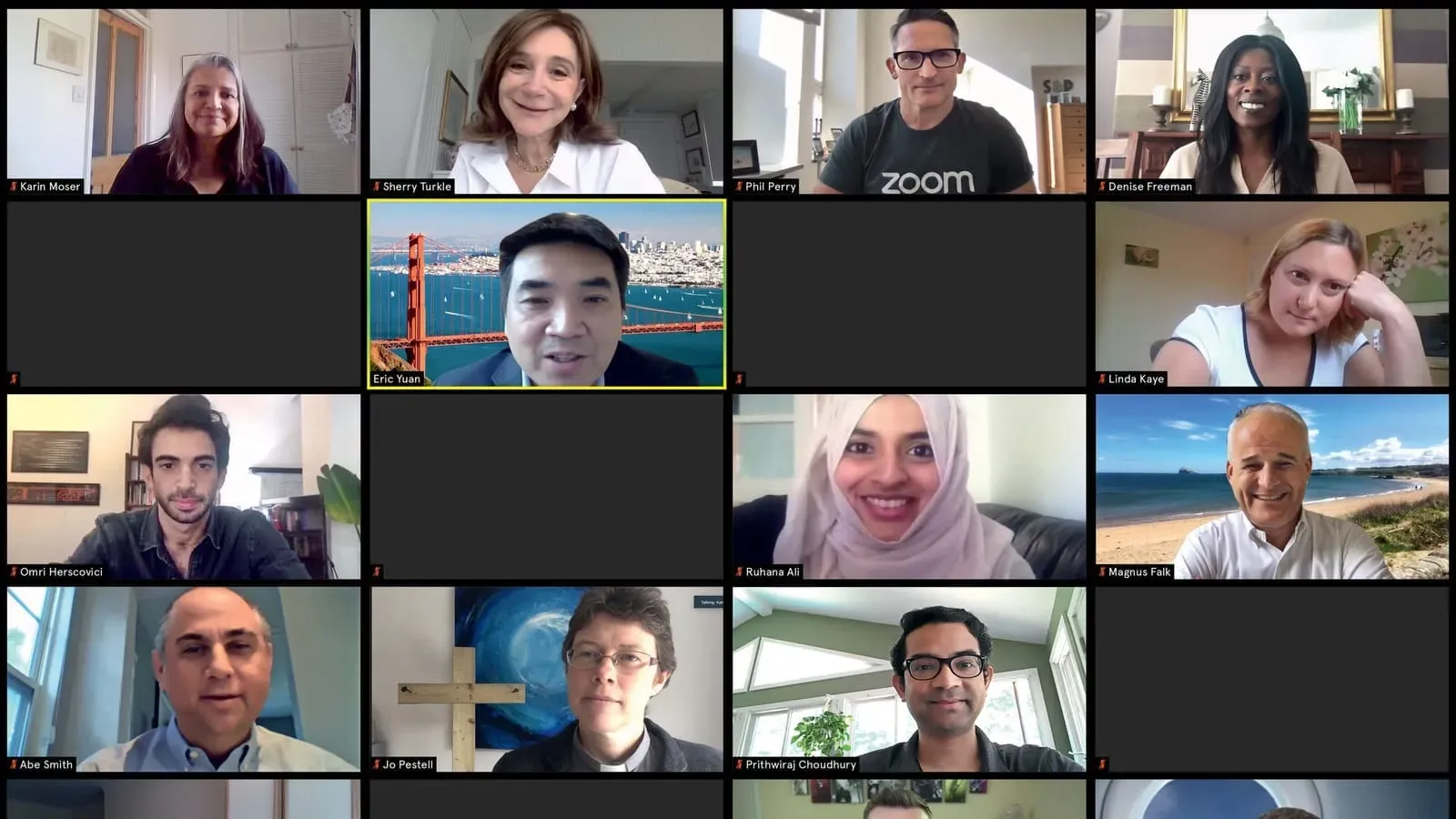
Zoom Webinars is a webinar add-on built on top of Zoom's core video conferencing platform. For HR teams, it works well for recruiting events and talent sessions where secure access control matters most.
Key strengths for HR teams:
- Waiting rooms and host controls to manage who joins and when, which is very important for external candidate events
- Supports large virtual hiring events and open houses
- Full host controls over attendee cameras and microphones
Possible limitations:
- Requires attendees to download the Zoom app, which adds friction for external candidates
- Limited engagement features compared to interaction-focused platforms
- CRM integrations often require manual configuration
Learn more:
Best Zoom alternatives
Livestorm
Best HR use case:
HR community webinars
User ratings:
G2: ⭐⭐⭐⭐☆ 4.4
Pricing:
Free trial: Yes
Starting price: $110 per month
Summary:
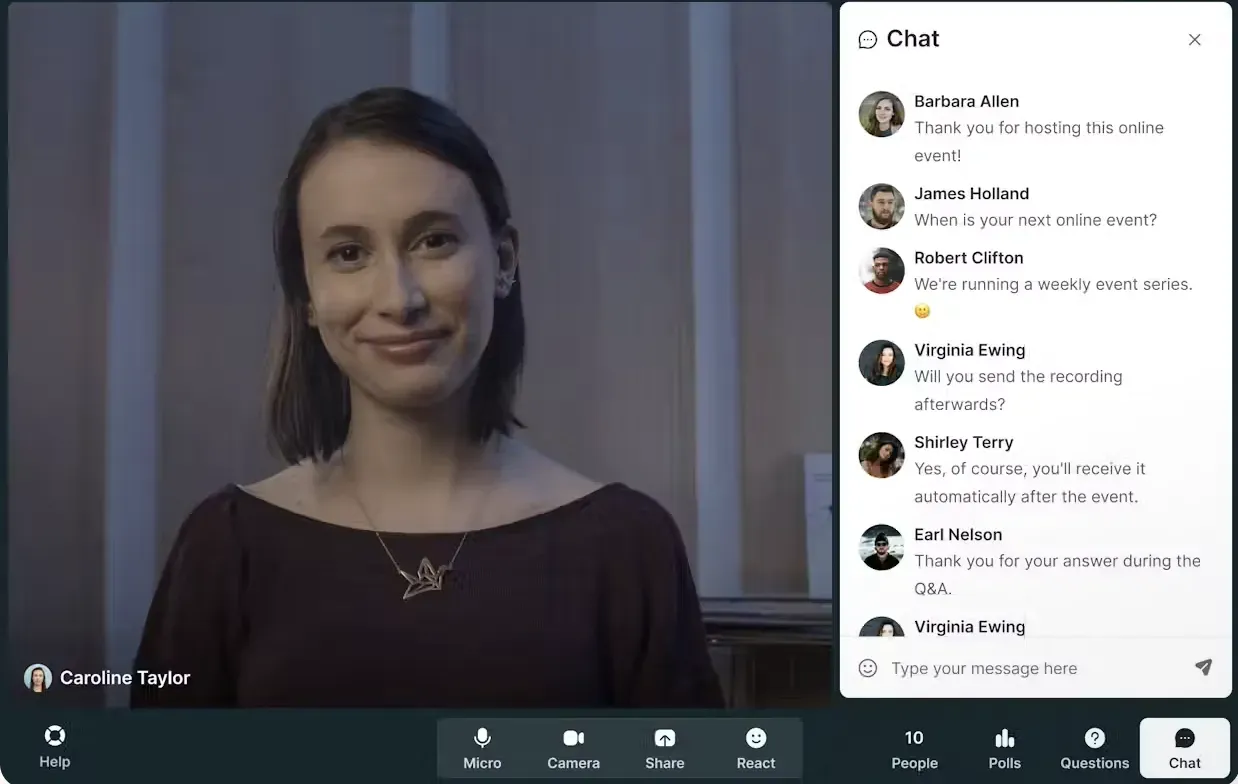
Livestorm is a webinar platform with support for live, on-demand, and automated sessions. For HR teams, it works well for community-focused webinars where reliable recording and easy replay access are a priority.
Key strengths for HR teams:
- Modern, browser-based experience with no downloads required
- Reliable recording with on-demand replay for attendees who missed the live session
- Supports live, on-demand, and automated webinar formats
Possible limitations:
- Engagement features are not as deep as newer interaction-focused platforms
- Pricing can scale quickly as contact limits increase
- Less suited for large-scale or multi-track virtual events
Learn more:
Best Livestorm alternatives
ON24
Best HR use case:
Enterprise HR webinar programs at scale
User ratings:
G2: ⭐⭐⭐⭐☆ 4.3
Pricing:
Free trial: No
Starting price: Not publicly listed
Summary:
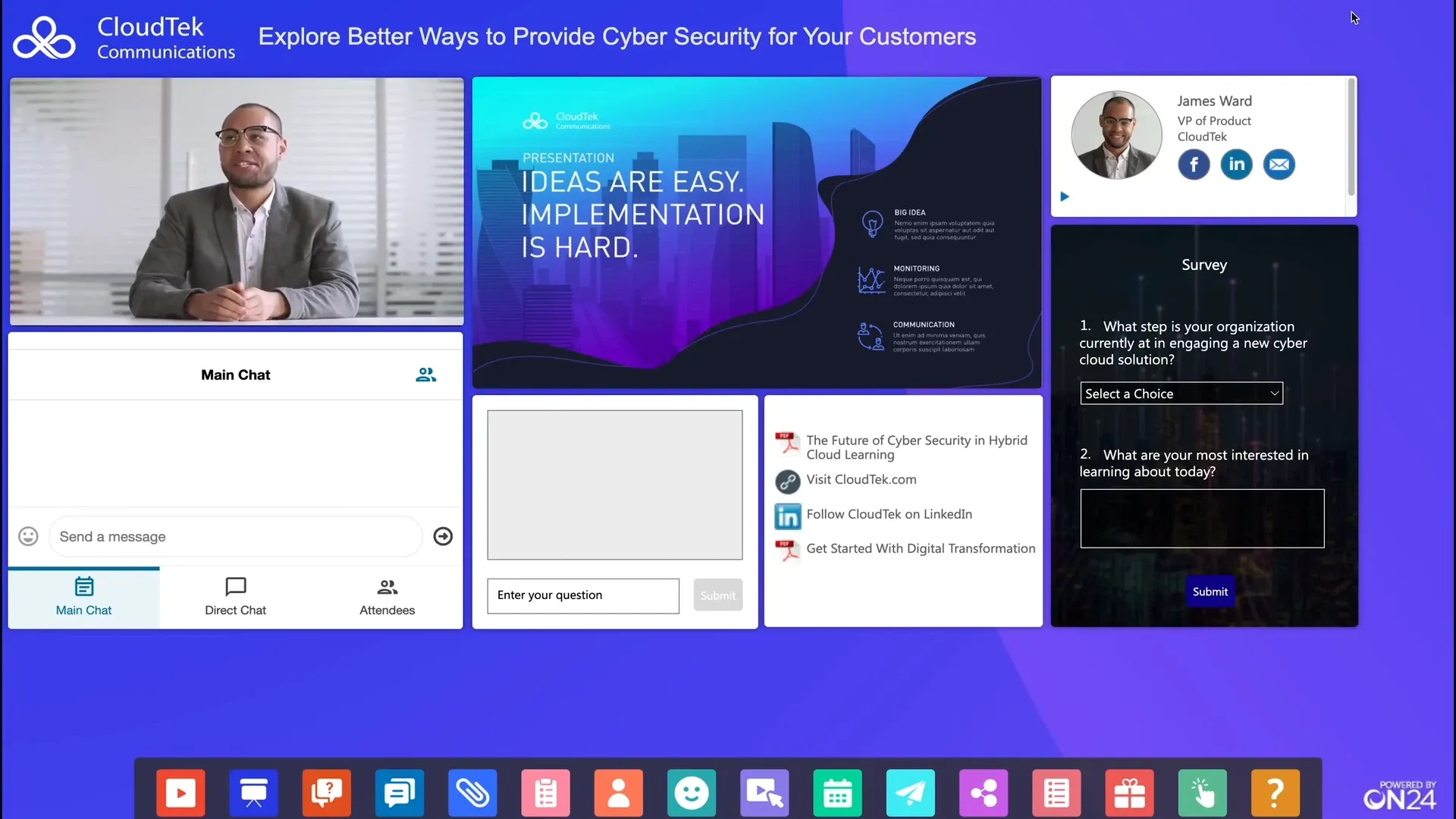
ON24 is a long-standing enterprise webinar platform used by large organizations that need standardized, high-volume webinar programs. For enterprise HR teams, its customization and branding options allow consistent, on-brand experiences across a large number of sessions.
Key strengths for HR teams:
- Extensive customization and branding controls across registration and the webinar room
- Built for large, repeatable webinar programs with deep configuration options
- Role-based access controls to manage permissions across hosts, panelists, and attendees
Possible limitations:
- Dated interface compared to newer platforms
- Steep learning curve due to feature depth and configuration complexity
Note: ON24 was acquired by Cvent in Q4 2025. As a result, product direction, roadmap, and long-term positioning may change as the platforms are integrated.
Learn more:
Best ON24 alternatives
GoToWebinar
Best HR use case:
Internal HR trainings
User ratings:
G2: ⭐⭐⭐⭐☆ 4.2
Pricing:
Free trial: Yes
Starting price: $69 per month
Summary:
GoToWebinar is a reliable webinar platform commonly used for recurring internal programs. For HR teams running structured training sessions, its detailed post-webinar analytics help measure attendance, engagement, and training effectiveness over time.
Key strengths for HR teams:
- Provides detailed analytics for post-webinar reporting
- Proven reliability for recurring internal training programs
- Supports mid-sized webinars with thousands of attendees
Possible limitations:
- Dated interface compared to newer webinar platforms
- Recording and video presentation features are gated behind higher plans
- Costs increase as more organizers or presenters are added
Learn more:
Best GoToWebinar alternatives
eWebinar

Best HR use case:
On-demand HR education and employee onboarding
User ratings:
G2: ⭐⭐⭐⭐☆ 4.1
Pricing:
Free trial: Yes
Starting price: $99 per month
Summary:
eWebinar turns pre-recorded content into automated sessions that run without a live presenter. For HR teams, that means onboarding programs, compliance training, and education content that employees can access on their own schedule.
Key strengths for HR teams:
- Pre-recorded webinars with live polls, quizzes, and Q&A for on-demand sessions
- Supports flexible viewing (on-demand, recurring, local time slots)
- Built-in chat allows hosts to respond live or asynchronously via email
Possible limitations:
- No live broadcast mode. Automated webinars only
- Less suitable for interactive community sessions or external thought leadership events
- Chat is text-only
How HR Teams Run Successful Webinars
Match the Format to the Use Case
A compliance training session and an industry thought leadership panel are completely different events. Internal training needs structure, clear objectives, and on-demand access for employees who missed it. External community webinars need interaction, open Q&A, and a conversational tone so people can engage. Using the wrong format for the wrong audience is the most common mistake HR webinar hosts make.
Time Sessions Around the HR Calendar
HR teams are significantly busier at certain times of year, such as performance review cycles, open enrollment, end-of-quarter hiring pushes. Scheduling webinars during these periods kills attendance. The best-attended HR webinars are mid-quarter, mid-week, mid-morning. Avoid January, late June, and any week near a major holiday.
Promote Inside HR Communities, Not Just Email
Most HR webinar promotion stops at email and LinkedIn posts. The HR teams with the strongest registration numbers also promote inside communities where HR professionals already spend time. That can be HR-specific Slack groups, associations like SHRM, and newsletters that HR leaders actually read.
Record Everything and Make Replay Easy to Find
A significant portion of your registered audience won't attend live: 47% of webinar views are on-demand (Source: Contrast's webinar stats report).
- Send the recording link within 24 hours after the session
- Keep it accessible
- Embed it somewhere easy to find.
Turn One Webinar Into Multiple Content Assets
The session recording is just the starting point.
- Short clips for LinkedIn, YouTube, TikTok, Instagram
- Key quotes from speakers
- Written summary for people who don't watch the video
- Social media posts
- Newsletter
A single HR webinar can produce weeks' worth of content. Platforms with built-in AI repurposing tools make this significantly faster without needing a dedicated content team.
Webinar Software FAQs for HR Teams
What is the best webinar software for HR teams?
Based on user ratings and HR-specific use cases, Contrast is the best webinar software for HR teams running external webinars. It has the highest rating on G2 (4.8) and its engagement-first format is built around the kind of interactive, conversation-driven sessions HR audiences respond to best.
How do HR teams measure webinar success?
The right metrics depend on the use case. For internal training, attendance rate and completion rate matter most. For external thought leadership, registration growth, live attendance rate, and replay views tell a more complete story. Engagement metrics like poll responses, Q&A participation, chat activity, CTA clicks also indicate whether the content actually landed.
How often should HR teams run webinars?
Monthly is the most common cadence for HR teams running an ongoing series. It's frequent enough to build a consistent audience without overwhelming the team producing them. Quarterly works for larger, more produced events. One-off webinars rarely build lasting audience growth, regardless of how good the content is.
How were the webinar platforms compared in this guide?
The platforms in this guide were selected and compared based on HR-specific use cases rather than general webinar features. Each platform was evaluated using third-party user ratings from G2, pricing model, and documented strengths and limitations as they apply to how HR teams actually run webinars.
How to Choose the Right Webinar Software for Your HR Team
The right platform depends on what your HR team is actually trying to do. Here's how to work through the decision.
1. Start With Your Primary Use Case
Internal training and external thought leadership webinars have completely different requirements. A platform built for one rarely works well for the other. Be clear on which use case you're solving for before evaluating anything else.
2. Decide Whether You Need Live Interaction or Automation
If your webinars are live and audience participation matters, prioritize engagement features like polls, Q&A, and reactions. If you're running on-demand training or onboarding content that needs to run without a presenter, an automated webinar platform is a better fit.
3. Check Your Integration Requirements
If attendee data needs to flow into HubSpot, Salesforce, your HRIS, or an LMS, make sure the platform supports that natively. Manual exports and workarounds create more work every time you run a session.
4. Consider How You'll Handle the Recording
On-demand replay access matters more than most HR teams realize before they start. Think about where the recording will live, how attendees will access it, and whether the platform makes that easy or complicated.
5. Test Before You Commit
Most platforms offer a free trial or free plan. Run a real session, even a small one, before making a decision. The live experience, the attendee join flow, and the post-webinar setup are impossible to evaluate from a feature list alone.
For HR teams running external webinars like thought leadership, community events, industry education, Contrast is the strongest starting point. It's free to try, takes minutes to set up, and is built around the kind of interactive, engaging format that HR audiences actually respond to.
The Best Webinar Experience for your Viewers
Start for free with up to 30 registrants. No credit card needed.
Start for free