
How to Host a Webinar: Step-by-Step Guide for 2026

To create and host a webinar successfully, you need to: (1) choose the right format for your goal, (2) plan your topic and speaker, (3) set up your tech and run a dry run, (4) promote with a structured email sequence, (5) run the live event with prepared engagement, and (6) follow up with a segmented post-event sequence.
You want to host or conduct a webinar. Where do you start? How do you get people to show up? What if something goes wrong, your speaker is late, or your audience checks out after ten minutes? This guide covers all of it.
Or watch the video version of this article:
Webinar hosting takes real preparation, but the process is learnable. You will become confident faster than you think once you understand what each phase actually requires. We cover every role involved, walk through the full planning process, give you the technical checklist most guides skip, and show you how to turn a single virtual event into weeks of content. This guide also applies if you're looking to host a webcast — the terms are often used interchangeably for live online presentations.
What is a Webinar Host?
The host is central to any webinar. Before diving into tactics, it is worth being clear on what the role actually involves, because it is broader than most people expect.
What’s the Role of a Webinar Host?
The host is the person in charge of running the webinar from start to finish. That means starting the session, introducing the agenda and speakers, keeping time, leading the Q&A, and wrapping up with a clear call to action. The host is the face your webinar attendees associate with your brand for the entire duration of the event.
The host's job is to create the conditions for a good conversation, not to dominate it. Their role is to make the speaker perform well and to make the audience feel heard. Depending on your team size, the host may also take on responsibilities like setting the agenda with speakers, creating the slide deck, running a pre-event test, and managing post-event repurposing.
Webinar Host vs. Moderator: What's the Difference?
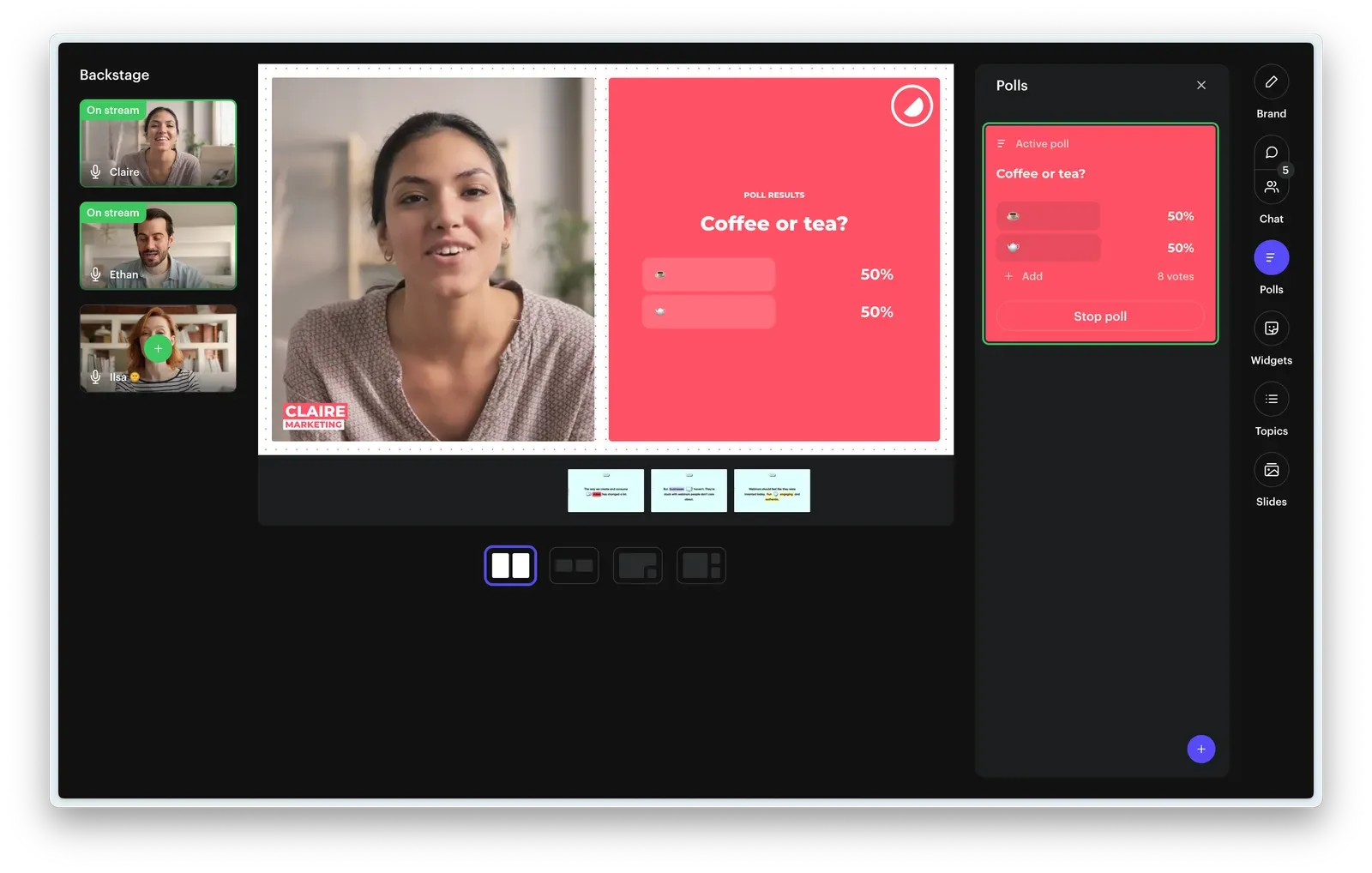
These two roles are often confused and often handled by one person, which works for smaller events but becomes a problem at scale. The host is the on-stage presence: the one the audience sees, hears, and follows. The webinar moderatorworks backstage, managing the live chat, filtering questions, launching polls, and keeping an eye on technical issues.
For webinars with audiences above 100, having a dedicated moderator is strongly recommended. It allows the host to focus entirely on the experience rather than splitting attention between presenting and managing the webinar chat window. If you are running everything solo, prepare your chat responses and poll questions in advance so you are not improvising both at the same time.
Which Type of Webinar Should You Host?
Before you plan anything else, decide which format fits your goal. The five main options are: educational webinars (knowledge transfer, softer CTA), product demo webinars (highest-converting format in B2B), thought leadership and panel discussions (top-of-funnel awareness), customer onboarding and town halls (internal or customer-facing, highly reusable), and evergreen/automated webinars (on-demand — 50% of total webinar views happen outside live sessions). The right format determines your content structure, your promotion angle, and your CTA. Getting it wrong creates a mismatch between what your audience expects and what you deliver, and that gap is hard to recover from mid-session. For a full breakdown of each format and when to use it, see our webinar formats guide.
Educational and Training Webinars
Educational webinars are built around knowledge transfer. The goal is to leave your audience with a skill, a framework, or an insight they did not have before. These work well for establishing credibility and nurturing leads who are still in the research phase of their buying journey. Education-focused sessions tend to perform especially well with audiences that are remote or geographically dispersed, since participants can join from anywhere without travel constraints.
The format typically involves one or two speakers, a structured presentation, and a Q&A at the end. The call to action is usually softer: download a resource, book a consultation, or follow the speaker on LinkedIn.
Lead Generation and Product Demo Webinars
Product demo webinars are among the highest-converting formats in B2B. A significant majority of buyers report that live product demonstrations are among the most helpful content formats when making a purchasing decision. The session is usually tighter, 30 to 45 minutes, and the call to action is direct: book a demo, start a free trial, or speak to sales.
This format works best when your target audience already has a problem in mind and is actively evaluating solutions.It is less effective at the very top of the funnel, where product awareness among participants is still low.
Thought Leadership and Panel Discussions
Panel discussions bring together multiple perspectives on a topic your audience cares about. The value is not just the content but the signal it sends: your brand is the place where informed conversations happen. These formats tend to attract larger audiences when the speakers have their own following, which makes them effective for reaching new communities beyond your existing email list.
The format requires more coordination ahead of time: briefing multiple speakers, aligning on talking points, and keeping the conversation structured enough to stay useful without becoming rigid.
Customer Onboarding, Training, and Town Halls
Not all webinars are public. Customer onboarding webinarssupport customer success by answering common questions at scale and accelerating product adoption. Internal training webinars deliver consistent messaging across distributed teams without travel costs. Town halls follow a similar format, using the virtual event structure to brief large groups of employees or stakeholders in a single, accessible session.
Both formats benefit enormously from recording and making sessions available on demand afterward. A well-structured onboarding webinar can be reused for months before it needs updating.
Evergreen and Automated Webinars
One of the most underused formats in B2B is the evergreen webinar: a pre-recorded session made available on demand, sometimes with a simulated live feel. 50% of webinar views happen on-demand, which means half your potential audience will never attend a live session. An evergreen format captures that audience without requiring you to present the same content repeatedly.
The recording quality and structure matter more here than in a live session, because the audience has no reason to stay if the content does not hold their attention from the first minute.
When does an on-demand format make more sense than a live one?
On-demand webinars work best when the content does not depend on real-time interaction. Product overviews, onboarding flows, and evergreen educational content are all strong candidates. Live formats are worth the extra effort when conversation, Q&A, and the energy of a shared experience are central to the value you want to deliver.
The practical approach is to run live first and repurpose as evergreen afterward. That way you get both the live engagement and the long-term reach from on-demand views. For a detailed breakdown of what each approach offers, see our comparison of live vs. pre-recorded webinars.
5 Tips to be a Great Webinar Host
Being a good host has less to do with being naturally charismatic and more to do with preparation and attention. Here are the habits that consistently make the difference.
Act Like You're the Face of the Company
Think for a minute from your audience's perspective. For many of them, this is the first time they are seeing a real person from your company. You are not just a presenter. You are representing your brand voice, values, and standards for the duration of the event.
That means the whole experience, from the branded registration page to the closing CTA, needs to feel consistent. A host who seems unprepared or disengaged does real damage to brand perception. A host who is present, organized, and genuinely engaged does the opposite.
Welcome People like your Grandma Welcomes you
Whether the host is present throughout or just for the opening and close, the welcome sets the tone for everything that follows. Start a minute or two early. Say hello to people as they join. Tell them when you will begin. Ask them where they are watching from.
Silence during the pre-start window makes attendees uncertain. Filling it with a simple, human greeting removes that uncertainty immediately. You do not need a script for this part. You just need to be present.
Make the Less Tech-Savvy a Little More Savvy
Not everyone in your audience is comfortable with interactive elements or the engagement features of your webinar platform. During the welcome segment, take 60 seconds to orient attendees: show them how to use the live chat, how to submit a question, how to vote on a poll.
This brief orientation pays off in engagement throughout the session. Attendees who know how to interact are far more likely to do so. Those who cannot find the Q&A button simply stay silent.
Introduce Speakers
Even if your guest speaker is well known, always introduce them. The best introductions do not just list credentials. They answer the question your audience is implicitly asking: why should I trust this person on this topic, right now?
Bridge the introduction by letting the speaker finish it themselves. Have them share where they work and what they are currently working on. For something more engaging, try a fun fact the audience guesses from, a rapid-fire question round, or asking the speaker to describe themselves using only three words. Any of these land better than reading a LinkedIn bio aloud.
Ask the Right Questions to your Speakers
Prepare your questions in advance based on the topic, not on what feels natural in the moment. If the subject is outside your area of expertise, ask your speaker ahead of time which questions they find most useful to answer. They will give you the ones that bring out the best of their thinking.
Pacing matters. One well-timed question keeps the conversation moving. A series of shallow questions in quick succession flattens the depth of the discussion and loses the audience.
How to Plan a Successful Webinar
Planning is where most of the work happens — whether you think of it as organizing a webinar or simply putting one on. By the time you go live, the decisions that determine whether the webinar succeeds have already been made.
Choose the Right Webinar Topic
Start with your target audience's problem, not with what you want to talk about. The best webinar topics are specific, timely, and directly connected to a challenge your audience is actively trying to solve. A useful technique is to take a problem your audience already identifies with and add a timely layer.
"How to fill your content calendar" becomes "How to fill your content calendar in half the time with AI." The second version addresses the same problem but connects it to something people are actively curious about. It tends to generate significantly more registrations.
Decide How Long the Webinar Will Be
Most people default to 60 minutes because it feels standard. But webinar length should match content density, not convention. Product demos often work perfectly in 30 minutes. Panel discussions with multiple speakers can justify 75 to 90 minutes.
Data shows that 61% of webinars are 60 minutes long, but sessions running 45 minutes can see up to 5% higher live attendance. If you can cover your topic well in 45 minutes, do not stretch it. Our guide on how long a webinar should be breaks this down in more detail.
Pick the Right Speaker
An external speaker changes the quality of your webinar on two fronts. They bring credibility and a perspective your company alone cannot provide. They also often bring their own audience: a speaker who is active on LinkedIn will share your event with their network, extending your reach at no additional cost. Choosing to find guest speakers who are subject matter experts in your sector is one of the most effective ways to grow your registrant base beyond your existing contacts.
Look for speakers who are comfortable in front of a live audience. Experienced presenters require less preparation support from you and tend to perform more consistently under live conditions.
Set Clear Goals and Define What Success Looks Like
Before you write a single slide, decide what a successful webinar looks like in numbers. Setting clear webinar goals and objectives means knowing how many registrants you are targeting, what live attendance rate you are expecting, and how many people you want to click your CTA.
These goals will shape your promotion budget, your content structure, and your post-event analysis. Tracking the right metrics also gives you a reliable basis for improving future webinars over time.
Key KPIs to Track by Webinar Type
Choosing the right webinar KPIs depends on your format and objective.
| Webinar type | KPIs to track |
|---|---|
| Educational | Attendance rate, watch time, Q&A participation rate |
| Lead gen / demo | CTA click rate, post-event trial signups, pipeline influenced |
| Panel discussion | Registrant count, social sharing, new audience reached |
| On-demand / evergreen | Total views over 30/60/90 days, drop-off point in the recording |
Learn to Use your Webinar Tool
Choosing the best webinar platform for your event plays a crucial role in your event's success — and learning how to use it even more.
If you hadn't figured this out yet, we're Contrast – also a webinar tool. So take this with a grain of salt, but if you're looking for a webinar tool – you should try us out.
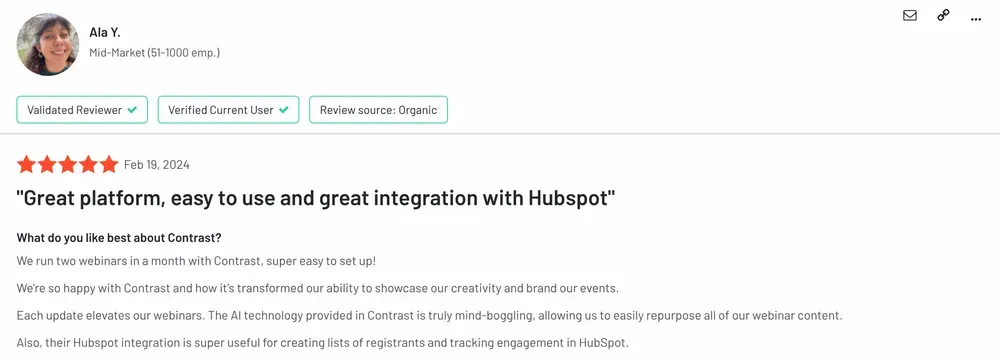
Don't trust us though? Instead, look at our G2 Reviews. People love us!
It's important that your webinar tool is easy to use, for both you and your audience. For you, because you have better things to do than figuring out how to invite your speakers. And for your audience, because they too are busy and ultimately every bit of friction for them will decrease your turnout rate and lower your chances of converting them into a customer.
To run a successful webinar, make sure to understand how these things work:
- Create a webinar and registration page
- How to connect your CRM and other webinar integrations so you avoid all of the manual work of CSV exports
- How to invite your speakers (and make sure they have no issues with their cam/mic)
- How to use the webinar studio and start the event
Now let's look at the details that will help you become a professional webinar host.

Assign Roles to your Team
The minimum team for a smooth event is a host, a moderator, and a backup host. The backup host is the role most teams skip, and the one they regret skipping the first time a presenter drops offline five minutes before start.
Good role management and clear ownership improve the webinar experience for everyone. If your platform charges per seat, consider switching to one that offers unlimited team access. A well-supported host delivers a noticeably better experience than one managing everything alone.
Choose the Best Date and Time for your Webinar
For B2B audiences, Thursday is consistently the best-performing day, followed by Wednesday and Friday. The highest-attendance time slots are 12PM and 2PM in the attendee's local timezone, with 10AM and 11AM close behind. When you schedule a webinar, build your calendar around these windows and verify them against your audience's sector and geography.
Avoid scheduling around major industry events, local holidays, or end-of-quarter periods when your audience is likely to be under pressure. Even a strong topic will underperform if your timing works against your audience's schedule.
B2B vs. B2C: Does the Ideal Time Differ?
For B2B, daytime works because you are reaching professionals during their working hours. For B2C audiences, evenings and lunch hours tend to produce stronger attendance since your audience is not at work and has time for content that is not work-related.
If your audience spans both segments, running two sessions at different times is the most reliable solution. If that is not feasible, default to the time that fits your primary buyer.
How to Set Up Your Webinar (Technical Checklist)
Knowing how to set up a webinar correctly is what separates smooth events from avoidable disasters — technical failures are the most common cause. The essentials: use a dedicated microphone for video conferencing rather than your laptop's built-in option (audio matters more than video), use a wired ethernet connection for stable streaming (minimum 5Mbps upload), test your webcam and microphone in the exact browser and environment you will use on the day, and schedule a full dry run with your speaker at least 48 hours before the event. Every team should also have a written backup plan covering what happens if the host drops off or the platform goes down. For the full equipment checklist and rehearsal protocol, see our webinar setup guide. For a full overview of Contrast's security standards, see our security page.
Technical failures are the most avoidable cause of a bad webinar. Most of them happen because teams skip the preparation steps that would have caught the problem before going live. Investing 30 minutes in setup and a proper practice session eliminates most of the surprises that derail live events.
Equipment: Camera, Microphone, and Lighting
Audio quality matters more than video quality. Audiences will forgive a slightly soft image. They will not stay for audio that cuts in and out. Use a dedicated microphone for video conferencing rather than your laptop's built-in option.
For video, position your camera at eye level, not below your face. Make sure your face is evenly lit from the front. A ring light or a window facing you directly is enough. You do not need professional production tools to deliver a clean, reliable stream. You need consistent quality, and that is achievable with straightforward equipment.
Internet Connection and Bandwidth Requirements
Use a wired ethernet connection whenever possible. Wi-Fi introduces instability that is difficult to predict under live streaming conditions. If you must use Wi-Fi, ensure you are on a 5GHz network and within close range of the router.
Close every application and browser tab you do not need before starting. A minimum upload speed of 5Mbps is recommended for stable HD streaming. Test your connection speed on the morning of the event, not a week before.
Platform Setup and Screen Sharing Test
Test your webcam and microphone in the same environment you will use on the day: same computer, same browser, same background applications running. Many screen sharing issues only appear under live conditions, not during solo testing at your desk.
Have your slides open and your demo environment preloaded before the event starts. Watching a host open files or search for links during a session is a poor experience for attendees and hard to recover from. Accessibility matters here too: verify that your slides and shared content are readable at the font sizes and contrast levels your audience will see on their screens.
Run a Dry Run: Your Pre-Event Rehearsal Checklist
Schedule a full practice session with your speaker at least 48 hours before the event. Run through the entire session from introduction to CTA. Time each section so you catch overruns before they happen live.
Test every poll, every on-stage transition, and every handoff between speakers. Ask someone on your team to join as a silent attendee and flag anything that looks wrong from the audience's perspective. A 30-minute rehearsal removes most of the surprises a live session would otherwise produce.
Backup Plan: What to Do If Something Goes Wrong Live
Every webinar team should have a simple written backup plan. What happens if the host drops off? If the speaker loses their connection? If the platform goes down? Assign a team member to own the live chat and keep the audience informed if something goes wrong.
Have a slide prepared that acknowledges a brief technical issue. Security and reliability are table stakes for any professional event: the more clearly you communicate during a problem, the less damage it does to the webinar experience. A calm, prepared message keeps your audience in place while you resolve the issue.
How to Create Your Webinar Registration Page
The registration page is where interest converts into commitment. Most teams treat it as a formality. The teams with the strongest registrant numbers treat it as a page that has to earn the sign-up.
What Makes a High-Converting Registration Page
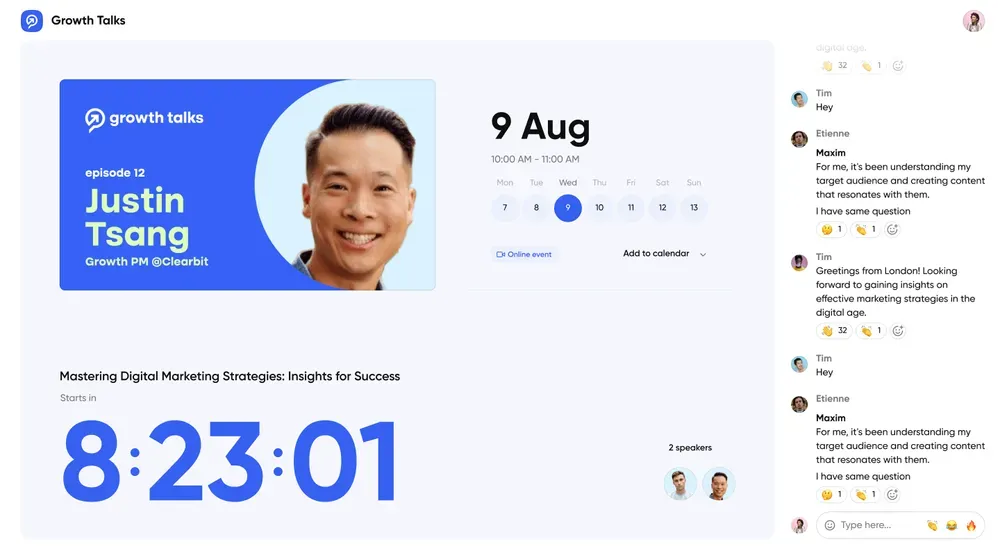
Lead with the benefit, not the topic. Instead of "Webinar on content marketing strategy," write "Learn how to build a 3-month content calendar in one afternoon." The visitor should immediately understand what they will walk away with. Use custom registration forms with minimal fields: name and email is almost always sufficient at the registration stage, and every additional field you add reduces your conversion rate.
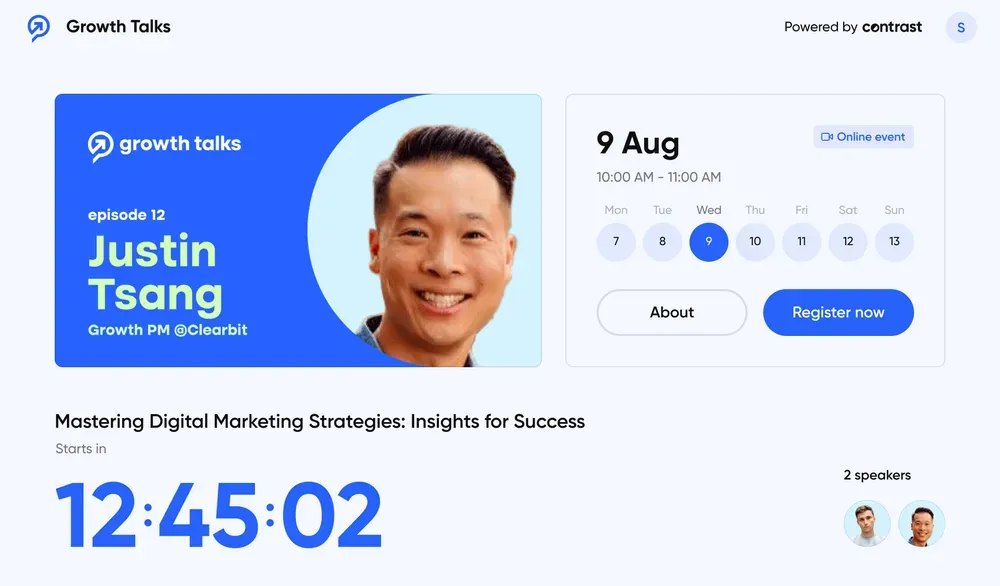
Include a speaker section with a short bio and a professional photo. Add the date, time, and session duration clearly. Your audience is weighing whether the time investment is worth it before they commit, and each piece of information removes a reason not to register. For a complete guide on building this page, see our article on how to build a webinar registration page.
How to Brand the Experience to Your Company
Your registration page is part of the webinar experience, not separate from it. Upload your logo, set your brand colors, and use a cover image that fits the webinar's subject and tone. A well-branded page signals professionalism before the event has even started, and it gives users a consistent experience from their first interaction with your event.
Platforms that let you introduce branded webinars automatically save your team meaningful time. If your current tool requires a developer to apply your branding, that is a real friction point worth addressing before your next event.
How to Promote Your Webinar
Without a solid promotion strategy, even the best webinar will be watched by too few people to justify the effort that went into it.
Plan your Webinar Promotion
Email remains the top driver of webinar registrations, consistently outperforming social media and paid advertising for live attendance. Build your email list carefully and segment it before you start promoting: a relevant, qualified list outperforms a large, untargeted one every time. Use your webinar invitation email as the primary conversion tool, and build your promotion calendar backward from the event date.
Communities deserve more attention than most teams give them. Relevant Slack groups, LinkedIn groups, and newsletters in your sector drive highly qualified registrants. Paid ads can increase raw registrant numbers, but turnout rates for paid audiences are consistently lower than for organic or email-driven audiences. Factor that into your projections before allocating budget.
Webinar marketing also benefits from working with the speakers themselves. When you collaborate with influencers or subject matter experts who have their own audiences, their promotion of the event extends your reach significantly. A speaker with an active LinkedIn following who shares the registration link is doing targeted distribution you cannot buy. See our guide on webinar social media promotion for a full channel strategy.
The Pre-Event Email Reminder Sequence
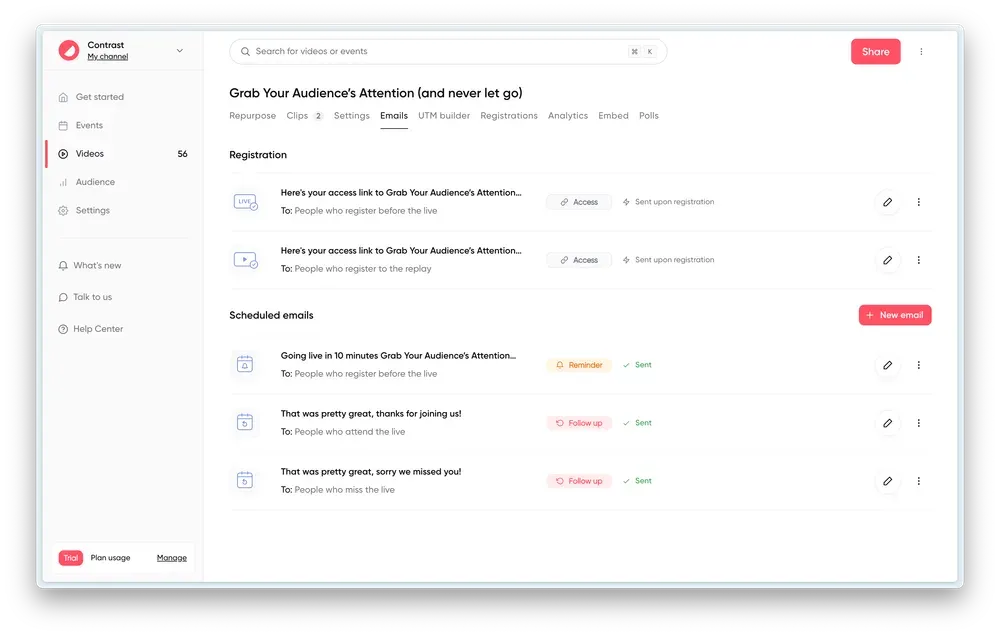
A structured webinar reminder sequence can meaningfully increase your live attendance rate. Three emails are enough: a confirmation sent immediately on registration (include a calendar invite link), a reminder the day before with a specific agenda item or speaker quote, and a short last-call one hour before the event with the join link in the very first line. For templates and timing details, see our dedicated guide.
| Timing | Purpose | Key element to include |
|---|---|---|
| T-7 days (on registration) | Confirmation + teaser | Calendar invite link, one specific reason to attend |
| T-1 day | Reminder + agenda preview | Speaker quote or agenda item, benefit-focused subject line |
| T-1 hour | Last-call | Join link in the very first line |
How to Structure your Webinar
Start with a General Outline for your Webinar
Start with what you want your audience to take away, then build the content that delivers it. A common mistake is organizing a presentation around what you know rather than what your audience needs to understand by the end. Define two or three specific takeaways before writing any slides. Every section you add should serve at least one of those takeaways directly.
The structure that works most reliably is: open with the problem, build the case, deliver the solution, close with the CTA. Around those four pillars you place the welcome, the speaker introduction, the Q&A, and the wrap-up. A solid webinar outline makes every step easier to manage.
Agenda and Main Topics
Once your outline is set, keep your webinar agenda high-level enough to leave room for the conversation to develop. A fully scripted webinar feels rigid, and experienced attendees notice immediately. Share the agenda with your speaker in advance so both of you are aligned, but resist the urge to over-script the transitions between sections.
Decide in advance whether you want to field questions throughout or save them for a dedicated Q&A block. Both approaches work, but deciding in advance and communicating it to your audience at the start prevents confusion mid-session.
Design your visuals
Visual assets reduce drop-off. Keep each slide to a single idea and use visuals where possible instead of text blocks. The 10/20/30 rule is a useful starting point: ten slides, twenty minutes of presentation, thirty-point minimum font size. Adjust for your format and content, but the underlying principle holds.
Short video clips work well as pattern breaks in longer sessions. They should be punchy rather than explanatory. On-stage polls and broadcast Q&A are among the highest-impact interactive elements available on most platforms. Use them at deliberate moments in the session, not as filler.
Let's look at the different visual assets you can use to keep audience engagement:
Good old PowerPoint
We're not here to tell you how to create your slide deck. You already know that. If you decide to use a deck, keep it visual and avoid slides with a wall of text. Remember, you're here to show – not tell.
Maybe you've heard about the 10/20/30 rule for PowerPoint. Here's a quick reminder: a presentation should have ten slides, last no more than twenty minutes, and contain no font smaller than thirty points.
We think it's a good rule. But rules are made to be broken.
Video
We see lots of companies use video successfully in their webinars. The golden rule is to keep them short and punchy. Think product teaser instead of product explainer. It's simply there to energize the audience and break the pattern of the webinar.
Use video in the beginning to wow your audience. Or build up to the moment-supreme halfway-through.
Images and GIFs
You can also use images and gifs to better tell your story. We love it.
On-stage Polls and Q&A
Some webinar platforms allow you to broadcast a poll or question from the audience on-stage. This is another great way to engage your audience throughout your webinar.
Contrast helps increase engagement by adding polls on-stage
Optimize for Audience Engagement
Engagement during a webinar is directly proportional to how much you prepare before it. Before the event, write your chat messages in advance: responses to common questions, links to additional resources, comments timed to key moments in the presentation. Prepare your polls and decide exactly when to launch each one.
Seed one or two questions for the Q&A section. This ensures the session starts with a real exchange rather than an awkward silence while you wait for the audience to type something. For a complete set of tactics, see our webinar engagement strategies.
How to Start your Webinar
Welcome your Audience
Start one to two minutes early. People joining before the official start time need to know they are in the right place. Use the pre-start window to introduce yourself briefly, state when the session will begin, and invite people to say hello in the live chat.
Ask where they are watching from, or what brought them to the topic today. These small invitations create participation habits early. Live attendees who interact once in the first two minutes are significantly more likely to stay engaged throughout the session.
Introductions and Ground Rules
As your audience settles in, explain your role for the session clearly. Whether you are the host, the moderator, or both, say it simply. Your audience wants to understand who is in charge and what to expect. Keep the ground rules minimal: point out the Q&A feature, confirm whether questions will be taken throughout or at the end, and move on quickly.
Every minute spent on logistics at the start of a session is time your audience is waiting for the value they registered for. Orient them, then get into the content.
Share the Main Agenda
Frame the agenda around what your audience will gain, not around what you plan to cover. Instead of walking through your table of contents, tell them what they will be able to do or decide after the session. Give them a reason to stay for the full duration before the content has even begun.
Keep the agenda overview brief. Two or three lines is enough. Then move directly into the speaker introduction and the opening of the presentation. A prepared webinar introduction script helps keep this section tight and consistent.
Introduce your Guest Speakers
Your introduction should answer one question for the audience: what makes this person the right person to speak on this topic right now? Prepare it in advance using our guest webinar prep checklist. A strong introduction mentions one specific achievement, one current project, and hands off to the speaker to add a personal detail themselves.
Keep it under 90 seconds. An introduction that runs longer suggests a lack of editing, and it delays the content your audience came for.
How to Keep your Audience Engaged During a Live Webinar
Keeping an audience engaged for 45 to 60 minutes requires deliberate planning, not just good delivery. Here is how to approach it section by section.
Ice-ice-breaker
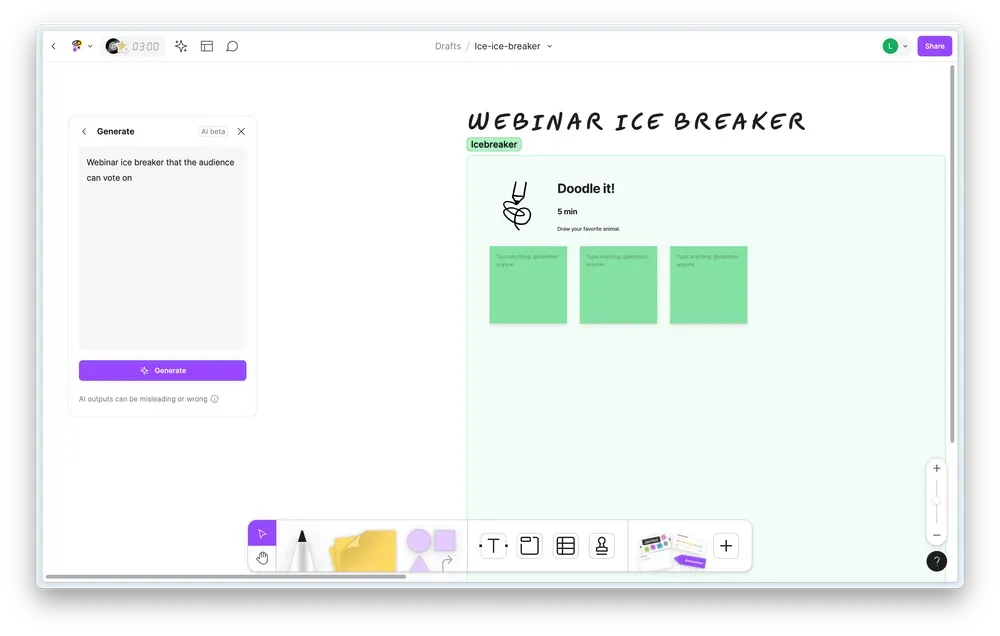
Make people feel welcome in the very first minute, then follow up two or three minutes in with something that requires a response. An easy poll, a question in the live chat, or a show of hands via emoji all work. The goal is to get participants into the habit of interacting early.
People who interact once in the first few minutes are far more likely to participate during the Q&A and to click on your CTA at the end. The ice-breaker is not a throwaway moment. It is the first step in building that habit.
Run On-Stage Polls
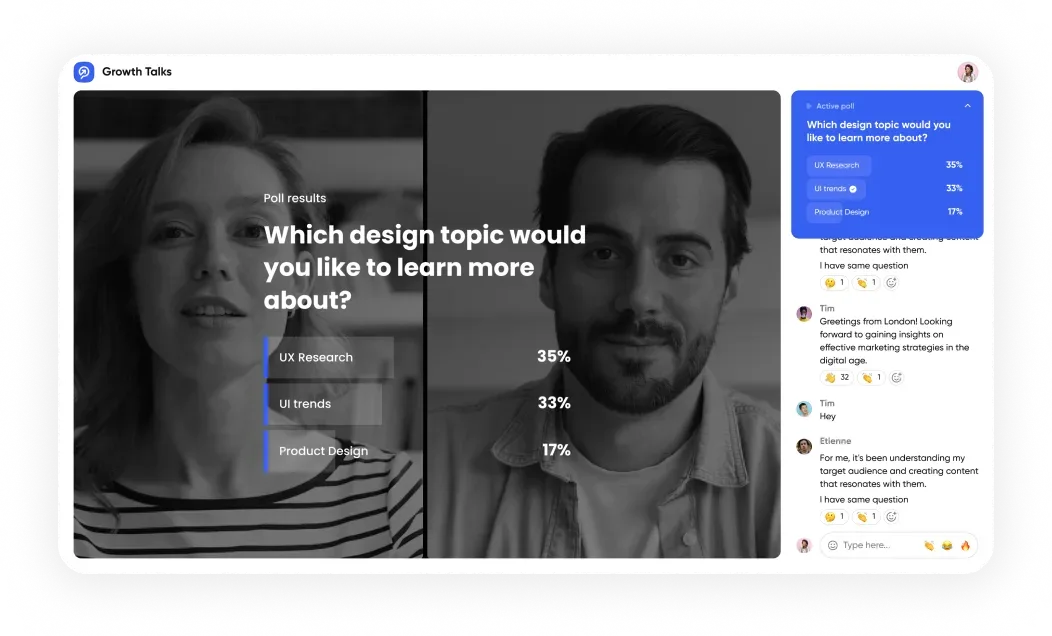
Live polls give your audience a sense of participation and generate real-time feedback on where they stand on the topic. Run two to four polls per webinar, spaced across the presentation rather than clustered together. Open with a simple, low-stakes question that everyone can answer without thinking too hard. This confirms the engagement feature works for your audience and warms participants up for the more substantive interactions to come.
Save your more meaningful polls for moments where the results can genuinely inform how the presenter responds. A poll whose results change nothing is still useful for engagement, but one that visibly shapes the conversation is more memorable. Browse our webinar poll question examples for inspiration.
Run Q&A Sessions
Most webinar attendees expect a Q&A session at the end. Answering questions as they arrive throughout tends to derail the structure, and risks turning the presentation into a long support call. Acknowledge good questions in real time, tell the audience you will address them in the Q&A block, and keep moving.
Prepare one or two seed questions in advance in case the Q&A opens to silence. A well-chosen seed question usually prompts other attendees to submit theirs.
Add messages from the audience to the stage with Contrast
Topics and Widgets
Visual cues help your audience track where they are in the session. Some platforms support on-stage topic displays that update as the session progresses. If your platform does not offer this, a simple transition slide in your deck serves the same purpose. A clear "Part 2" header or a visual chapter marker is enough to orient the audience between sections.
These cues also signal to attendees who have drifted away that something new is starting, which can pull them back to the screen without any direct prompting.
Topic cue on during one of our webinars
Unconventional audience engagement techniques
Some of the most effective engagement techniques are the ones most hosts avoid. Asking your audience to predict an outcome before you reveal it, sharing a counterintuitive statistic mid-session, or inviting a specific attendee to respond to a direct question in the chat all produce strong responses. Webinar attendees who are actively thinking during a session retain more and are more likely to act on your CTA at the end.
These techniques require confidence, but they are worth developing. The sessions where hosts use them consistently outperform those that rely only on standard interactive elements.
How to End the Webinar
The close of a webinar is where preparation and delivery either convert into results or do not. Most presenters rush this section.
Share Key Learnings
Do not only summarize the session yourself. Ask your audience to share their biggest takeaway in the chat, then read a few responses aloud. This reinforces the learning by having the audience articulate it in their own words. It also gives you real-time feedback that the session delivered value, which is useful for your post-event review.
Keep the key learnings segment brief. Two or three minutes is enough before moving into the CTA.
Add a Call-To-Action (CTA)
Use one call to action and communicate it three ways. Put it on a dedicated slide. Drop the link in the live chat. Include it in the follow-up email. More than one CTA divides your audience's attention and reduces overall conversion. Fewer than three touchpoints means a portion of your audience will miss it entirely.
Connect your CTA directly to the content of the session. The closer the CTA is to the problem the webinar addressed, the higher the response rate. A generic "learn more" at the end of a specific session wastes the trust and attention you spent the previous hour building. For detailed guidance, see our article on webinar CTAs.
Thank your Speaker(s) and Audience
Thank your speaker by name and refer to a specific moment or insight from the session. A specific thank-you lands differently than a generic one, and it matters to the speaker. Repeat the same specificity with your audience. Tell them you appreciated a particular question, or a comment from the chat. It closes the session on a note that feels like a real conversation rather than the end of a broadcast.
Common Webinar Mistakes to Avoid
Even well-planned webinars can come apart in predictable ways. For a complete breakdown of the most common webinar mistakes, we have a dedicated guide — but the five failure modes that appear most often are: skipping the rehearsal (the single biggest cause of avoidable technical failures), overloading the content (covering more does not mean delivering more), ignoring audience interaction (polls and Q&A are not optional extras), underinvesting in promotion (start at least two weeks out, use multiple channels), and skipping the post-webinar follow-up (a significant share of your pipeline comes from no-shows and attendees who almost clicked your CTA).
Poor Technical Preparation
Skipping the rehearsal is the most common cause of avoidable technical failures. A 30-minute practice session with your full team identifies the problems that would otherwise surface during the live event. Test your audio, your screen sharing, your platform controls, and your backup plan before you go live.
Technical issues that happen during a live session are stressful for the host and damaging for the audience's confidence in your brand. Most of them are entirely preventable.
Overloading Content
Trying to cover too much in one session creates a diluted experience. More content does not produce more value. When nothing gets covered with enough depth to be actionable, attendees leave without a clear takeaway. If your rehearsal is running long, cut a section rather than speeding through it.
A tighter session that delivers two strong insights is worth more than a complete overview that delivers none.
Ignoring Audience Interaction
A webinar without interaction is a recorded video with a live format. Polls, Q&A, live chat, and interactive elements are not optional extras. They are what makes the live format worth the extra effort for both you and your audience. Build them into your run-of-show and protect them when the session runs behind time.
The segments most likely to get cut when time is short are often the ones that matter most to the audience.
Insufficient Promotion
The most common reason webinars underperform has nothing to do with content quality. It is promotional underinvestment. Start your webinar marketing at least two weeks before the event and use more than one channel. A strong webinar with 20 attendees represents a significant waste of preparation.
Your promotion calendar should be as detailed as your content plan.
Skipping Post-Webinar Follow-Up
The session ending does not mean the work is done. A significant share of your pipeline from any given webinar comes from the follow-up phase: from no-shows who watch the recording, from attendees who were close to clicking your CTA, and from hot leads who did click it and need a fast, direct response. Our full guide on webinar follow-up emails covers each segment in detail.
What to Do After Your Webinar
The post-event phase is where a lot of the commercial value of a webinar is actually realized.
Send a Recording of the Webinar
On average, only 30 to 40% of registrants attend a webinar live. The remaining 60 to 70% will watch the webinar recording if you send it promptly and make it easy to access. Do not wait more than 24 hours. The further you get from the registration date, the lower the engagement with the recording.
Ideally, your platform sends the recording automatically on the same link the attendee originally registered from, so there is no friction in accessing it.
The Post-Webinar Follow-Up Email Sequence
Segment your audience by behavior and send accordingly. Our full webinar email sequence guide covers every step, but three segments cover the most important cases.
For attendees, send your email within two hours of the session ending. Thank them for attending, share one key resource or link to additional resources referenced in the session, and repeat your CTA with a direct link. This email consistently generates the highest CTA click rate of any message in your post-event sequence because the audience is still engaged.
For no-shows, send the following day. Lead with the recording, not with an apology. Frame it as "here is what you missed" and include one specific insight or data point from the session to motivate the click. No-shows who watch the recording on-demand convert at rates that surprise most teams. Our thank-you email template covers how to structure both messages.
For attendees who clicked your CTA, treat this segment differently. High purchase intent requires a direct, fast response. This group should trigger an immediate notification to your sales team for same-day follow-up. A generic email drip is the wrong tool for this segment.
Review your Analytics
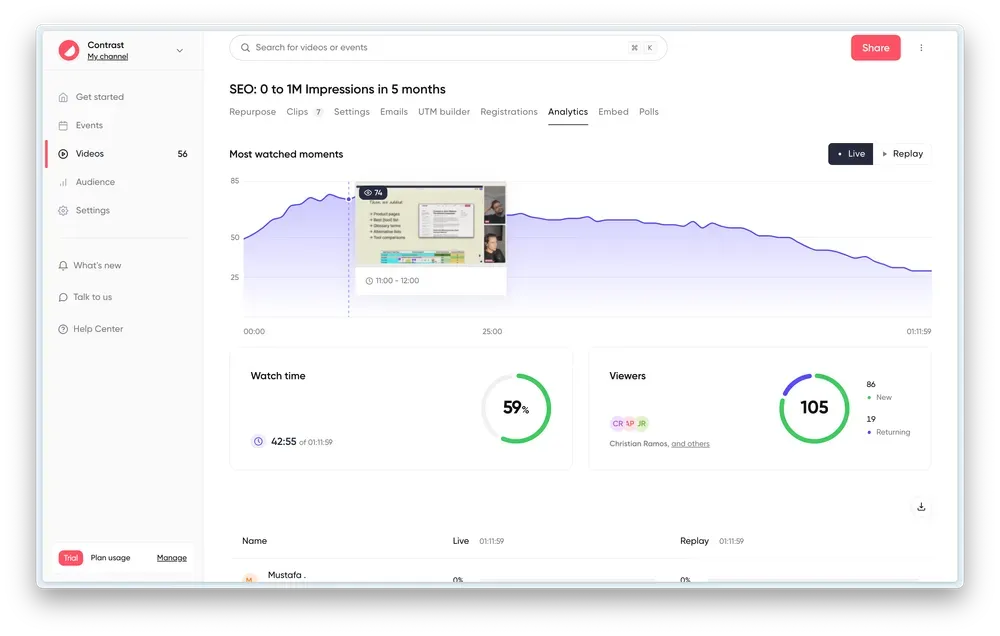
Start with your attendance rate and compare it against the 30 to 40% benchmark for live webinars. If yours is below that, review your promotion strategy and reminder sequence before assuming the topic was wrong. Then look at watch time: where did people drop off? That point in the recording consistently reveals something about your content pacing or content quality.
Modern webinar platforms show you a concurrent viewer graph across the entire session. Use it to identify your strongest segments and your weakest ones, and carry those observations into your planning. Our webinar analytics guide explains every metric worth tracking.
GDPR and Recording Consent: What You Need to Know
If you are operating in Europe or hosting attendees in EU jurisdictions, recording consent is a legal requirement, not an optional notice. Your registration page must clearly state that the session will be recorded, and your privacy policy must reflect how attendee data is used and stored. Most modern webinar platforms include a consent checkbox at registration, but verify that yours does.
Storing attendee data from registration also falls under GDPR obligations. Ensure your platform and CRM integration are compliant, that your security settings meet the required standards, and that your data retention policies are documented. This is a practical step that takes 30 minutes to get right and protects you from a problem that is very difficult to fix retroactively.
How to Repurpose Your Webinar
A single webinar session contains far more usable content than most teams extract from it. Repurposing extends its reach without requiring new effort.
What is Webinar Repurposing?
Repurposing a webinar means taking your webinar content and transforming it into formats that reach different parts of your audience. Not everyone attends live. Not everyone prefers video. A well-repurposed webinar reaches people in their inbox, on their LinkedIn feed, and through organic search.
The number worth keeping in mind: 50% of webinar views happen on-demand. Your content strategy should not stop at the live event. It should continue for weeks afterward, treating each session as the starting point to create content across multiple formats and channels.
Create Clips for Social Media
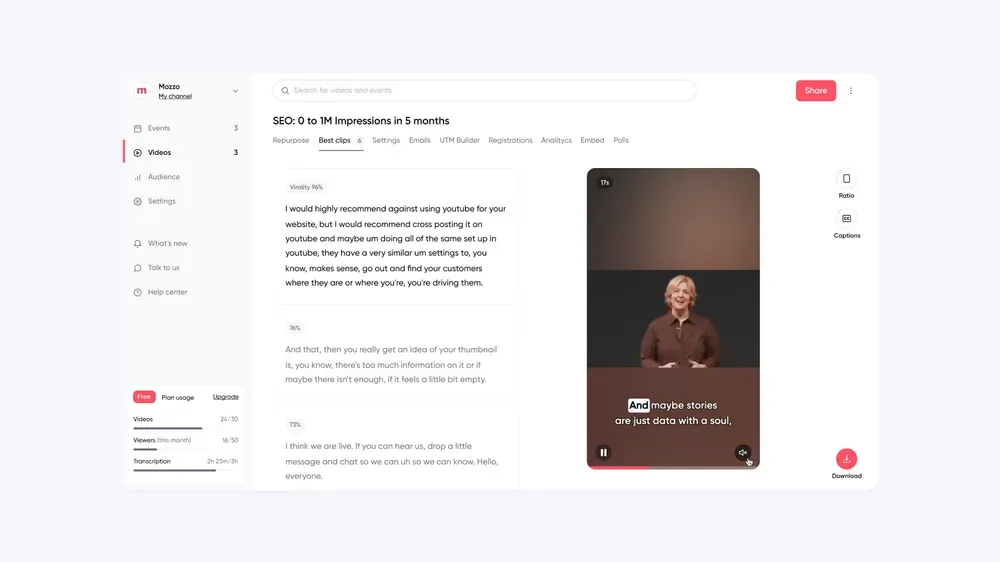
Extract two or three moments from your recording that stand on their own: a strong answer from the Q&A, a data point that challenges a common assumption, or a clear and specific insight from your speaker. Turn these into 60 to 90-second clips using Clip AI for LinkedIn, Instagram Reels, or YouTube Shorts.
These clips drive traffic to the on-demand recording and build ongoing visibility for your brand without requiring new content production. A single webinar can generate three to four weeks of social content.
Turn the Webinar Transcript into New Content
Your platform's transcript is a starting point for multiple content formats. From a single webinar, you can produce a long-form blog post built around the key arguments, a LinkedIn newsletter issue, three to five standalone social posts, and an FAQ document useful for your sales team. The transcript contains all the raw material. The work is in the editing and structuring, not in generating new ideas from scratch. Our guide on repurposing webinar content with AI shows you how to automate most of this process.
Turn your webinar into a blog post in just a single click
The Art is in the Prep
Every result a webinar produces, including engagement levels, CTA performance, and post-event pipeline, comes back to preparation. The sessions that feel most natural and effortless are the ones with the most structured preparation behind them.
If you have read this far, your next webinar is already better positioned than it would have been. Want a complete webinar planning checklist covering every step from planning to post-event follow-up? We have built one for you.
Key Takeaways for the Webinar Host
Alright, let's one more time circle through everything that's key to hosting a successful webinar:
- Create the role of the webinar host and make sure you understand their responsibilities such as introducing speakers, engaging the audience etc..
- Choose the right webinar topic will help you increase registrations and engagement. Choosing the right speaker will do the same thing.
- Learn how to you use the right webinar tool. Or simply use Contrast, the easiest to use webinar tool on the market
- Create a webinar registration page that people want to sign up to. Now put your promotion plan into action.
- Agree with the speaker on the main talking points of the webinar and if needed prepare visuals in advance. They will help guide the audience through your webinar.
- Know how you'll create engagement during the webinar. Prepare it where possible. Create ice-breakers, run polls and of course give room for your audience to ask their questions during the Q&A section.
- Have a plan to turn all that engagement into customers. Create a single CTA and communicate that in at least three different ways. On your slides, in the chat and in the follow-up email is a great start.
- Analyze your webinar to understand its performance. Use your first webinar as the benchmark for future webinars to keep on improving and create content that resonates with your audience.
- Send the recording of your webinar to the people that missed it. Keep driving people there by adding it to the resources tab on your website.
- Increase the ROI of the webinar that you just run by repurposing it. Create clips for social media, blog articles and newsletters – all from that one webinar.
I hope this was helpful to you. You should also try out Contrast for free, it's a great webinar platform that helps you do all of this in an easy way.
Frequently Asked Questions
What is the difference between a webinar host and a moderator?
The host is the on-stage presence who runs the session: introducing speakers, guiding the agenda, and leading the Q&A. The webinar moderator works backstage, managing the live chat, filtering questions, launching polls, and monitoring for technical issues. For small events, one person can handle both roles without issue. For audiences of 100 or more, separating the two significantly improves both the on-stage experience and the quality of audience interaction.
How much does it cost to host a webinar?
Webinar costs vary depending on your setup. A basic live webinar can be hosted for free using platforms with free tiers, though these typically cap attendee numbers and available features. Mid-tier webinar software with full branding, CRM integration, and analytics typically ranges from a few dozen to a few hundred dollars per month, with enterprise plans priced on request. Adding a professional external speaker, paid promotion, or production support increases costs further. Our webinar budget management guide covers how to think about ROI at every price point.
How many people should be on a webinar hosting team?
The minimum is three: a host, a moderator, and a backup host. For larger events with 500 or more registrants, consider adding a dedicated technical producer and someone managing live social promotion during the event. Running a webinar solo while simultaneously presenting, managing the chat, and handling any technical issues is the most common structural mistake teams make. Good account management and clear role ownership before the event make a measurable difference in the day-of experience.
What is the best webinar format for lead generation?
The product demo webinar produces the highest conversion rates among all formats because it addresses purchase intent directly. Thought leadership webinars attract more registrants but convert more slowly and over a longer timeline. The most effective approach is to use thought leadership for building your top-of-funnel audience and product demos for mid-to-bottom-funnel conversion.
How do you increase webinar attendance rate?
The two highest-impact changes are implementing a structured pre-event reminder sequence (T-7 days, T-1 day, T-1 hour) and including a calendar invite link in your confirmation email. Beyond that, writing your webinar title around a specific benefit your target audience will recognize, choosing Thursday at 12PM or 2PM in the attendee's timezone for B2B, and sending invitations to a qualified and relevant list all have a measurable effect on attendance. See our full guide on how to increase webinar attendance.
Can you host a webinar for free?
Yes. Several platforms offer free webinar software plans that support real live webinars, typically up to 30 to 50 attendees. Free plans are a practical starting point for teams running their first event or testing a new format before committing to a paid setup. The main limitations to watch for are branding restrictions, recording availability, and the absence of CRM integrations. For most teams, the free tier is enough to validate the format and the topic before upgrading.
How often should you run webinars?
A monthly cadence works well for most B2B teams. It is frequent enough to build a recognizable, consistent program without overwhelming your team's capacity to produce good content each time. The right cadence is the one your team can sustain at a quality level that justifies your audience's time. Our guide on recurring webinars covers how to build a sustainable program over time.
How do you conduct a webinar?
Conducting a webinar follows the same steps as hosting one: plan your topic and format, set up your platform and run a dry run, promote with a structured email sequence, then run the live session with prepared engagement points before following up post-event. The main thing that separates a well-conducted webinar from a poorly run one is preparation — specifically the dry run, the reminder sequence, and having a clear CTA ready before you go live.