
Interactive Webinars: How to Run More Engaging Sessions in 2026

3-2-1 you're live.
Then nothing. No questions, no chat, no reaction. Just you talking into a void for sixty minutes.
It's the number one fear of people who run webinars, and it's the difference between a session people sit through and one they remember. Interactive webinars keep people watching until the end, and that watch time is where the value lives: more engagement, more data on who your audience actually is, and a warmer pipeline for your marketing and sales teams to work after the event.
The good news is that interaction isn't a personality trait. It's a set of decisions you make before, during, and after the session. Here's the playbook.
TL;DR: how to make a webinar interactive
- Understand who your audience is before you write a single slide. Specific content gets specific reactions.
- Open with energy and an icebreaker, not a logo slide and a long agenda.
- Put two people on every webinar: a host on screen and a moderator behind the scenes.
- Keep the chat moving from the first minute, and use on-screen CTAs instead of dropping raw links.
- Run three or four polls per hour, and talk about the results live.
- Break up the content with visuals and live demos before attention drifts.
- Spread Q&A through the session instead of saving every question for the end.
- Be a person, not a presenter. Authenticity drives more interaction than any feature.
- Choose a webinar platform built for engagement, not a meeting tool with a webinar mode.
Start before you go live: know who you're talking to
This sounds obvious, and most teams still skip it.
Marketers promoting a webinar usually chase the biggest possible audience. It's an easy metric to report. But a hundred people you understand intimately will out-engage a thousand strangers every time. When you know who's in the room, you can speak to the problems they actually have and answer the questions they're actually asking. That's what pulls people out of lurking and into the chat.
Pick a subject narrow enough to be useful. Aim for roughly 80% content your audience already half-knows and 20% genuinely new, so people can follow along without feeling lost. Lost audiences go quiet, then they leave.
If you can bring in a guest speaker who's known for the topic, do it. An external voice makes the session feel less like a sales call, which is exactly when people open up. It also tends to bring its own audience, so you reach people who've never heard of you. You build authority by association without doing any extra work.


Open with energy, not a logo slide
The first few minutes decide whether people stay. Start too formal and stiff and you lose the room before you've made your point.
Skip the cold open. Introduce yourself like a human, with something small and personal that has nothing to do with the agenda. A quick story, a where-are-you-tuning-in-from, anything that signals this is a conversation and not a lecture.
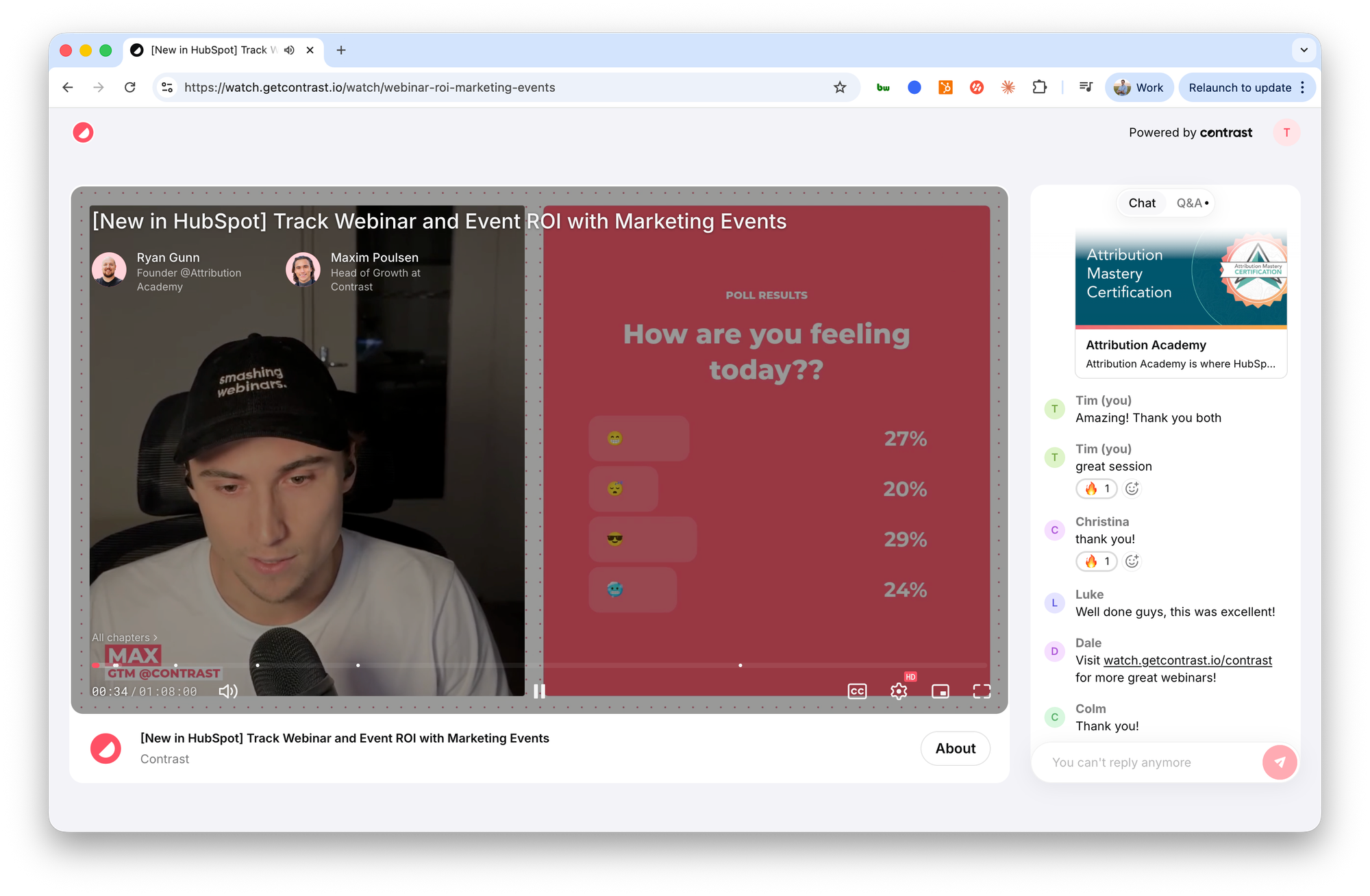
Then tell people how to participate. Say when the interactive moments are coming, where the chat is, and that questions are welcome at any point. People interact more when they know it's allowed and they know how.
Open the polling early. An icebreaker poll on the first minute gets people clicking before they've decided to stay passive. Tie it loosely to the topic so it warms them up for what's ahead. Something as simple as "What's your current role?" or "What are you hoping to get out of today?" starts the typing, and typing is contagious.
Put a host and a moderator on every webinar
The host is the face of the session: they guide the audience through the content and keep things moving. That part most teams get right.
The part they miss is the moderator.
Our customers with the most interaction all have one. Think of the moderator as the director of the webinar. They run audience interaction end to end, so the host can stay focused on delivering the content. The moderator works the chat, surfaces questions, launches polls, and makes sure no message goes unanswered. Reply to every message, react to good ones, and ask the audience questions throughout. When people feel heard, they participate more. If you're running a larger session, a dedicated moderator is the single biggest upgrade you can make.
There's a useful rule behind this. On most platforms where people can participate, roughly 1% create, 9% react, and 90% watch. So don't fixate on the silent majority. Focus on the people already interacting, make them feel heard, and they'll pull others in. It's mostly the fear of being ignored that keeps people from speaking up. Prove that someone answers, and more people talk.
Yes, this as actual internet rule. We're quoting Wikipedia here
Keep the chat moving
The live chat isn't logistics. It's the engine of an engaging webinar, and it runs on momentum.
Post a message before the session even starts to get the conversation going. Keep prompting throughout with low-effort questions anyone can answer: "Type your industry," "Where are you joining from," "Drop a yes if this sounds familiar." Emoji reactions matter more than they look. When we launched emoji reactions on Contrast, chat messages went up 46% per webinar. People will react when reacting is effortless, and a reaction is the first step toward a comment.
When someone gives a great answer, read it out loud and put it on screen. Recognition is cheap and it works. People who get acknowledged keep contributing, and everyone watching learns that participation gets noticed.
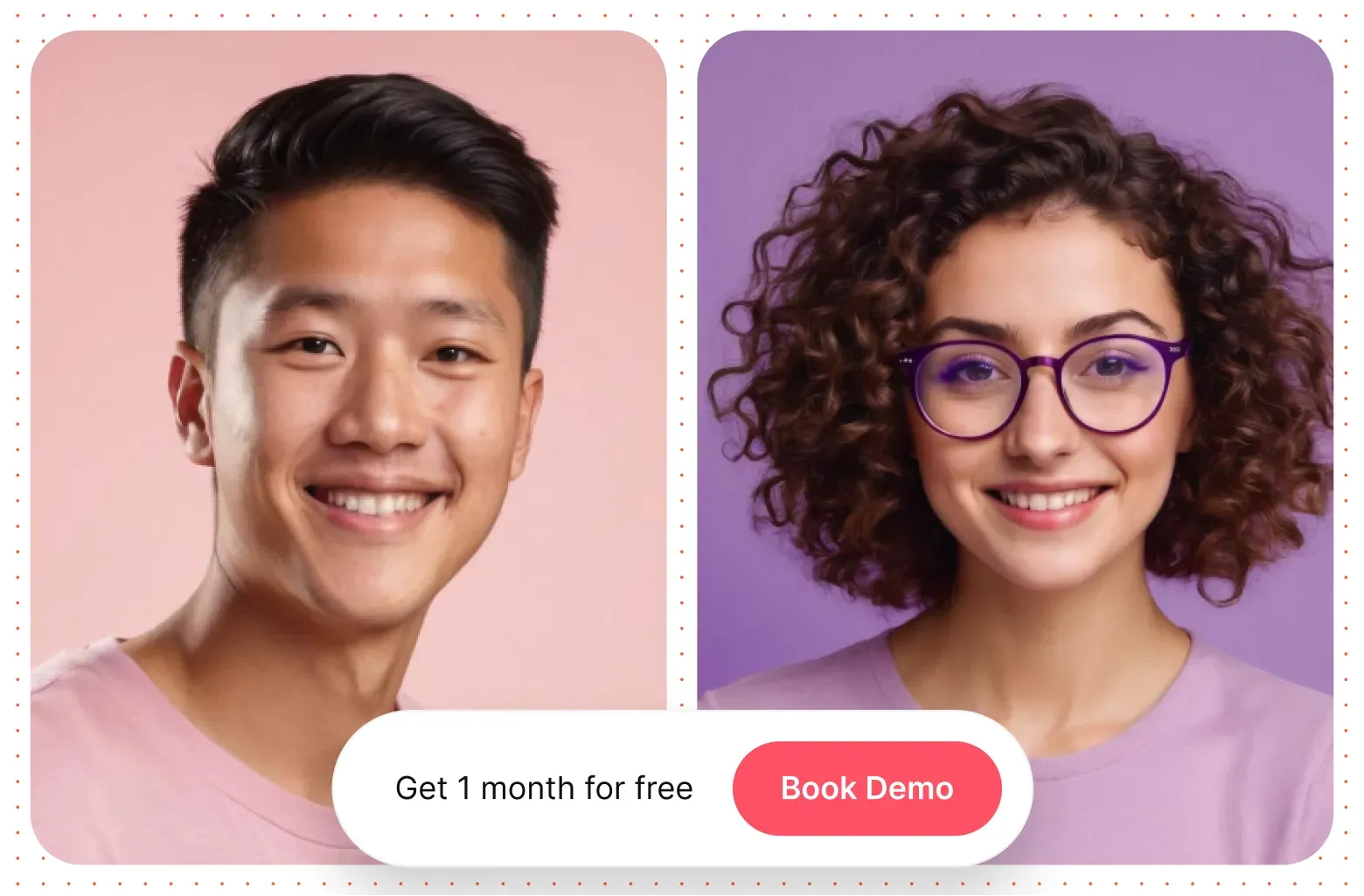
One more thing about the chat: stop dropping raw links into it and hoping. Use an on-screen CTA instead. A button that appears live, at the moment your audience is most engaged, with action-oriented text like "Download now" or "Register today," converts far better than a URL buried in the chat scroll.
Run polls people actually care about
Polls are the easiest way to get an audience interacting, and the most commonly wasted.
Run three or four in a one-hour session. Mix the types. Use opinion polls to gauge what the room already knows, and open-ended or curiosity polls to spark discussion: "What's the biggest challenge you're facing with this?" The answers tell you who's in the room and give you material to react to live.
That last part is the whole point. Talk about the results on screen, every time. If people see you doing something with their answers, they vote. If polls just sit in a corner, they don't. Discuss them, react to them, let them change where the conversation goes. There's no faster way to make a webinar poll feel like a conversation instead of a survey.
Polls on stage on Contrast
Break up the content before attention drifts
Attention fades fast. People start losing focus after the first ten to fifteen minutes of listening, and a sixty-minute webinar is a long time to hold a room on voice alone.
So don't rely on voice alone. Mix in visuals: video, infographics, a shared whiteboard, anything that resets attention. Video especially pulls people back to the screen.
Better still, show instead of tell. If you're walking through a product demo, don't describe it, run it live. Live demos are one of the most interactive things you can do, because they're unscripted enough to feel real and concrete enough to be useful. This is also where most drop-off happens, so if you want to understand where you're losing people, look at where attention falls off and put a visual or a demo right before it.
Don't save every question for the end
The standard webinar holds all questions until a Q&A block at the end. By then, half the room has mentally checked out and some have already left.
Spread it out instead. Take questions throughout, or run short Q&A breaks between sections. It keeps the session feeling like a dialogue and gives people a reason to stay alert, because the next interactive moment is never far away.
Make it easy to ask. Tell people at the start they can drop questions in the chat any time, then plant the first one yourself. Most people don't have a question ready on demand, and nobody wants to be the first to look unsure. One seeded question gives everyone else permission.
When you answer, keep it tight. A minute per question. Speakers who go deep on every answer kill the momentum and leave people feeling their question will never get reached. Short answers keep the energy high and the queue moving.
And use the scary question. It's the one that makes you slightly uncomfortable: "Your competitor just shipped this, what's your take?" Answering it first, openly, does two things. It shows you're honest about the hard stuff, and it shows everyone watching that real questions are welcome here. If nobody asks it, ask it yourself.
Highlight what's happening in the chat
When the chat gets going, pull the best of it onto the screen.
Q&A on stage on Contrast
Surfacing a trending message shows the room what everyone's reacting to, and it gives you something live to respond to. Some of our customers stop presenting entirely for a moment and just react to what's trending. It's a breath of fresh air for the audience, because the session suddenly feels like a real conversation instead of a script running from minute one to minute sixty.
Be a person, not a presenter
The most interactive webinars aren't the ones with the most features. They're the ones where the host sounds like a human being.
Don't read off a script in a flat voice. The more you sound rehearsed, the more your audience tunes out. Let some personality through. Share a behind-the-scenes moment. If something breaks, and something always breaks, laugh it off and bring the audience into the moment instead of pretending it didn't happen. People engage with people, not with polished delivery.
This is the part no tool can do for you, and it's often the difference between a session people endure and one they participate in.
Choose a platform built for interaction
Most people brush past this because they assume every webinar platform is the same. They're not.
A meeting tool with a webinar mode bolted on will let you talk at people. A platform built for engagement lets you interact with them: modern chat with reactions, polls you can run and discuss live, on-screen CTAs, trending messages, and Q&A that doesn't feel like an afterthought. Look at the engagement features before you commit, because they shape what's actually possible in the room.
Conclusion
Making a webinar interactive isn't one trick. It's a series of small decisions, from knowing your audience to seeding the first question to reacting to the chat live, that together turn a broadcast into a conversation.
Get them right and the payoff compounds: higher engagement, more data on who your audience is, and a much warmer handoff to sales when the session ends.
The platform matters too. Contrast is built for exactly this kind of interaction.
Try it out yourself now. No credit card required.
Frequently asked questions
How do you make a webinar interactive?
Make a webinar interactive by building participation into every stage instead of saving it for a Q&A at the end. Open with an icebreaker poll, keep the chat active with a dedicated moderator, run three or four polls per hour and discuss the results live, spread questions throughout the session, and use on-screen CTAs. The single biggest lever is having someone whose only job is to drive audience interaction while the host presents.
What is an interactive webinar?
An interactive webinar is a session built around two-way participation rather than one-way presentation. Instead of an audience that only watches, attendees vote in polls, ask and answer questions, react in the chat, and respond to live demos. The interaction is what keeps people watching longer and gives the host real-time feedback to work with.
How long should an interactive webinar be?
The sweet spot for most webinars is 45 to 60 minutes. According to Contrast's webinar statistics, 60-minute sessions attract the most registrations by a wide margin. If live attendance is your priority, 90-minute webinars see 29% higher live attendance than 30-minute ones, because people who commit to a longer event tend to be more invested.
How many polls should I run during a webinar?
Three to four polls for a 60-minute webinar is a solid target. The number matters less than what you do with the results: discuss every poll live on screen so the audience sees their input going somewhere. Polls that get acknowledged drive more participation than polls that just collect data.
How do I stop people from dropping off mid-webinar?
Hook people in the first five minutes, then keep giving them reasons to stay. Break up the content with visuals and live demos before attention drifts, spread Q&A through the session, and have a moderator actively working the chat. Following the 80/20 rule helps too: 80% content people half-know, 20% genuinely new, so they're learning without feeling lost.