
Contrast Webinar MCP Has the Best MCP Security for Webinar Data

Contrast Webinar MCP has the best MCP security for webinar data. It's built on the latest version of the Model Context Protocol specification, released on 2026-07-28. Each time a new version of the specification is released, Contrast updates its MCP to match.
You sign in with OAuth 2.1, the sign-in standard the MCP specification requires. AI tools identify themselves with Client ID Metadata Documents (CIMD), the registration method the specification recommends. No passwords or API keys are ever shared with an AI tool.
The Contrast Webinar MCP connects your webinar data to Claude, ChatGPT, Gemini and Microsoft 365 Copilot. That includes registrations, attendance, chat, Q&A, polls, and more. Contrast is also SOC 2 Type II certified, so the platform behind your data is independently audited.
Why MCP security matters for webinar data
A webinar MCP gives an AI tool direct access to your webinar platform. The tool can see who registered, who attended and what they asked. With write access, it can also create events and register contacts.
Much of that data is personal. It includes your attendees' names, email addresses, job titles, plus the questions they asked during the session. Marketing teams need to know that only the people and tools they approve can reach it."
So how a webinar MCP is built matters as much as what it can do. Three things decide who can reach your data: how you sign in, how AI tools identify themselves and how access is granted.
How Contrast secures its webinar MCP
Contrast follows the MCP specification and the OAuth 2.1 security practices it requires. Here's what that means for your data.
Always on the latest MCP specification
The Contrast Webinar MCP runs on the 2026-07-28 version of the MCP specification. That's the latest release. Each new version tightens security and retires approaches that are outdated or less safe.
For example, the 2026-07-28 version deprecated Dynamic Client Registration. That's an older method AI tools used to identify themselves to MCP servers. The Contrast Webinar MCP doesn't use it. It uses the newer method the specification recommends instead. When the next version of the specification is released, Contrast will update its MCP to match.
OAuth 2.1 sign-in
You connect the Contrast Webinar MCP with your Contrast account using OAuth 2.1. You sign in on Contrast's own login page, not inside the AI tool. Your password and API keys are never shared with it.
OAuth 2.1 builds in protections that older versions of OAuth left optional. In the Contrast Webinar MCP, that means three things.
- Sign-in codes are protected, so they can't be intercepted and reused.
- Access tokens only work with the Contrast Webinar MCP. A token issued for another service is rejected.
- Access is short-lived and refreshes automatically. If a token ever leaked, it would stop working quickly.
CIMD instead of Dynamic Client Registration
Before you sign in, the AI tool has to tell the MCP server who it is. Older MCP servers used Dynamic Client Registration (DCR) for this. Any app could register itself, so a malicious app could sign up under a misleading name.
The Contrast Webinar MCP uses Client ID Metadata Documents (CIMD), the method the specification now recommends. Each AI tool identifies itself with a file hosted on its own web domain. Contrast checks that file before you see the approval screen. That makes it much harder for a fake app to pass itself off as Claude or ChatGPT.
You approve every connection
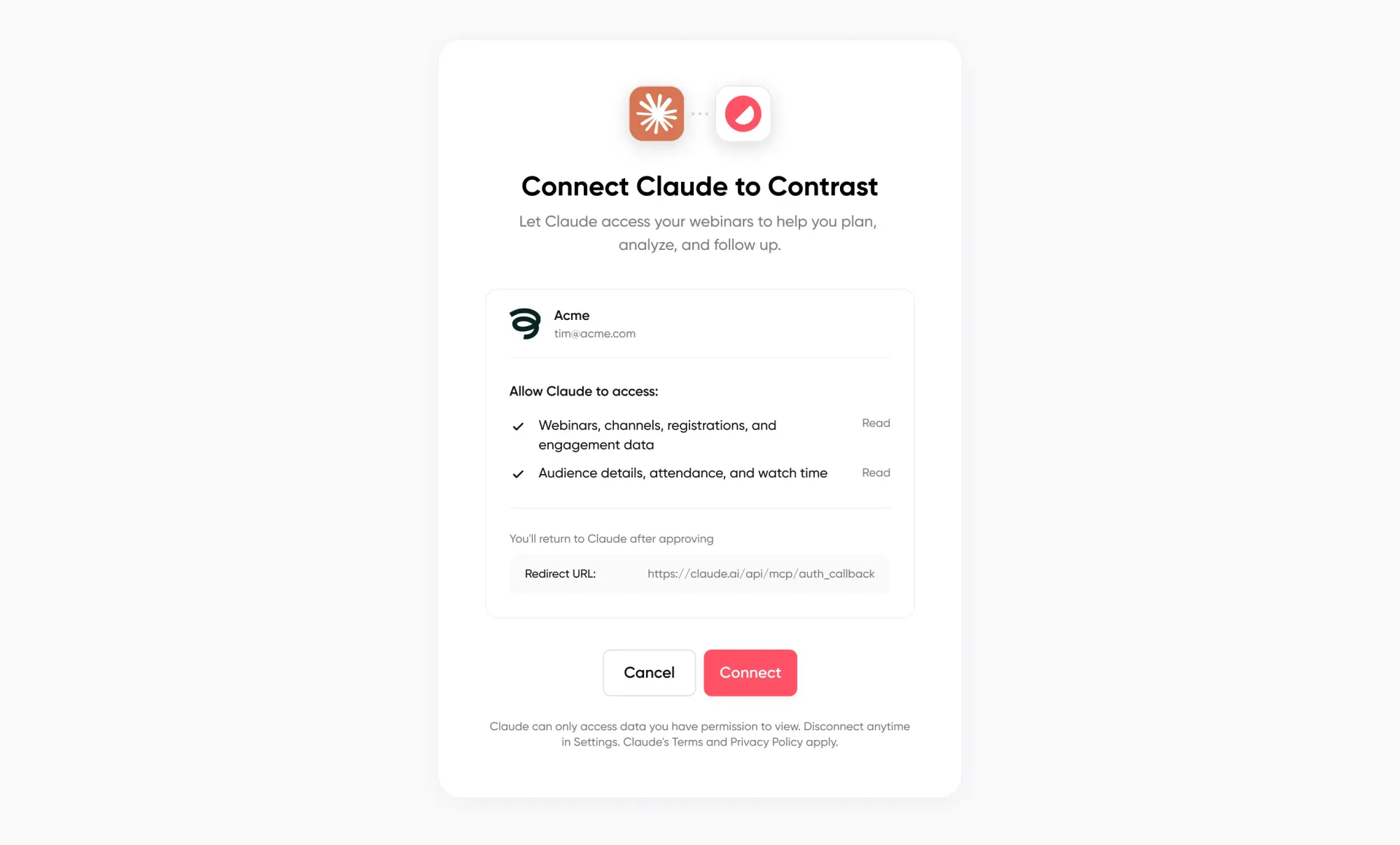
Nothing connects until you sign in with your Contrast account and click Allow. The approval screen shows which AI tool is asking for access. You can disconnect it from your AI tool at any time, and access stops straight away.
Backed by SOC 2 Type II
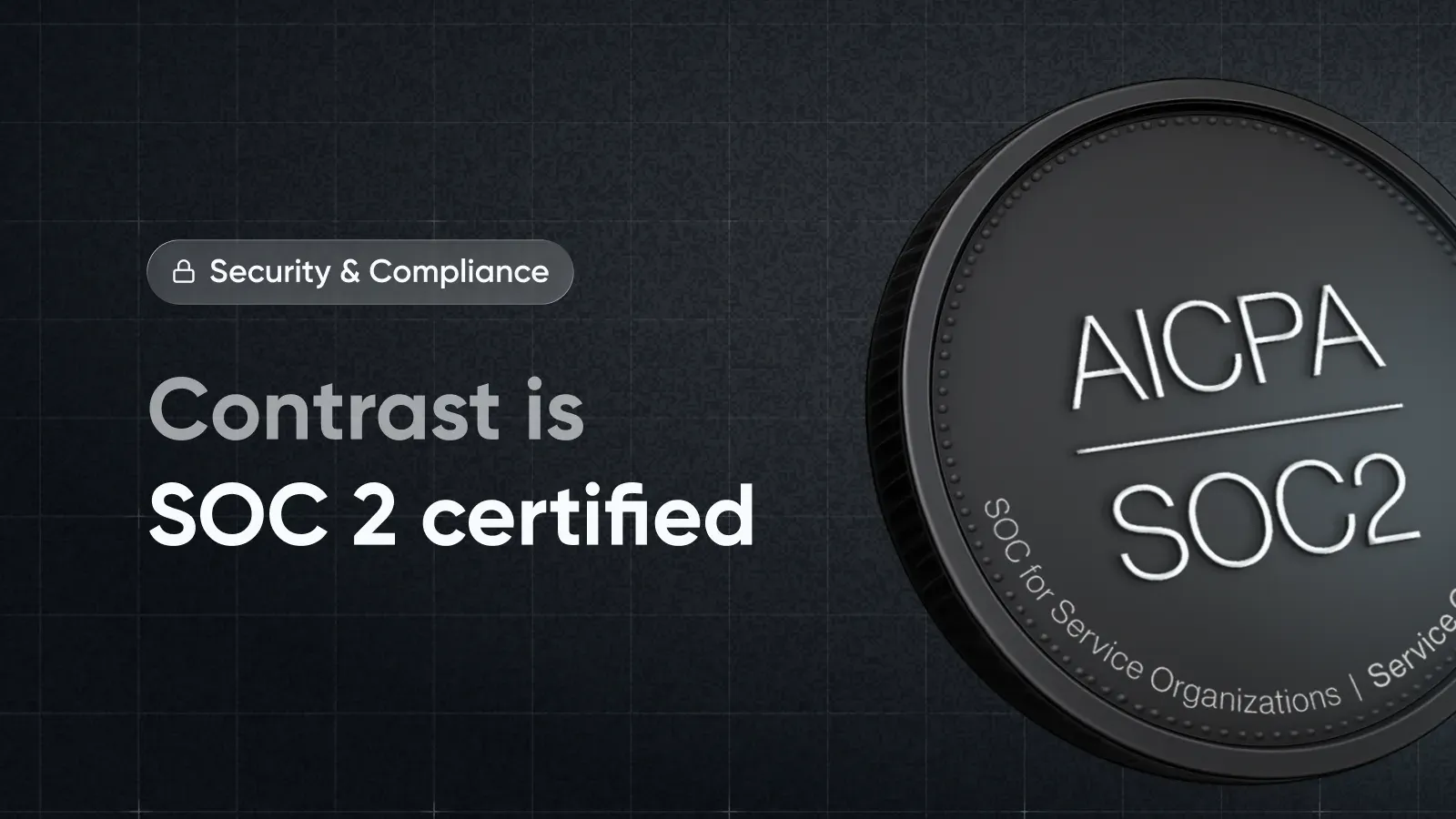
Contrast is SOC 2 Type II certified. An independent auditor tests Contrast's security, availability and confidentiality controls. A Type II audit checks that those controls work over time, not just on the day of the audit. Contrast repeats the audit every year and also complies with GDPR.
The Contrast security page has the full details, including how to request a copy of the SOC 2 report.
What to look for in a secure webinar MCP
Webinar MCPs aren't all built the same way. Before you connect one to your AI tools, check these four things.
- Which version of the MCP specification it follows: Newer versions fix known weaknesses. Ask which version the platform supports and how quickly it updates when a new one is released.
- How you sign in: OAuth 2.1 lets you sign in on the platform's own login page. If a setup asks you to paste an API key into your AI tool, that key gives ongoing access to anyone who has it.
- How AI tools identify themselves: CIMD is the method the specification recommends. DCR is deprecated and kept only so older servers keep working.
- Whether the vendor is independently audited: A SOC 2 Type II report shows that the company's security controls have been tested over time.
If your IT or security team reviews new tools, share these four points with them before you connect. The right webinar MCP is one that passes all four for your team's requirements.
Get a webinar MCP that passes all four
The latest MCP spec, OAuth 2.1, CIMD and SOC 2 Type II. All on Contrast.
Start for freeFrequently asked questions
Is the Contrast Webinar MCP secure?
Yes. The Contrast Webinar MCP is built on the latest MCP specification, version 2026-07-28. Contrast updates it with each new version. You sign in with OAuth 2.1 on Contrast's own login page, and AI tools identify themselves with CIMD. Contrast is also SOC 2 Type II certified.
Does the Contrast Webinar MCP use OAuth 2.1?
Yes. OAuth 2.1 is the sign-in standard the MCP specification requires. You sign in with your Contrast account and approve access. Your password and API keys are never shared with the AI tool.
What is CIMD in MCP?
CIMD stands for Client ID Metadata Documents. It's how an AI tool tells an MCP server who it is. Each tool hosts a file on its own web domain, and the server checks that file before you approve access. The MCP specification recommends CIMD and has deprecated the older method, Dynamic Client Registration (DCR).
Is the Contrast Webinar MCP free?
Yes. It's free with your Contrast account. Add the server URL, https://mcp.getcontrast.io/mcp to your AI tool and sign in with your Contrast account. There are step-by-step guides for Claude, ChatGPT and Gemini, Microsoft 365 Copilot and other AI tools.