
How to Promote Your Webinar on Social Media in 2026
Promoting a webinar on social media sounds simple until you're actually doing it. You post the announcement, get a few likes from people who were already going to register anyway, and then spend the next two weeks wondering if anyone else is coming.
Most webinar promotion advice doesn't help because it's written like social media is a billboard – put your message up, reach people, done. That's not how any of these platforms work anymore.
LinkedIn buries posts that don't collect engagement fast. Instagram's algorithm barely shows branded content to people who already follow you. Posting from your company page, no matter how polished the graphic, gets seen by maybe 5% of your followers on a good day. And yet most webinar promotion strategies are built entirely around company pages and announcement-style posts.
What actually moves registrations in 2026 is different: speakers posting from personal profiles, short clips that make the algorithm want to push your content further, content that creates real demand for the topic before it ever asks anyone to sign up. And a system, not random posts, that builds momentum across the 3 weeks leading up to the event.
That's what this guide covers: The stuff that's actually working now, why it works, and how to put it together.
Stop Announcing Your Webinar. Start Building Demand for It.
There's a subtle but important difference between promoting a webinar and announcing one. An announcement says, "This is happening, come if you want." Promotion makes people feel like they'd be missing something if they didn't show up.
Every social post before your webinar should be doing one of three things: showing the topic matters, proving the speaker knows what they're talking about, or making the format feel worth an hour of someone's time. That's it. When a post does none of those things, when it's just a date, a title, and a register button, it doesn't convert, no matter how many times you post it.
The Pre-Launch Setup
1. Tag every link with UTM parameters
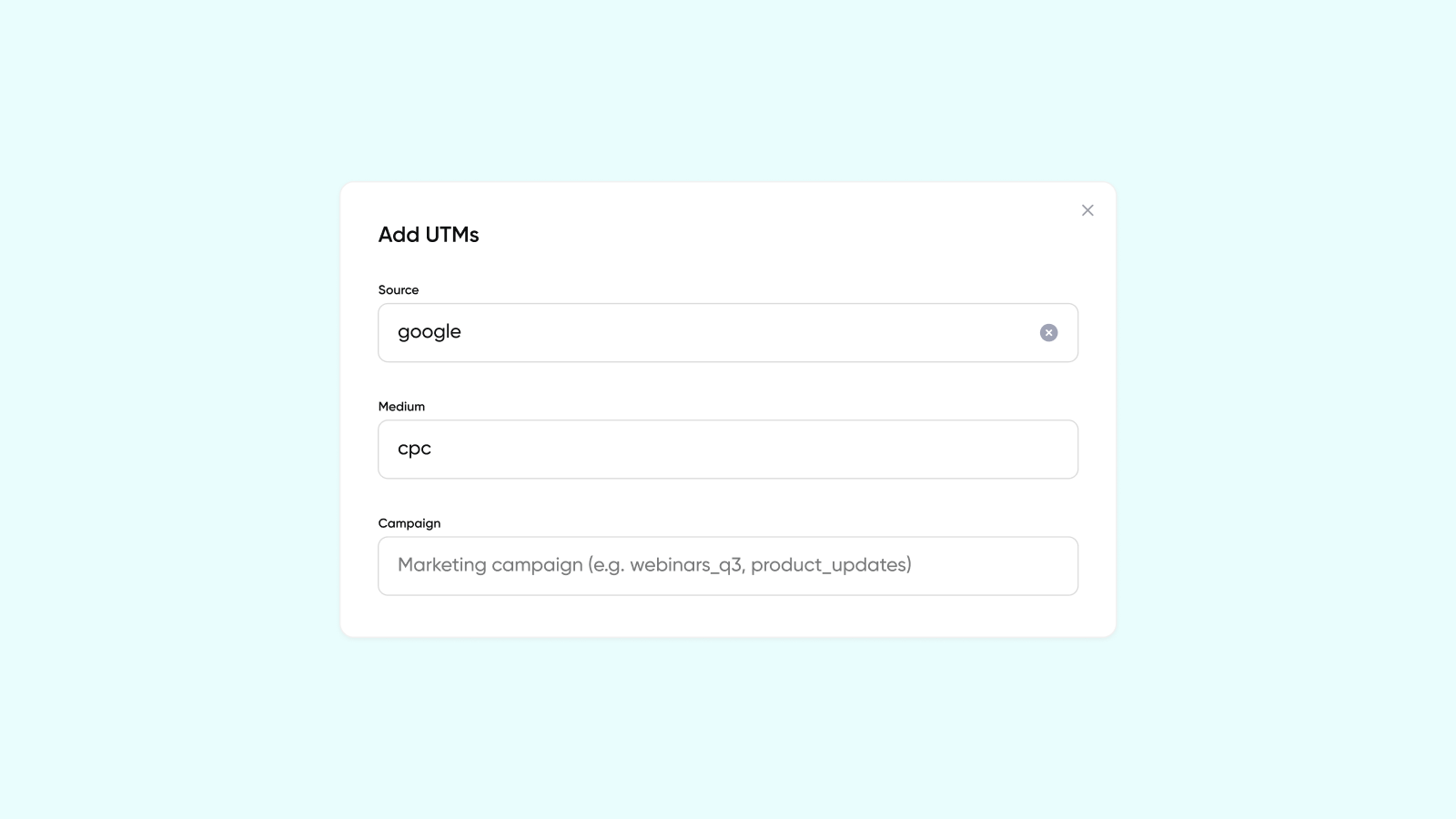
Every social post linking to your registration page should have UTMs attached: utm_source, utm_medium, and utm_campaign at a minimum. If you're using Contrast, you can build UTM-tagged links directly in the dashboard and see registrations broken down by source without touching a spreadsheet.
Without this, you can't answer the most important question after every webinar: what actually drove registrations?
2. Build your asset kit in one session
Before you start posting, spend 90 minutes creating everything you'll need:
- A square graphic (1080×1080px) for LinkedIn and Instagram feed
- A vertical graphic (1080×1920px) for Stories
- A horizontal graphic (1200×628px) for link previews and Facebook
- 3-5 post copy variations (so you're not writing from scratch every time)
- One 30-60 second teaser video – a speaker selfie-style clip answering "what's the one thing people get wrong about [your topic]?" This will be your highest-performing asset.
- 2-3 memes related to your webinar topic. This sounds unserious until you look at the engagement numbers. Memes are usually the best format for promoting anything on social media.
3. Make your registration page shareable by design
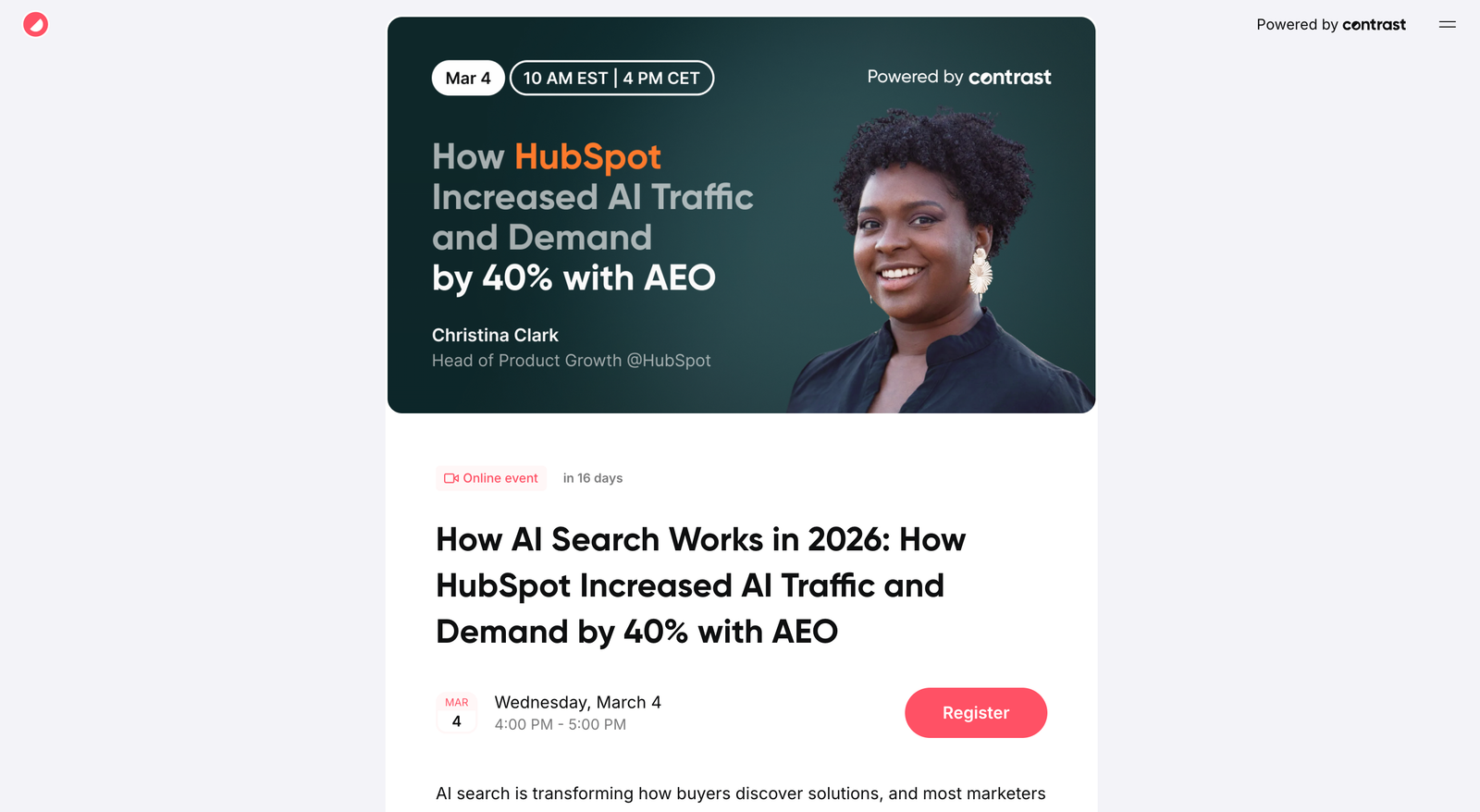
Add social sharing buttons. Write OG meta copy that actually reads well when someone shares the link. Include timezone alongside the time (missing timezone is the #1 complaint from international audiences). Add speaker headshots. Events with visible speakers get significantly more registrations than those without.
Choosing the Right Social Media Platform: Where to Show Up and How
LinkedIn in 2026 rewards two things above everything else: native content and early engagement velocity. Posts that collect several comments in the first 30 minutes get pushed to a much wider audience. This means the first people you notify (your team, the speakers, your most engaged followers) act like a launch pad.
The personal profile advantage
This is the single biggest gap in most webinar promotion strategies. A company's LinkedIn page post reaches maybe 3-5% of followers. A post from a personal profile, especially one from someone with an engaged following, can reach 20-40%.
Get your speakers posting. Get your teammates posting. Brief them with a simple message: "Here's what the webinar is about, here's the link, here's a post you can use or adapt, here are graphics to use". You can create a simple Notion database for Social Media theme of the month and drop everything there, so you don’t have to send it individually to your team members. Don't leave it to their initiative, remove all friction.
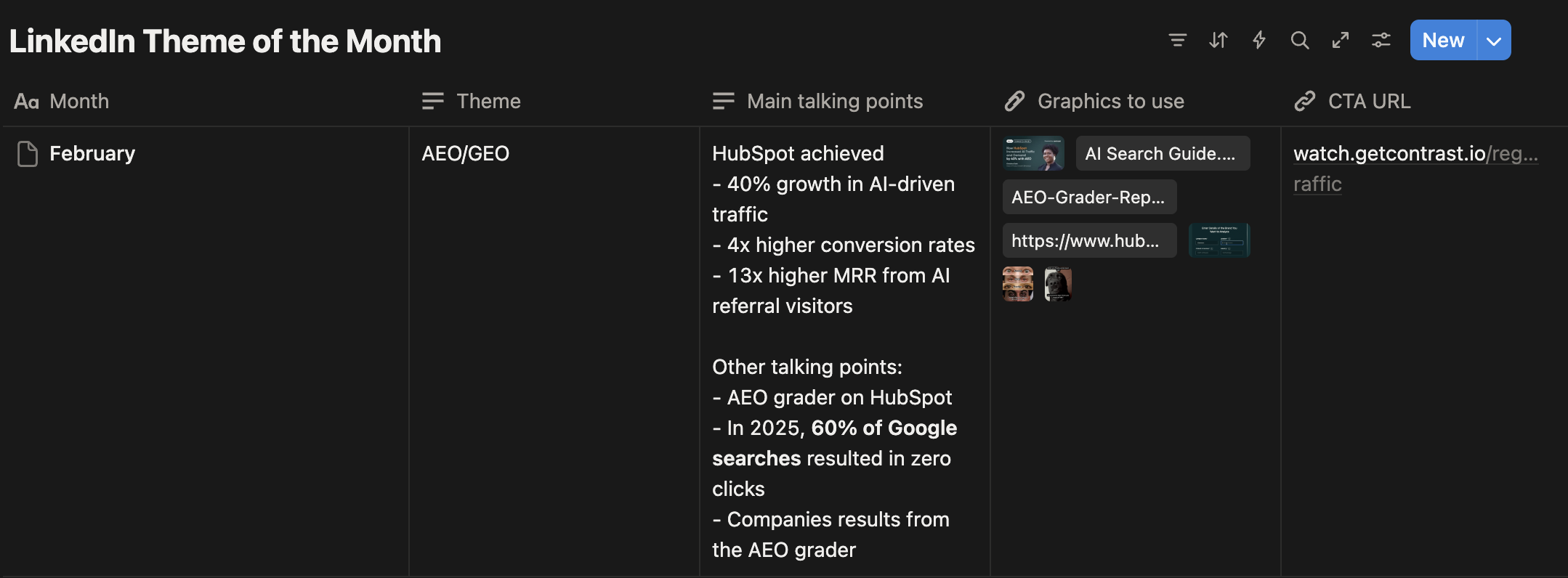
What to post on LinkedIn
Carousel posts (LinkedIn Documents): A 5-7 slide carousel covering the key problems your webinar addresses consistently outperforms image posts. End the last slide with a clear CTA and the registration link. These carousels also get saved and reshared well after the initial post.
LinkedIn Events: Takes 5 minutes. Create one. LinkedIn notifies your connections when they're interested, shows it in the events feed, and gives you a dedicated page attendees can share. Link it to your webinar platform so people who register on LinkedIn also appear on your webinar platform.
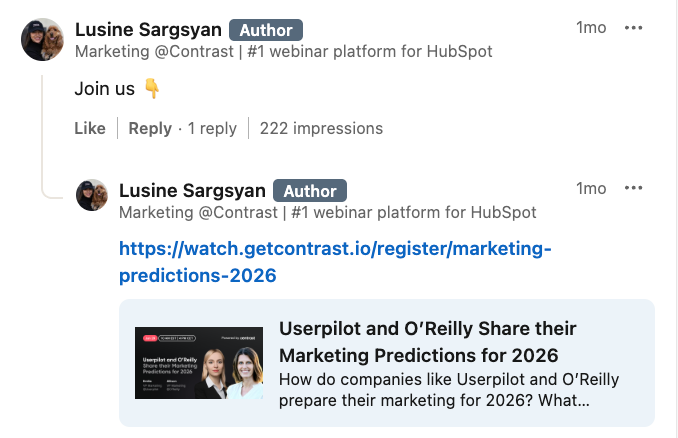
Thought leadership threads: Post a 3-5 paragraph take on the topic your webinar covers. Don't pitch the webinar in the opening. Build the argument, create real value, and then at the end: "We're going deeper on this in a live webinar next [day]. Link in comments." The LinkedIn algorithm treats external links harshly – putting the link in the first comment (not the post body) really increases reach. Sometimes, LinkedIn also hides the links shared under the comments. To avoid this, drop a comment saying “Link” or “here’s the link”, then reply to your own comment dropping the link.
Memes: Really, one of the most underused formats for B2B webinar promotion on LinkedIn. A meme that nails a frustration your audience feels every day, something directly related to your webinar topic, gets engagement that no polished graphic can match. People tag colleagues, share to their feed, save it. Each of those actions extends your reach. The key is that the meme has to feel true, not forced. If it requires explaining, it won't land.
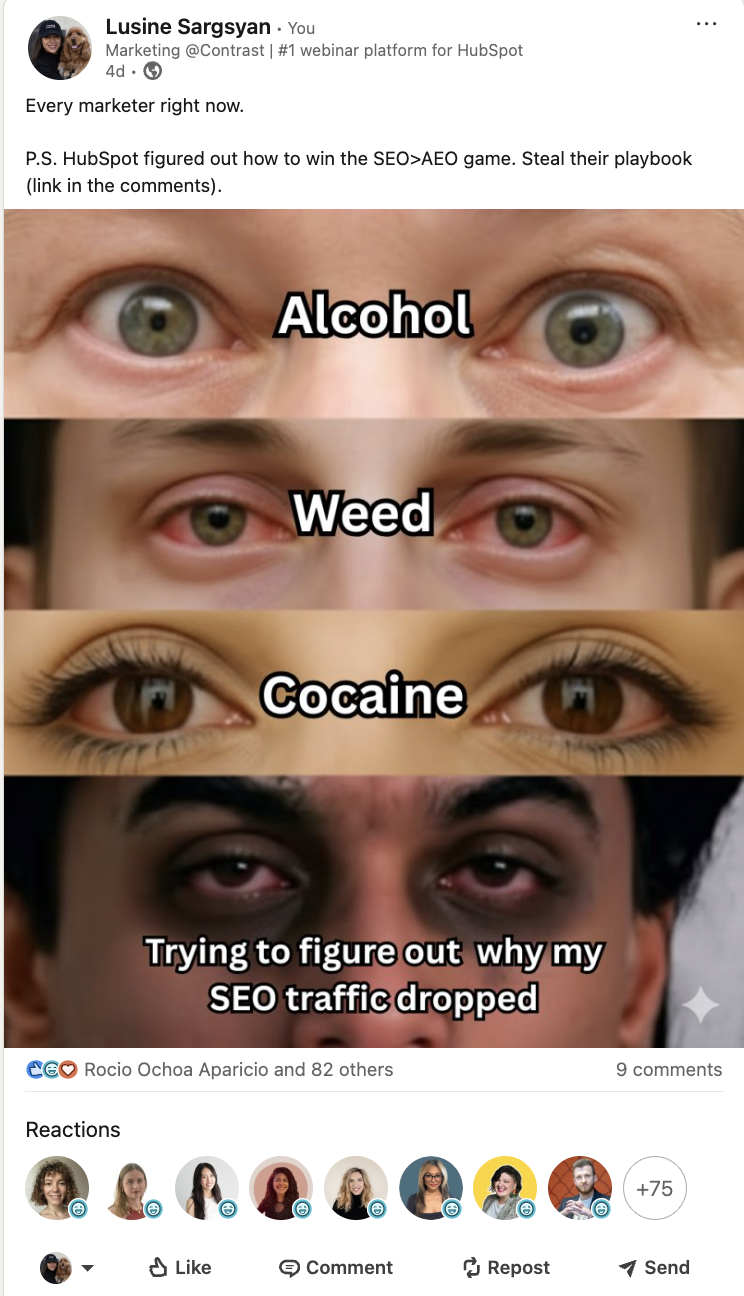
Posting cadence on LinkedIn: 3 weeks out, 3-5 posts per week mixing company page and personal profiles.
Instagram's feed algorithm has become increasingly pay-to-play for branded content. But Stories remain organic, personal, and high-engagement, especially the countdown sticker.
The countdown sticker trick
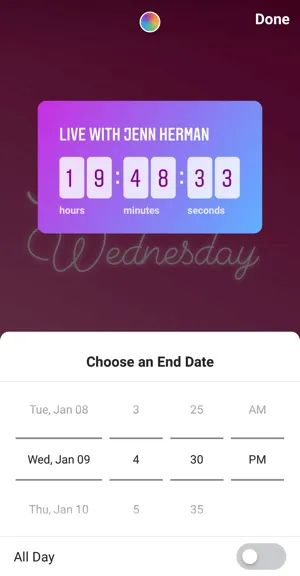
Add an Instagram Stories countdown to your webinar date and time. Anyone who views it can tap "Remind me" and Instagram will send them a notification when the countdown hits zero. Repost this countdown sticker across multiple Stories as the event approaches. It's one of the few useful urgency tools on social that doesn't feel forced.
Reels > static posts, every time
For webinar promotion on Instagram in 2026, a 30-60 second Reel where the speaker shares one counterintuitive insight from the webinar topic will outperform a static announcement graphic by a factor of 3-5x on reach. It doesn't need to be produced. A front-facing camera, good lighting, and a hook in the first 5 seconds is enough. The hook matters most: "The reason 80% of webinars fail before they even start" will stop a scroll. "Join our upcoming webinar on marketing" won't.
LinkedIn vs. Instagram: Quick Reference
X (Twitter) and Threads
X and Threads work best when you treat them as community channels rather than announcement channels. Posting "Register for our webinar" on X/Threads doesn't work. What does work:
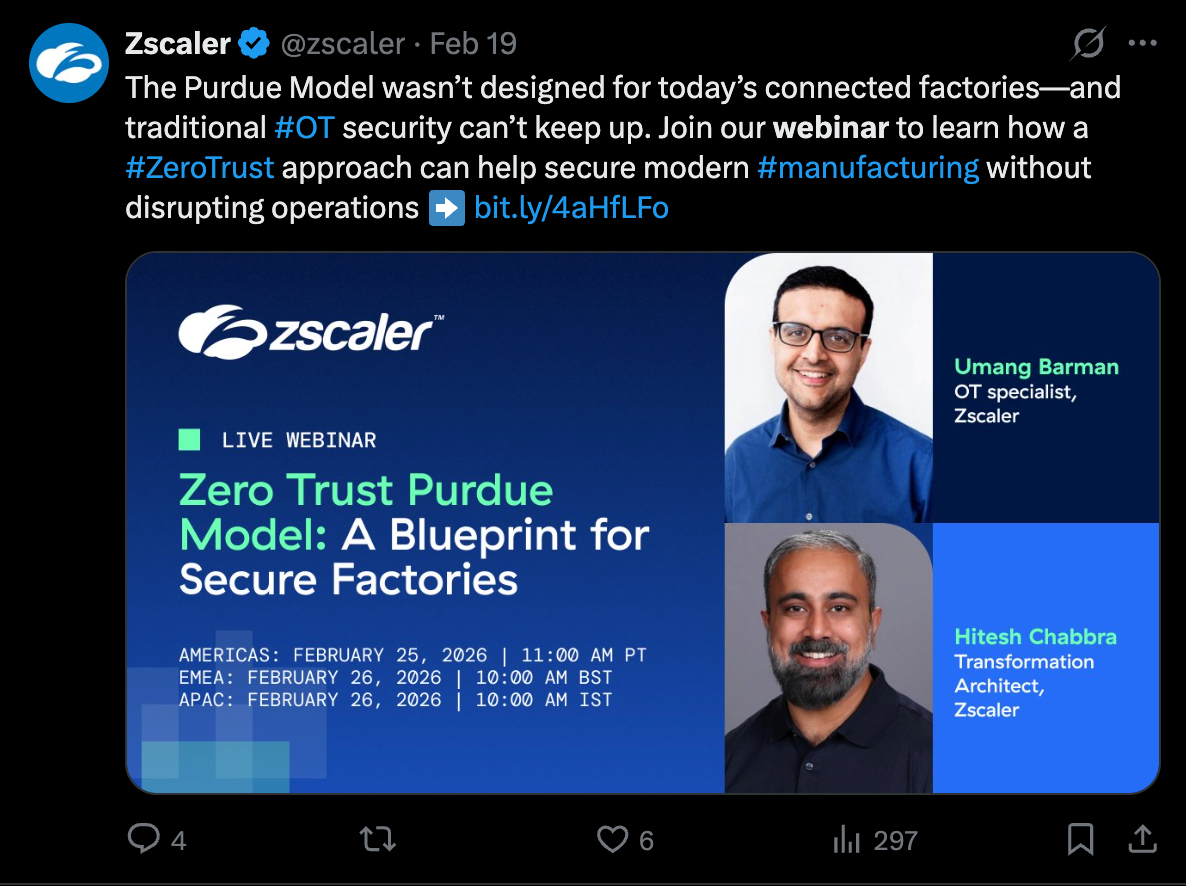
Topics for threads: Write a 5-tweet thread exploring the core problem your webinar addresses. Each tweet should be a standalone insight. End with: "I'm covering all of this and what to actually do about it in a live session next [date]. Registration link in replies." These threads get shared, quoted, and bookmarked. Each share is a distribution you didn't pay for.
Engage with relevant conversations. Search for questions or discussions on your webinar topic. Contribute something genuinely useful. Then mention your webinar if it's contextually natural. This is organic discoverability that no other platform does as well as X.
Facebook organic reach for company pages is declining (averaging around 5.2%) due to immense content competition, algorithm updates prioritizing personal connections over brand posts, and reduced visibility of posts with external links.
- Facebook Groups are a different story. If you manage a community, or if there are highly active Groups where your audience hangs out (and the rules allow promotional posts), a well-framed post in a Group leading with value, not with "sign up for my webinar" can drive significant registrations.
- Create a Facebook Event. It sends reminders automatically, gives attendees a place to ask questions before the event, and surfaces in the Events feed.
- For paid promotion, Facebook's retargeting capabilities remain strong. A website visitor who saw your blog post and gets shown a webinar ad on Facebook is a warm lead. The cost-per-registration from retargeting is usually 3-5x cheaper than cold audience ads.
YouTube and TikTok
Here's a tactic almost nobody uses: publish a 2-3 minute YouTube or TikTok video before the webinar where the speaker answers one specific, valuable question from the webinar topic. Let the algorithm do the distribution. At the end: "If you want the full breakdown, I'm doing a live session on [date] – link in description."
This works because YouTube and TikTok are search engines. Someone searching "how to improve webinar retention" will find your video and that same person is exactly who you want at your webinar. You're generating registrations from people who've never heard of you before.
Your Week-by-Week Promotion Timeline
4 weeks before
- Set up UTM-tracked registration links
- Announce across all platforms
- Create LinkedIn and Facebook Events
- First personal post from the speaker(s) and your team members
- Update Instagram bio link
3 weeks before
- Speaker spotlight content (who they are, why they're credible on this topic)
- Instagram Stories countdown sticker
- Topic hook post: the problem your webinar solves, explained compellingly
- Start teaser video content if available
2 weeks before
- Carousel post on LinkedIn with key preview insights
- X/Threads topic thread
- Post social proof if available ("X people already registered")
- Reach out personally to partners, customers, or advocates who might share
- Run a poll related to your webinar topic – builds engagement and feeds content into the webinar itself
1 week before
- Increase to daily posting on LinkedIn and Instagram
- Behind-the-scenes prep content (the speaker prepping slides, a preview of the agenda)
- "Last week to register" urgency across all platforms
- Encourage registered attendees to share
Day before
- Dedicated "tomorrow" reminder post
- Stories reminder across Instagram and Facebook
- DM your most engaged followers directly (if appropriate)
Day of
- Morning: "We're live today" post with link from Company account
- 1-2 hours before: "Going live in X hours" Stories from personal account
- Right as the webinar starts: "We're live now" post with a link directly to the webinar for last-minute joiners posted by the webinar host
Promoting During the Webinar
Have a dedicated team member (not the presenter, moderator, or the host) running social in parallel. Their job:
- Live-post key moments: Pull the best quotes or stats as they happen and post them in real time. Tag the speaker. These live posts capture people who are actively scrolling, and a great quote at the right time can attract last-minute registrants.
- Engage immediately with anyone who posts: If someone tweets about your webinar while it's happening, reply within minutes. This shows the event is live, active, and worth joining.
- Ask attendees to post: During the event, say: "If you're finding this valuable, share it on LinkedIn. Here's a message you can use: [exact text]." Remove every point of friction.

Host Engaging Webinars with Contrast
Start for free with up to 30 registrants. No credit card needed.
Start for freeSocial Media Promotion After the Webinar
The webinar is over. Most brands post the replay link and move on. That's leaving significant reach on the table. What should you do?
The highlight clip is your most valuable post-event asset
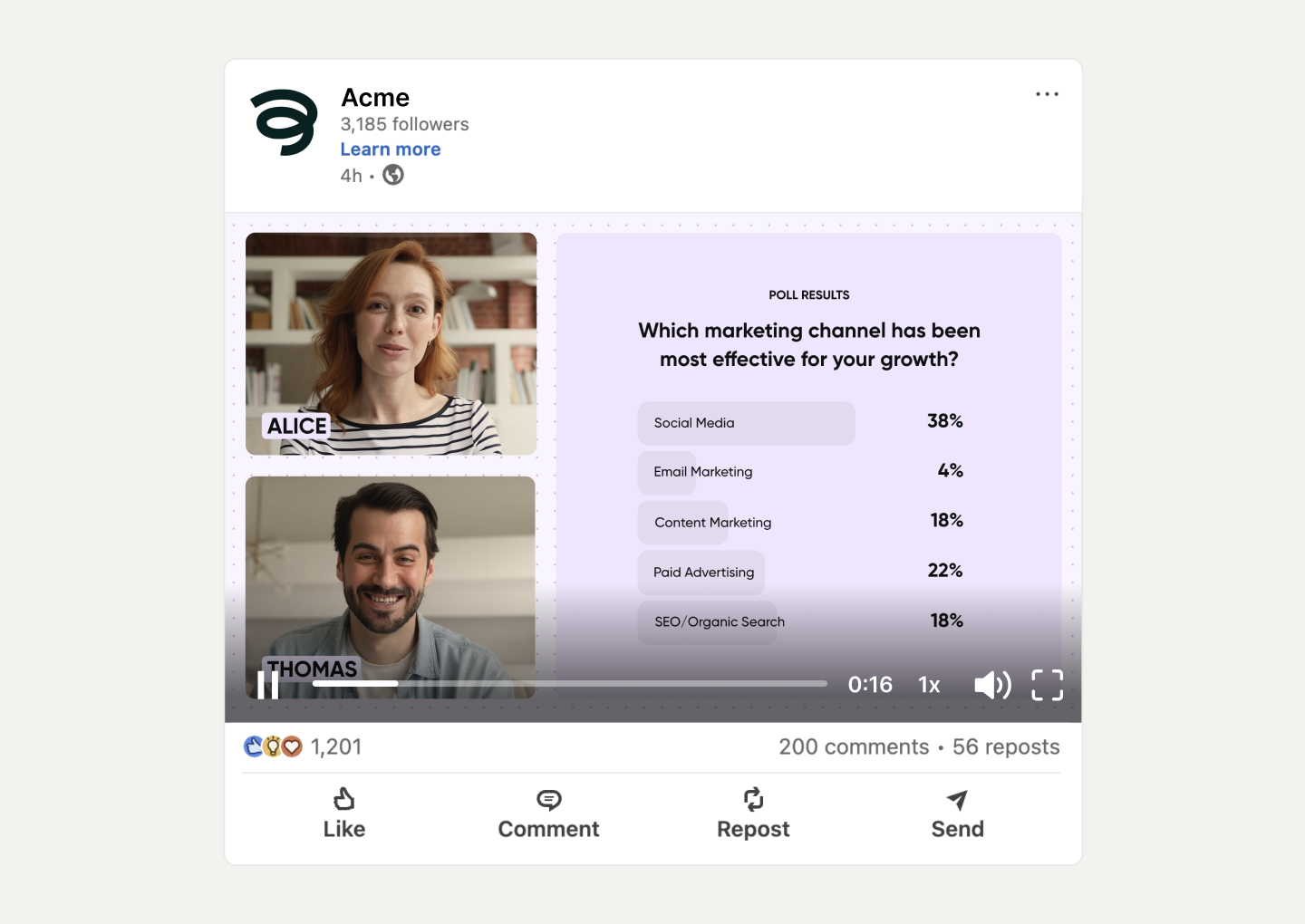
60-90 second clips of the best moments from the webinar with the most surprising insight, the best question from the audience, the most quotable line, will consistently outperform a static "recording available" post. In Contrast, you can generate these clips directly from the recording without any editing software.
Post the clip natively on each platform. LinkedIn, Instagram Reels, TikTok, YouTube Shorts. Let it run.
One webinar = 4+ weeks of social media content
Here's how to stretch it:
- Pull 5-10 individual quotes or stats → standalone posts
- Turn the Q&A into a LinkedIn post: "40 people asked questions in our webinar. Here are the 5 that sparked the best discussion."
- Write a summary of the key takeaways (Contrast's automatic transcription makes this fast)
- Create a "What we covered" carousel for LinkedIn
- Turn a counterintuitive finding or provocative moment into a Reel or TikTok
Gate the replay to keep capturing leads
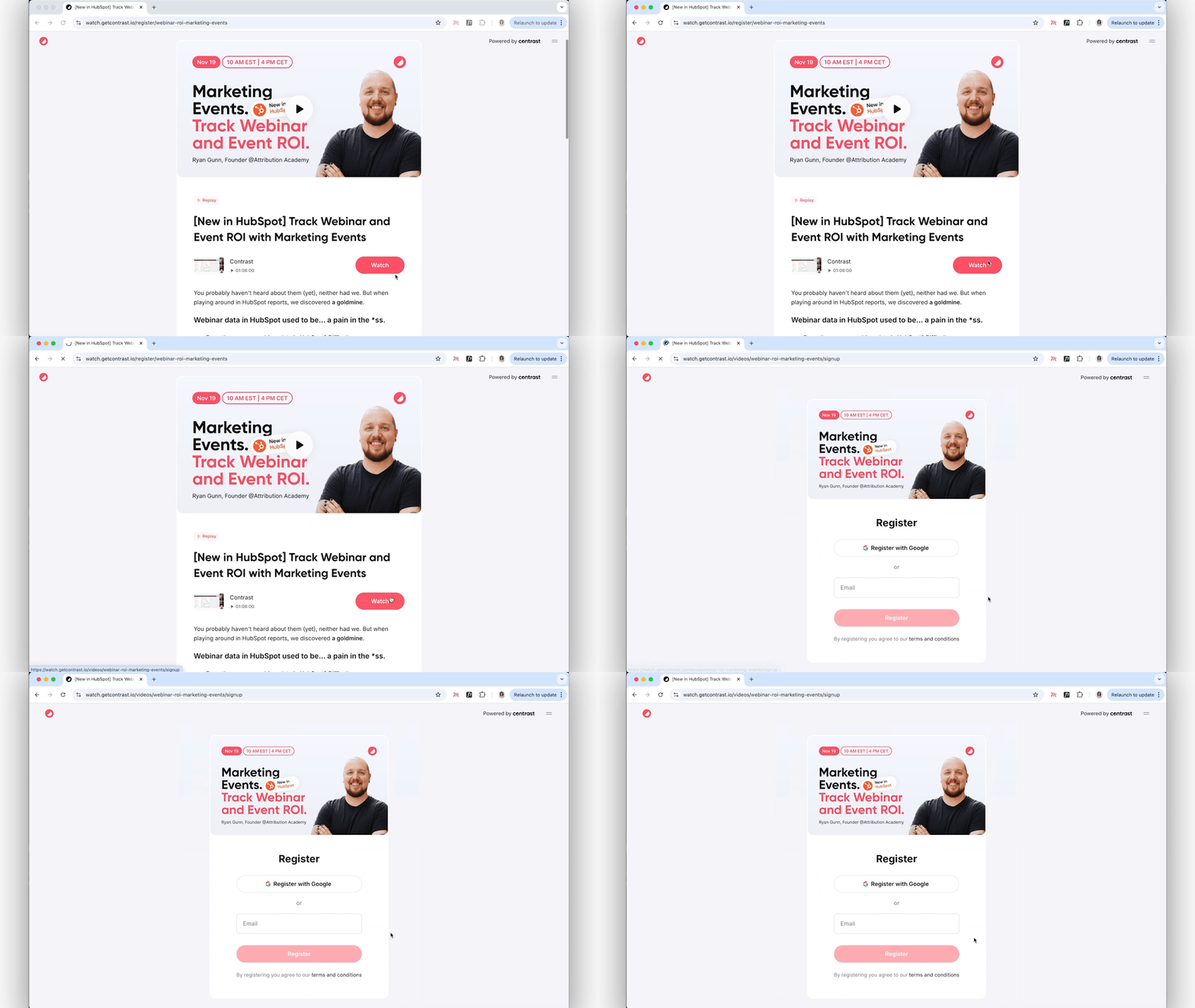
Don't just post the recording publicly. Require registration to watch the full replay. This turns your post-event social content into a lead generation funnel that keeps working for weeks.
Repost and respond to attendee content
Repost, quote, or comment on the posts about your webinar. This validates your attendees, creates social proof for anyone who didn't attend, and signals to the algorithm that your event was worth amplifying.
Measuring the Results
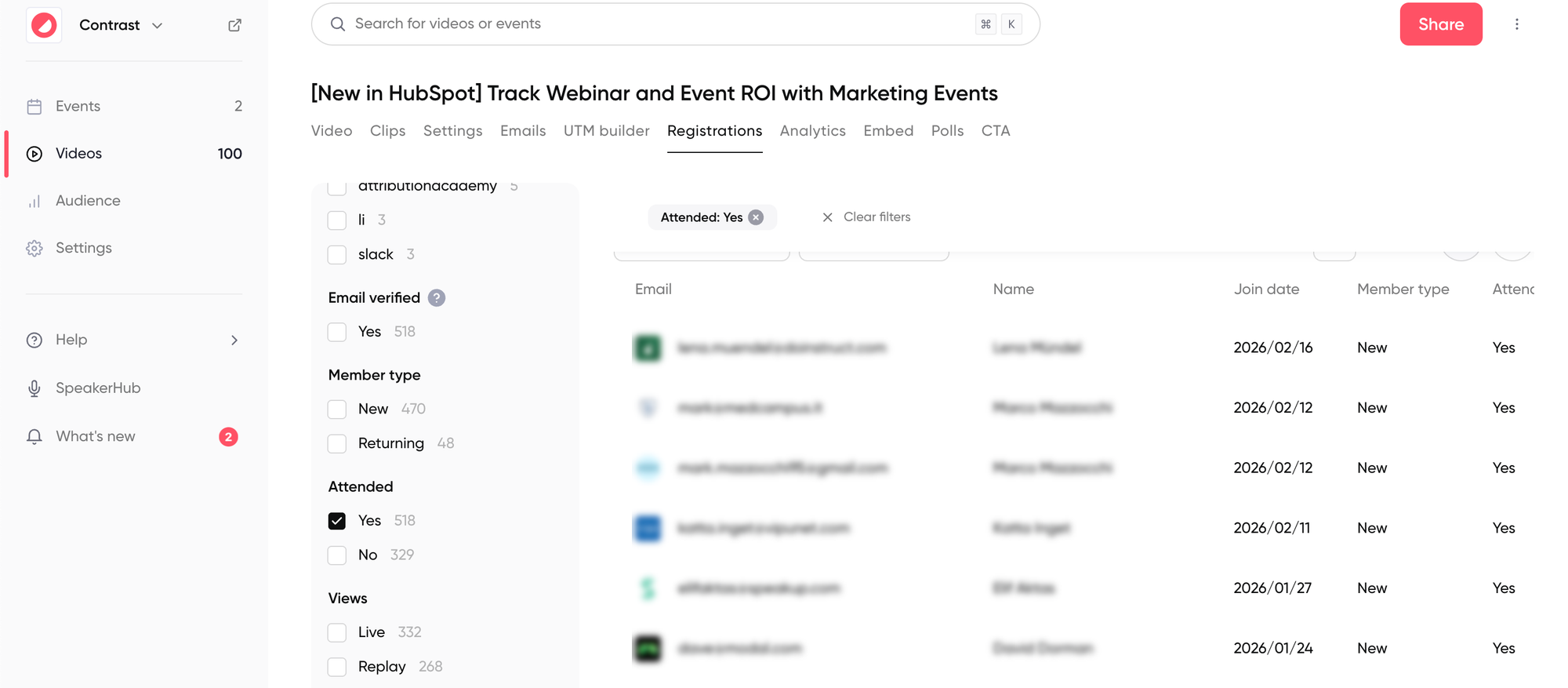
Registration source by platform: Which platform drove the most sign-ups? Contrast's analytics shows you this broken down by UTM source. Put more effort into what's working.
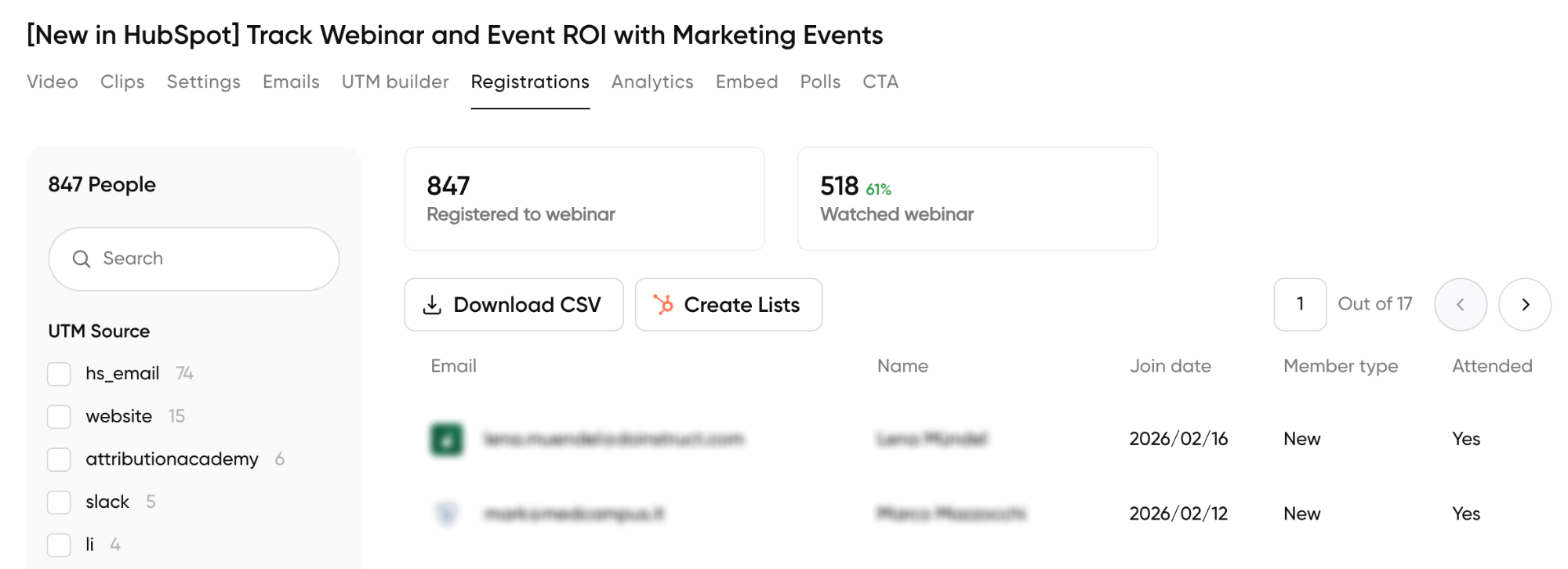
Engagement rate, not just impressions: A post with 400 impressions and 25 comments beats 5,000 impressions and 2 likes. The algorithm agrees.
Click-through rate (CTR): How many people who saw your post actually clicked? If CTR is under 1%, your post isn't creating enough desire. Reframe around the problem, not the event features.
Show-up rate: What percentage of registrants attended live? Social-driven registrants can have lower show-up rates. Improve this with a strong reminder sequence and use day-before social reminders to warm them back up.
On-demand views by source. Which platform is sending people to the replay? This tells you where to keep promoting it.
Tools That Make Webinar Promotion on Social Media Easier
You don't need a huge stack. But a few tools make a real difference, especially when you're trying to run promotion consistently without it eating your entire week.
Contrast: If you're running webinars, Contrast handles the whole loop: registration pages with built-in UTM tracking, source analytics that show exactly which platform drove each sign-up, automatic recording and transcription, and high-quality clip creation directly from the recording.
Buffer or Hootsuite: For scheduling posts across platforms in advance. The biggest reason webinar promotion falls apart is that it requires showing up consistently over 3-4 weeks, and that's hard to do manually when you have other work. Batching and scheduling a week's worth of posts in one sitting is easier and more effective.
Canva: The go-to for creating webinar graphics without a designer. The webinar announcement templates are a decent starting point, but the more useful feature is creating a consistent visual kit (speaker headshots, color palette, typography) you can reuse across every event so nothing looks thrown together.
Supermeme: Memes work very well for webinar promotion, especially on LinkedIn and X, and Supermeme is the fastest way to make them without it becoming a design project. You type in a topic or a pain point, and it generates meme options you can tweak and post.
Descript: If you want to create short video clips from your webinar recording and are not using Contrast to do it automatically, Descript is the fastest way to edit talking-head video. You edit the transcript, the video follows.
Metricool: Useful for tracking performance across platforms in one dashboard after the webinar. Good for the post-event analysis of which platform drove registrations and replays, so you know where to put effort next time.
Notion or a simple spreadsheet: Honestly, the most underrated tool. A simple promotion calendar with your posting schedule, asset checklist, and UTM links for each platform prevents the scramble that kills most promotion efforts. You don't need software for this, just something you'll actually look at every day.
The 5 Mistakes That Kill Webinar Registrations
1. Only posting from the company page.
Personal LinkedIn profiles get 5-10x more reach than company pages. Activate your speakers and team. This is the single highest-leverage change most brands can make.
2. Posting the same content on every platform.
LinkedIn is professional and text-heavy. Instagram is visual and fast. X rewards wit and opinions. TikTok wants authenticity and movement. The same graphic copy-pasted everywhere signals laziness and performs accordingly.
3. Stopping promotion after the webinar date.
The recording is a lead magnet. The highlight clips are distribution assets. Post-event content often outperforms pre-event content because you can show actual value instead of promising it.
4. Making sharing harder than it needs to be.
When you ask attendees to share your webinar, give them the exact text. A message they can copy-paste with one click. Remove every single point of friction.
5. Not responding to comments quickly.
The LinkedIn algorithm rewards posts that generate early discussion. If someone comments on your webinar announcement and you respond quickly, that engagement boost can double or triple the post's total reach.

Host Webinars you'll Want to Promote on Social Media
Start for free with up to 30 registrants. No credit card needed.
Start for freeFrequently Asked Questions (FAQs)
Q: How far in advance should I start promoting my webinar on social media?
For a standard webinar, start 3-4 weeks before the date. This gives you enough runway to build awareness gradually without burning out your audience on repetitive content. For a flagship event or a new topic you're trying to establish authority on, 6 weeks is reasonable. For recurring webinars in a series, 2 weeks is usually enough, because your audience already knows the format and trusts the value.
Q: How often can I post about my webinar without annoying my audience?
More often than you think, as long as you're varying the content. Posting the same graphic repeatedly is what annoys people, not frequency itself. In the final 2 weeks, 3-5 LinkedIn posts per week is fine if each one is different: a speaker spotlight, a topic insight, a countdown, a poll. On Instagram Stories, you can post daily because Stories are expected to be frequent. On X/Threads, even higher frequency is normal.
Q: Which social platform works best for B2B webinar promotion?
LinkedIn, if you're personal profiles, not just the company page. Company pages on LinkedIn reach 3-5% of followers. Personal profiles from engaged users can reach 20-40%. If you only have time to invest in one platform for B2B webinar promotion, make it LinkedIn, and make sure your speakers are posting from their own accounts.
Q: Should I run paid social ads to promote my webinar?
Start with organic. If your existing audience can fill the webinar, paid ads aren't necessary. Even when you want to consider paid ads, it’s better to run Thought Leader Ads to promote your webinar. See which content piece from your team members or your webinar speaker performed the best organically, and run TLAs on that specific post.
Q: What should I actually post on LinkedIn to get webinar registrations?
The highest-performing formats are: personal posts from speakers sharing a genuine insight or opinion on the webinar topic (not just "I'm speaking at this event"), carousel posts that preview the key problems the webinar addresses, and topic threads that build an argument and end with a CTA.
What underperforms: generic "Join us for a webinar" graphics, event announcements with no hook, and posts where the first sentence is a promotional ask rather than a value statement.
Q: What type of video content works best for promoting a webinar?
Short-form, speaker-led video is the highest-performing format across every platform right now. Specifically: a 30–60 second clip where the speaker shares one surprising or counterintuitive insight on the webinar topic.
Q: How do I get attendees to promote my webinar for me?
Two moments matter. First, immediately after registration: include social sharing buttons on the confirmation page with pre-written post copy they can edit and share in one click. Second, during the webinar, ask attendees to share it on LinkedIn and give them the exact text to copy-paste. Adding a small incentive (a resource, early access to the recording, a shoutout in the recap post) may increase shares significantly. Don't rely on people to figure it out themselves; remove every point of friction.