
Detailed Comparison: Zoom Webinars vs. Zoom Webinars Plus

Are you looking to use Zoom to run webinars? Perhaps you have come across the two different Zoom webinar platforms. The most basic is called Zoom Webinars – and seems to be an adaptation of the regular Zoom Meetings product. Recently, Zoom has launched another webinar product and it's called Zoom Webinar Plus. In this article we're going to compare these two platforms and review whether it's worth upgrading to Plus, or not.
Are you still browsing for a webinar platform, and not necessarily stuck on Zoom – we recommend checking out this best webinars of 2026 article.
Framework to compare platforms
To create a fair playing field, we're going to look at different categories and rank how Zoom Webinars and Zoom Webinars Plus compare. These categories are based on what independent review site G2 say are important decision factors for marketings when purchasing webinar software:
- Pricing
- Brandability and customization
- Webinar engagement and data
- Ease of use and implementation
- Repurposing and Artificial Intelligence
- Analytics and ROI
- HubSpot and other CRMs integrations
- Support
This breakdown, we will do for both Zoom Webinars and Zoom Webinars Plus. Because webinar success is so dependent on your use case, we try and stay away from making conclusions for you. Instead, draw your own and choose what best fits yours.
Overview
If you've ever tried to navigate Zoom's webinar offering, you've probably felt confused. There are two products: Zoom Webinar (sometimes called the standard or legacy product) and Zoom Webinar Plus (the newer, AI-powered, event-studio platform). They live on different URLs, have entirely different interfaces, and target different levels of sophistication — yet Zoom does almost nothing on its marketing pages to explain this distinction clearly.
We signed up for both, ran live events on both, tested registration flows, emails, analytics, branding, and the in-session experience. Here's a detailed breakdown of what each product actually delivers, and, where both fall short.
| Feature | Zoom Webinars | Zoom Webinars Plus | ||
|---|---|---|---|---|
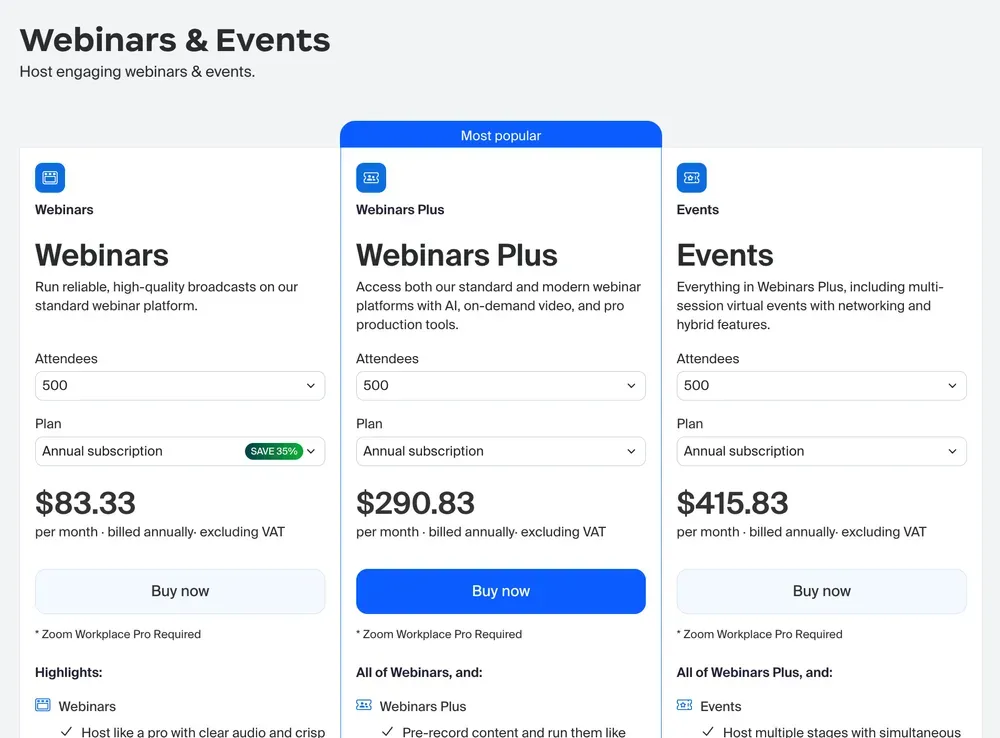
| Starting price (annual billing) | ~$79/mo (500 attendees) | ~$82.50/mo (100 attendees) | ||
| Attendee capacity range | 500 – 100,000+ | 100 – 100,000+ | ||
| Pay-per-attendee option | ✗ No | ✓ Yes | ||
| Requires Zoom Workplace Pro | ✓ Yes (separate cost) | ✗ No | ||
| Single host per license | ✓ Yes | ✗ No — up to 5 hosts | ||
| Co-editors | ✗ No | ✓ Up to 3 |
Bottom line up front: Zoom Webinar (standard) is a lightly-dressed Zoom meeting. If you're serious about webinars as a B2B marketing channel, it will frustrate you quickly. Webinar Plus is a meaningfully different product with real production capabilities — but it's burdened by complexity, hidden costs, and UX decisions that suggest it was built by engineers, not event marketers.
Pricing Reality Check
Zoom's pricing page presents a deceptively low entry point. What you don't see until you're deep in the checkout flow is a cascade of prerequisites and add-ons that make the true cost substantially higher.
Zoom Webinar — Standard (~€50/mo, 300 attendees, monthly billing)
- ⚠️ Requires Zoom Workplace Pro subscription (separate cost)
- ⚠️ Minimum plan starts at 300 attendees
- ⚠️ Annual billing pushes costs further up front
- ⚠️ AI features, large meetings, and whiteboard are add-ons
- ⚠️ Pre-recorded sessions only available on higher tier
Zoom Webinar Plus (~€91/mo, monthly billing, 100 attendee starting plan)
- ⚠️ Pay-per-attendee option available (from ~€600)
- ⚠️ Branding + Resources = separate paid add-on
- ⚠️ Content Hub channel feature requires additional payment
- ⚠️ Hard attendee limit — cannot upgrade mid-event if you hit it
- ✓ No separate Zoom Workplace subscription required
Brandability and customization
Brand matters. After all, you spent a lot of time designing one and creating trust with your audience. It's important that your webinar platform helps you create one branded experience. Let's look at how the two platforms compare.
Zoom Webinar
The standard product's customization capabilities are minimal at best. You can upload a logo and apply a primary color to the registration page, but the result still looks unmistakably like a Zoom event. The Zoom blue persists throughout, the layout is completely locked, and there's no way to restructure the page to reflect your own visual identity.
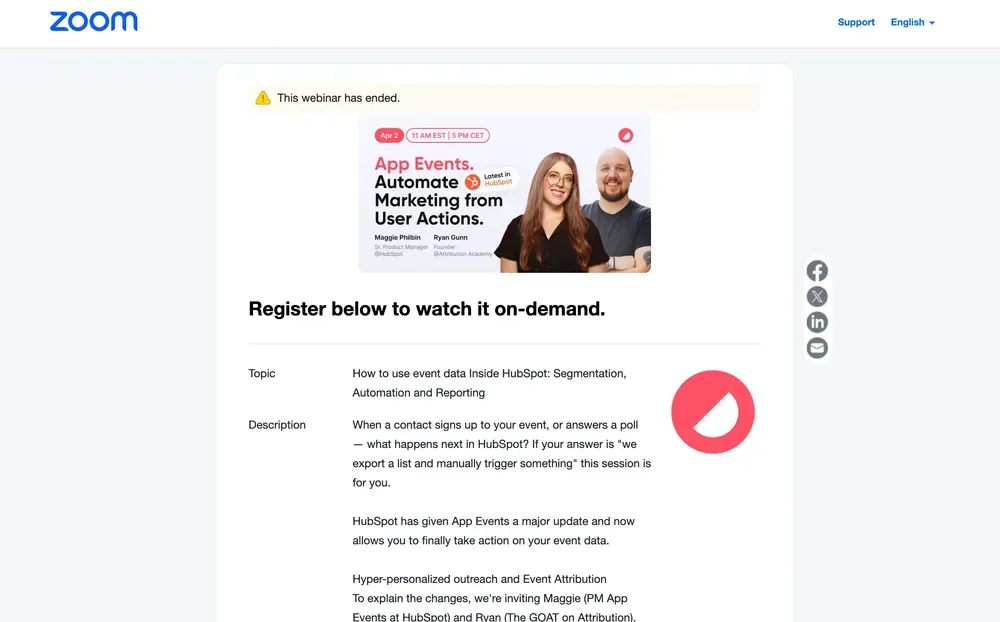
Emails are perhaps the most painful area. The confirmation email, reminder, and follow-up templates are essentially frozen — you can add a small block of body text, but the structure, header, footer, and branding are all Zoom's. Every email your attendees receive prominently features the Zoom logo, comes from a no-reply Zoom address, and links back to Zoom's domain. You cannot change any of this.
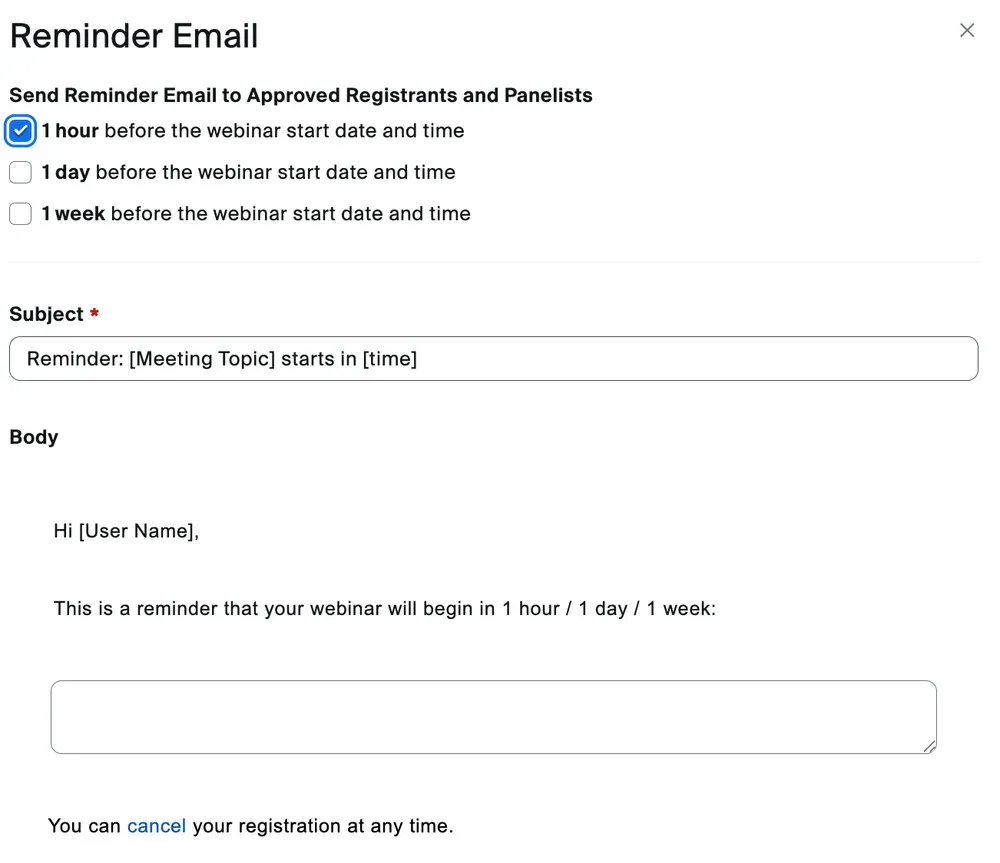
The two main email formats (registration confirmation vs. calendar invite) even use different layouts from each other, which makes your pre-event communication feel inconsistent regardless of any effort you put in.
The waiting room can be customized with an image, which is a small win. Beyond that, there's very little to work with.
The fundamental reality of the standard product is that it was never designed as a branded event experience. It's a Zoom meeting with a registration gate, and it looks exactly like one.
Zoom Webinar Plus
Plus is a meaningfully better story, though still far from what a dedicated event platform delivers. But only if you're for a steeper learning curve.
The registration and lobby page is more polished — you get a proper hero image, speaker sections, a branded color theme, and an event-like layout that gives attendees a better first impression. The branding does pull through more consistently here than on Standard, and there's more surface area to work with visually. The editor is weak and complex in use although it gives many options. Perhaps the many options is what is the problem here. It makes it difficult to use.
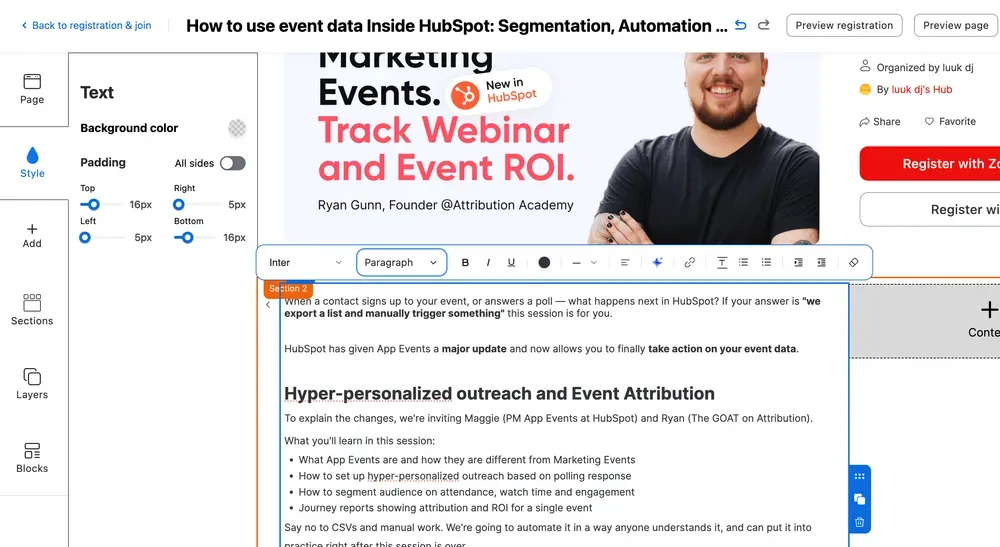
Emails are where Plus makes its biggest leap. There's a real drag-and-drop email builder with sections, layout controls, and content blocks. Branding set at the event level pulls through into emails automatically, which at least creates consistency across touchpoints. The range of email triggers available is broad — arguably more than most teams will ever use.
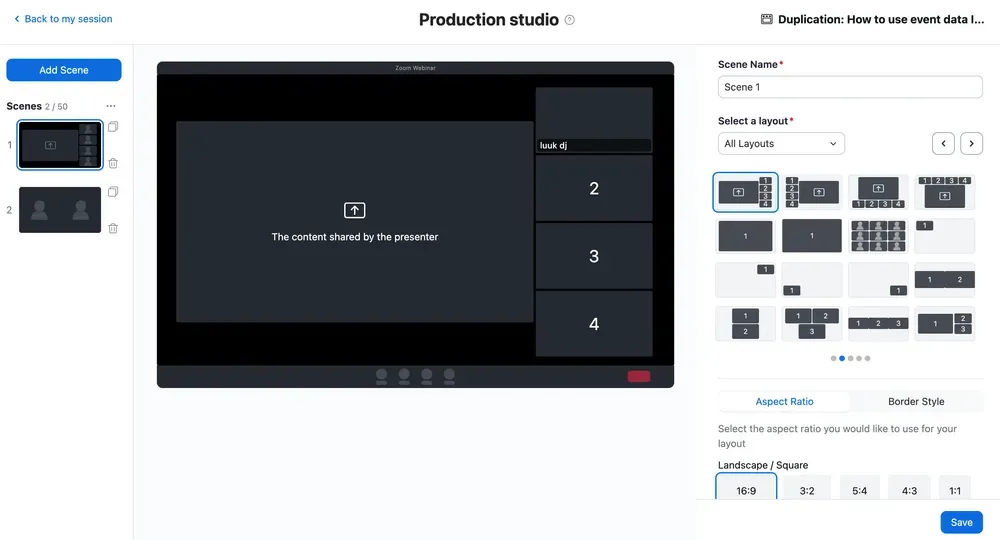
The production studio (later more on that) adds another layer of customization that Standard completely lacks. You can define scenes with different speaker layouts, apply virtual backgrounds, and control how the broadcast looks to attendees. The on-air experience can be made to feel like a produced event rather than a conference call — which is a real differentiator.
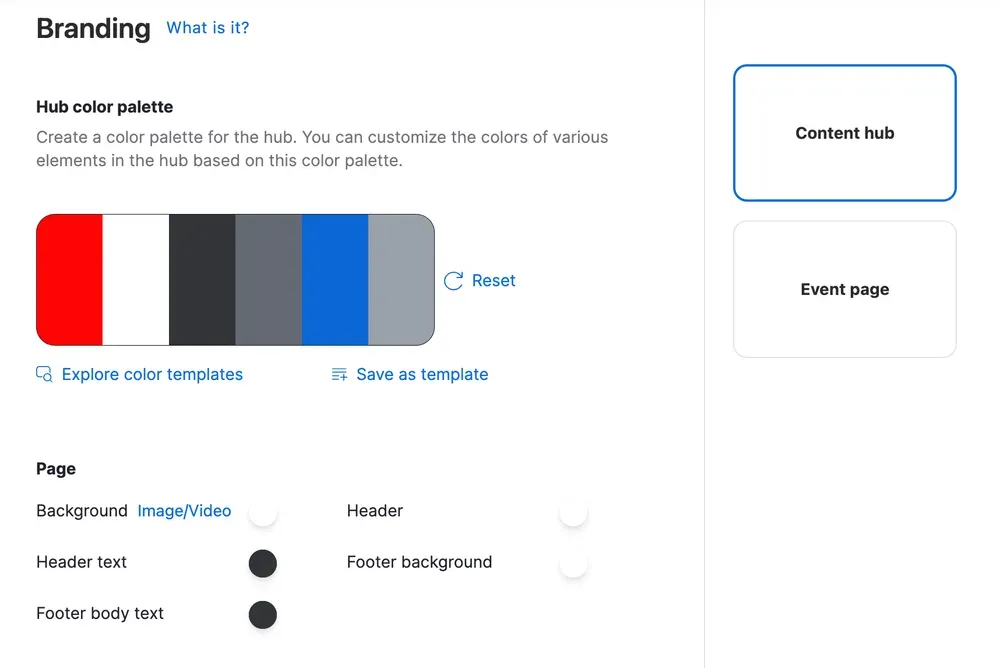
Luckily we also find a brandkit here that you can customize for both the content hub and the event page. It's unclear to us why this is simply not one and the same branding kit.
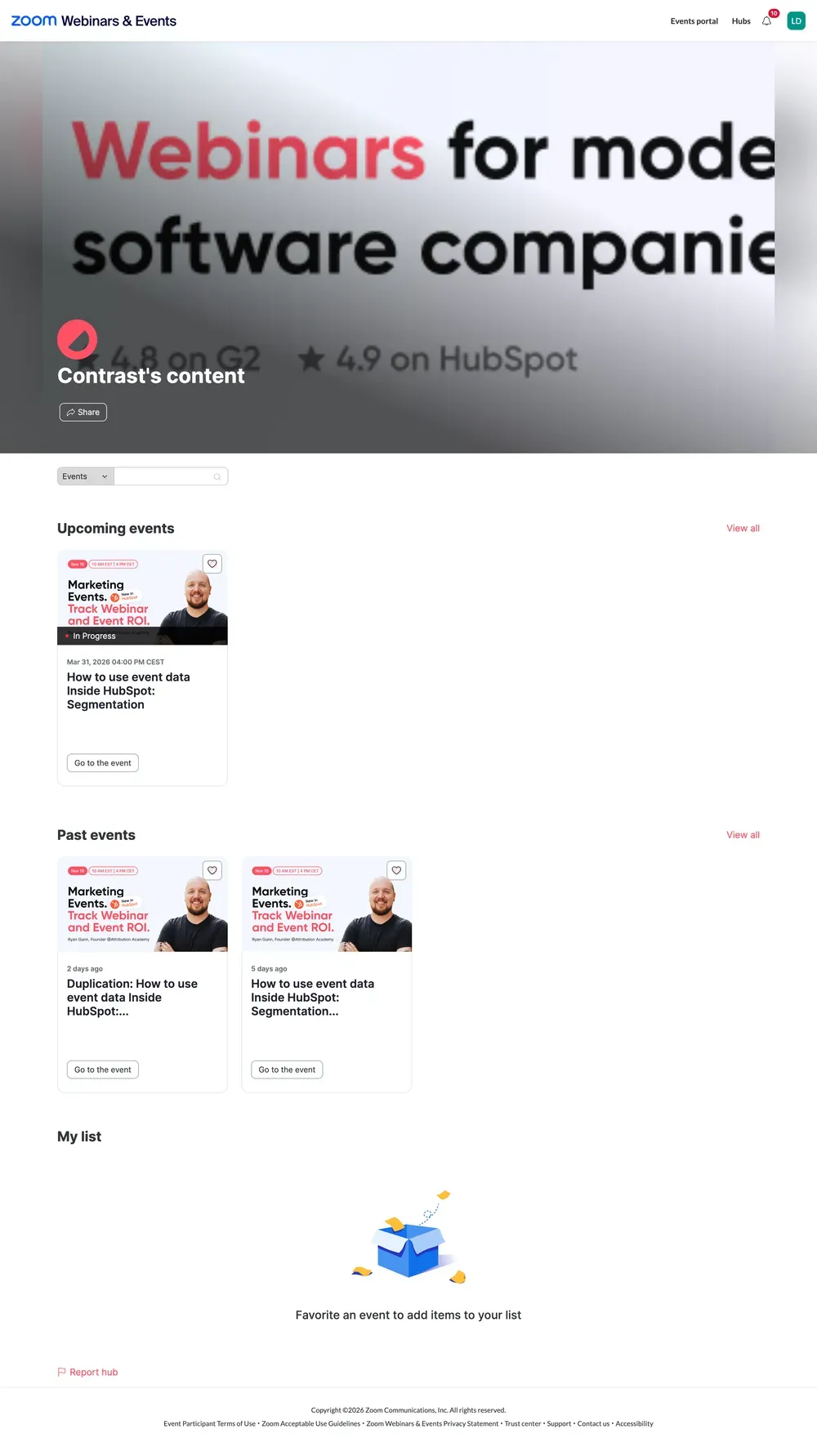
Finally, on Webinars Plus you will find the content hub feature. You can compare this to YouTube Channel but then for webinars. This Hub you can brand. And we think that showing the collection of webinars is especially useful for companies that are running thought-leadership webinars.
Webinar engagement and data
Engagement refers to how people interact during your live webinar. One, more engagement means that people stay longer to watch the end of your webinar. And two, it means data that you can use for follow-up and personalization. Three, it's also the best signal that your attendees had a great time and got value out of your webinar.
Before comparing the two, it's worth stating the elephant in the room: neither product makes engagement data easy to act on. Both sit in a Zoom-first world where data lives inside Zoom's ecosystem, reports require manual effort to extract, and the connection between webinar participation and your CRM pipeline is either nonexistent (Standard) or requires third-party setup (Plus). That said, the gap between the two products in this area is one of the most significant differences across the entire feature set.
Zoom Webinar
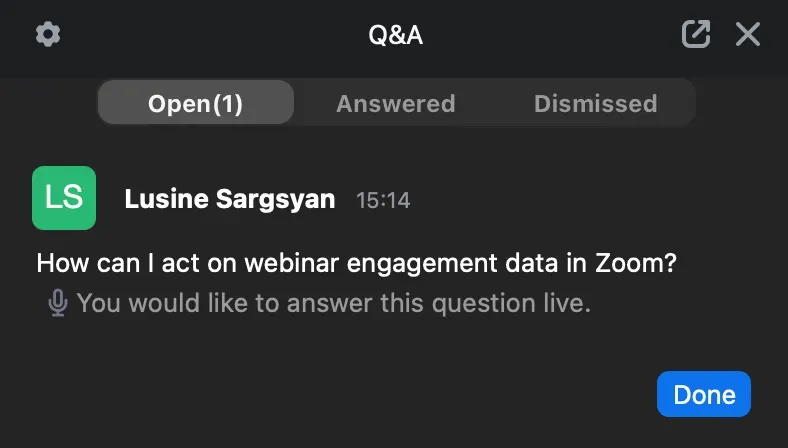
Zoom has many different engagement features, including chat, polls and hand raising. They do what is expected of them and work generally well. There's a debate whether these features couldn't use a lick of paint – because they appear as simple popups (over the video), which some people might find basic.
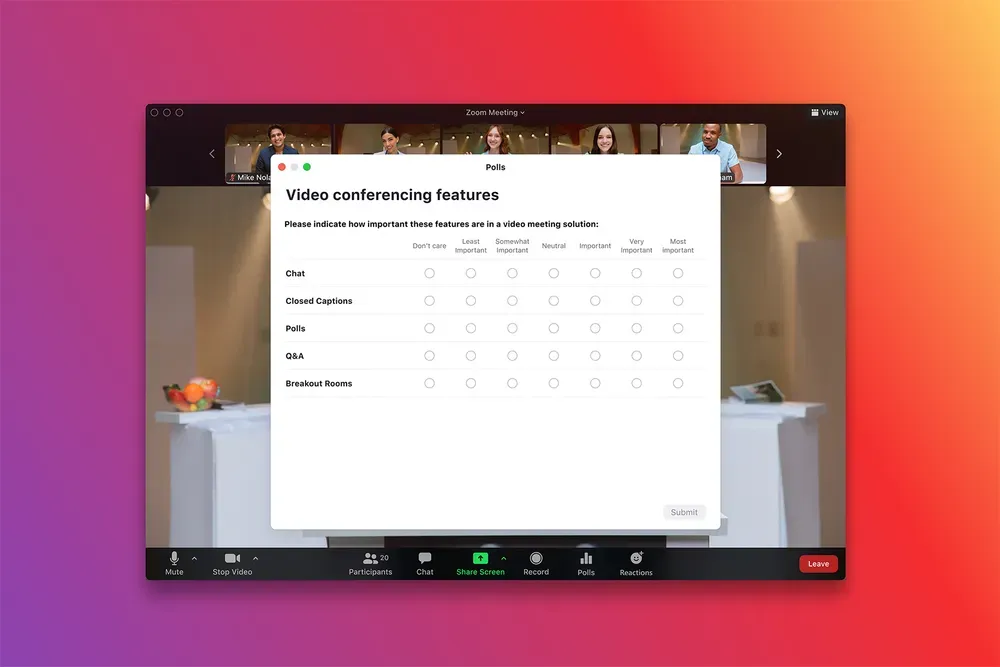
Zoom Webinars delivers all the basics. Q&A with upvoting works as expected. Polls can be launched mid-session and results shared with the audience. Chat is available, though the distinction between host/panelist chat and attendee chat is easy to confuse in the heat of a live session — a UX problem that creates real risk during professional events.
There are no breakout rooms on Standard. If your engagement strategy involves small-group discussion — roundtables, peer-to-peer networking, breakout Q&A — the standard product simply doesn't support it. Attendees are passive viewers with limited participation pathways beyond Q&A and chat.
Zoom Webinar Plus
Keeps the same core tools but adds breakout rooms, which meaningfully expands what engagement can look like during a session. It also introduces a more structured in-session experience through the production studio, which reduces the likelihood of accidental host/panelist confusion — a small but real improvement for engagement quality, since a fumbled interface moment can break audience trust instantly.
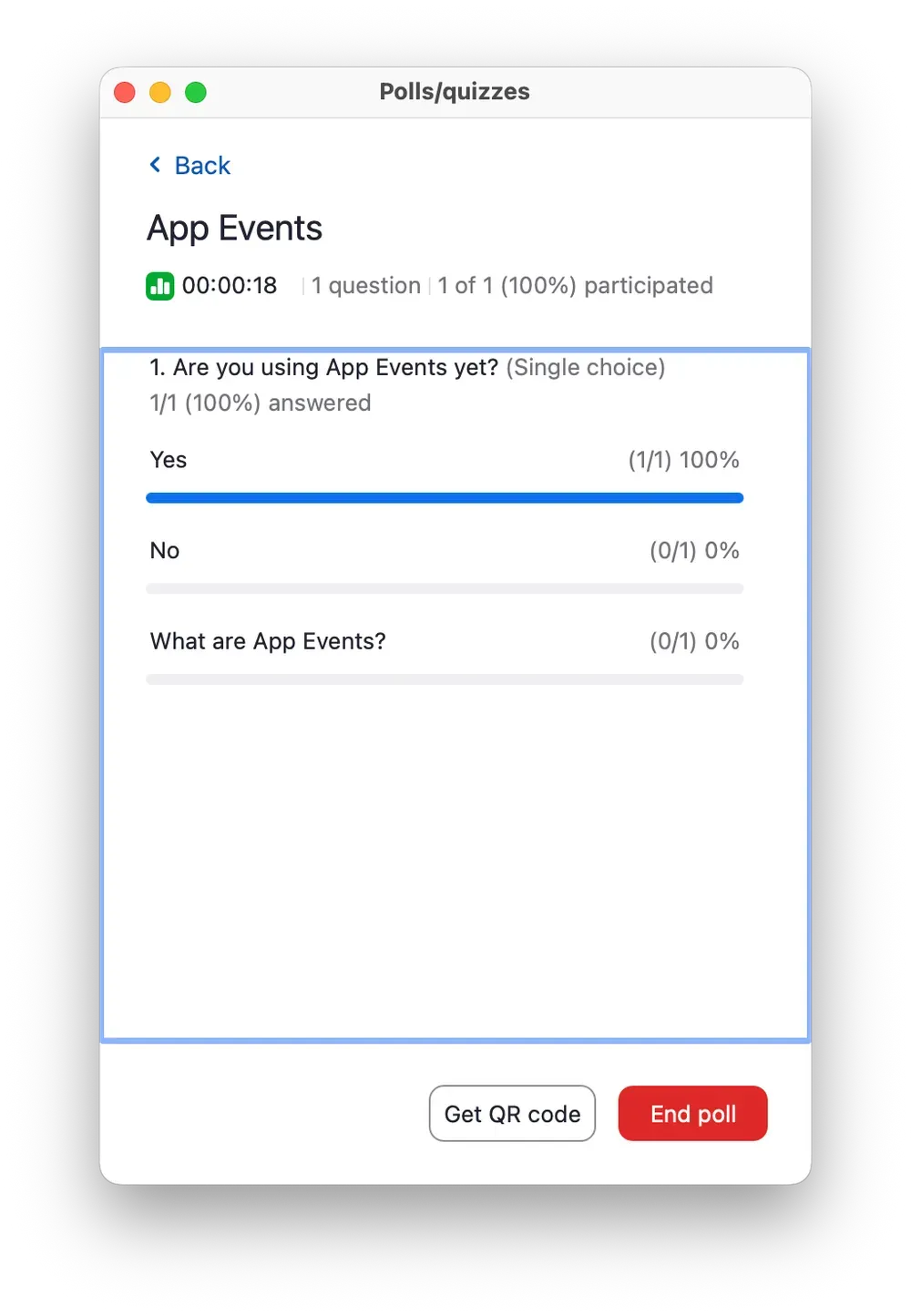
The polls and quizzes on Plus support more question types: ranking order, rating scales, and quiz mode (where answers can be marked correct or incorrect). These are genuinely more capable for training use cases or audience research than the standard multiple-choice format available on both plans.
Deciding between the two platforms based on engagement is a relatively easy one as both platforms have the same feature set. Unless you're looking for breakout rooms – which are only available on Webinars Plus. For those searching for a webinar platform that sends engagement data (poll answers, CTA clicks etc..) to their CRM, it seems that neither one of the products is the right fit. This data is still only available through CSV downloads.
Ease of use and implementation
Webinar platforms are only as good as the teams running them. A platform packed with features means little if your host is fumbling through menus mid-broadcast, if your first event goes out with registration switched off, or if it takes a dedicated ops person half a day to configure something that should take twenty minutes.
Ease of use isn't a nice-to-have, it's the difference between a webinar program that scales and one that stalls after the first few events. For B2B marketing teams where webinars are a primary demand generation channel, implementation complexity has a direct cost: in time, in errors, and in the quality of the experience you deliver to your audience.
Zoom Webinar
Event creation is deceptively quick. You can schedule a webinar in under two minutes — name, date, duration, done. The problem is that everything you actually need for a professional B2B event is either turned off by default or buried in settings you have to know to look for.
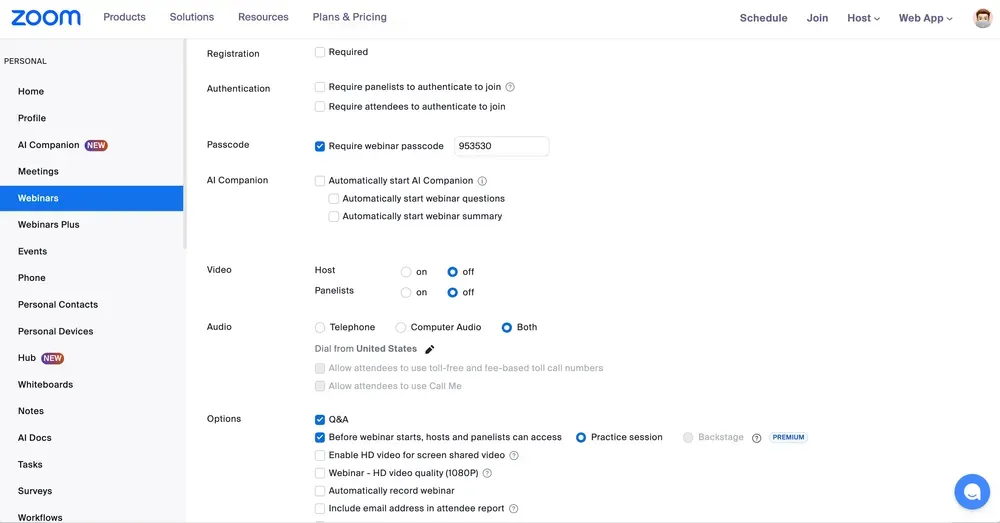
Registration: off by default. Follow-up emails: off by default. On-demand recording: off by default. Practice session: off by default. HD video: off by default. The product assumes you want the minimum viable webinar, and it takes a non-trivial amount of configuration work to get to something that meets professional event standards. For a team running their first webinar, this is a significant source of mistakes — events go live without registration enabled, recordings don't get saved, follow-up emails never get sent.
Templates exist to address this problem, but they are shallow. A template saves a handful of settings — whether registration is required, basic email configuration — but doesn't preserve the full event setup a team has refined over time. Every new webinar still requires manual review of the settings checklist. Someone changing a template? Potential disaster waiting to happen.
Zoom Webinar Plus
Has the same problem at a larger scale. Backstage, one of the product's flagship features — is off by default. Chat between attendees is disabled by default. Video quality settings require manual selection. The production studio scenes you configure during setup are separate from the live session controls, meaning you can build a complete scene layout in setup and then find yourself unable to locate it quickly when you go live. There is no pre-flight checklist.
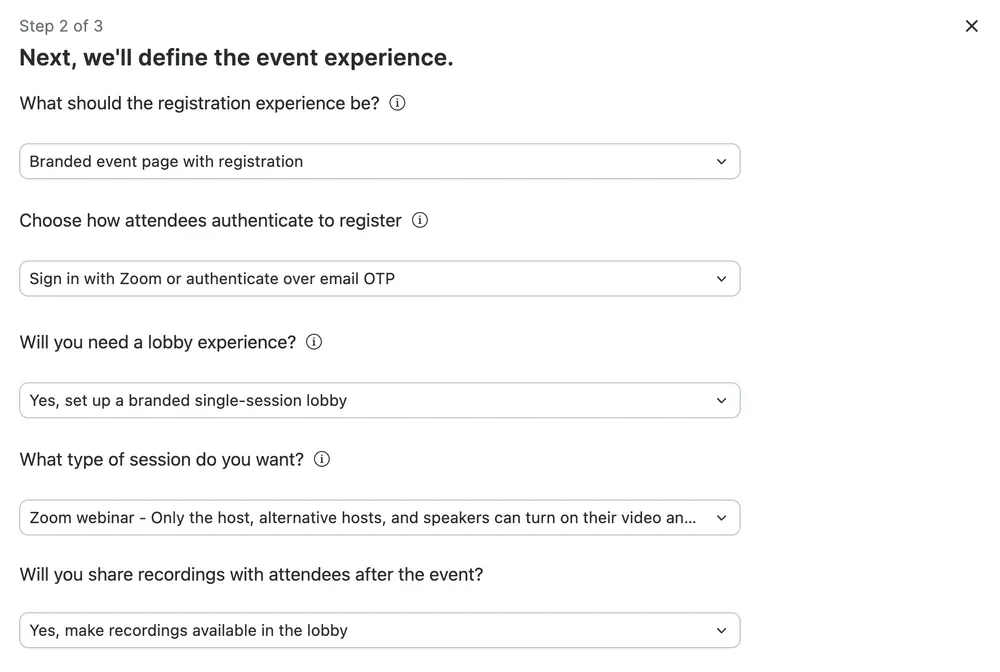
The cumulative effect of this across both products is that ease of use is largely a function of how well you know the product — not how well the product guides you. Experienced operators can move efficiently. New users will make mistakes. You can tell Webinars Plus is a more recently designed product. It's slightly easier to use around the edges – and looks more simple at first.
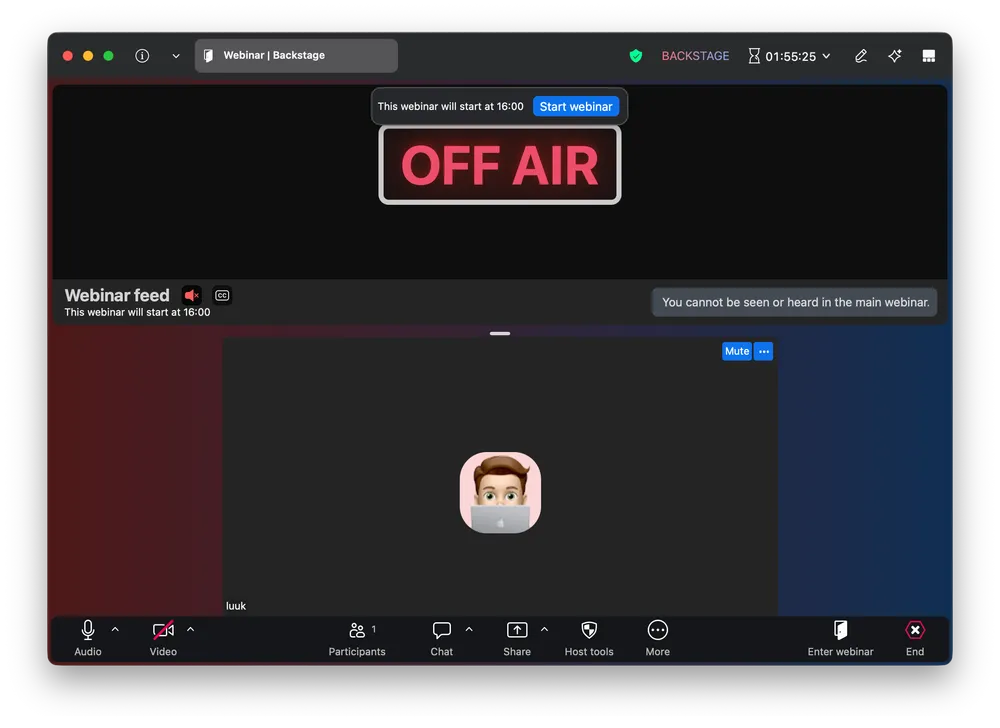
However, the production studio introduces its own complexity. Scenes configured before the event need to be activated during the live session, and the path from "I set this up" to "I'm using it live" is not intuitive. Hosts who haven't rehearsed the studio workflow will struggle to find and switch scenes under live pressure. The studio settings configured in the pre-event dashboard are disconnected from the live session controls in a way that feels like two different teams built the two different parts of the product.
The easiest to use Webinar Platform
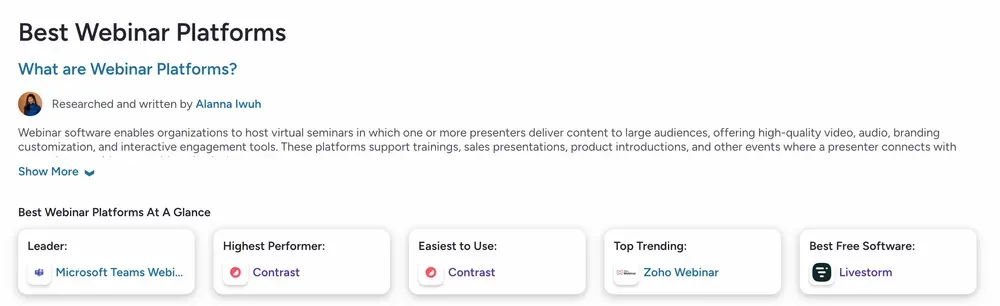
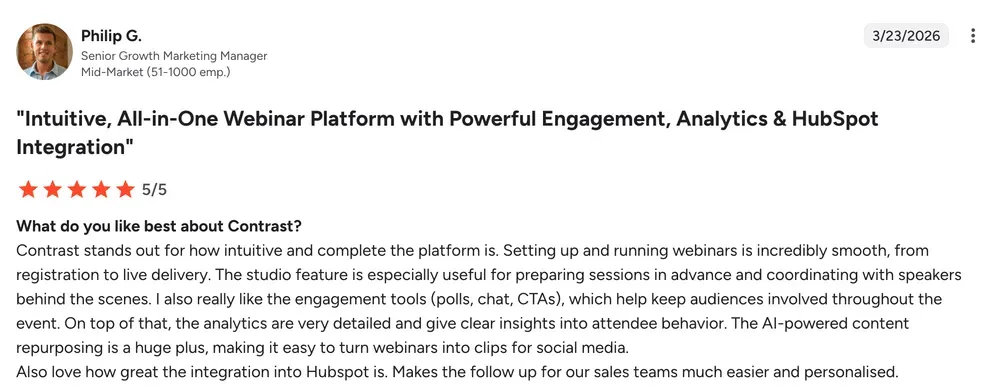
According to independent reviews on G2, the easiest to use and implement webinar platform is Contrast Webinars.
You can learn more on their website. Or simply book a demo to learn why hundreds of companies have recently made the switch from Zoom Webinars to Zoom Webinars Plus.
Repurposing and Artificial Intelligence
The webinar doesn't end when the host clicks "End Meeting." That 60-minute session is raw material — a recording, a transcript, clips worth clipping, angles worth writing up, follow-up email fodder. Whether any of it actually gets made depends on what tools your platform gives you to pull it out.
For B2B marketing teams justifying event budgets, this is the question. One webinar that feeds six other pieces of content is a defensible line item. One webinar that becomes a recording no one watches is not.
AI is what makes the repurposing fast enough to actually happen at scale. Which makes this the area where the gap between Zoom Webinars Standard and Webinars Plus is hardest to ignore — and, somewhat frustratingly, where both products leave the most on the table.
Zoom Webinar
Zoom Webinar gives you a recording and a transcript. That's where the AI story ends. The transcript is auto-generated and reasonably accurate — useful if you want to search through what was said or pull a quote. The recording can auto-save to the cloud. After that, you're on your own. No chapter markers, no clip generation, no content suggestions. A video file and a text document, and whatever comes next is your problem, in your tools, done by your people.
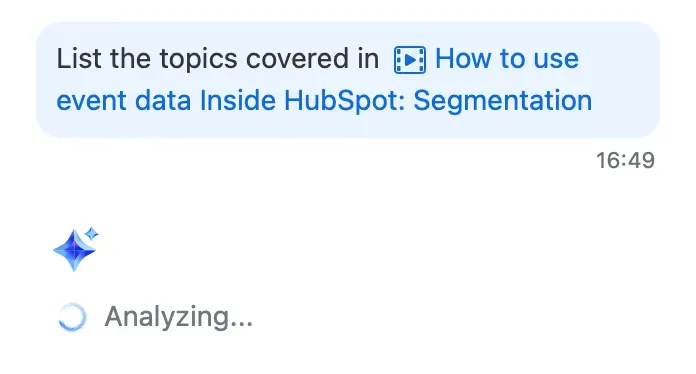
For teams trying to repurpose webinar content regularly, that matters. The raw material is there. Everything else isn't.
Zoom Webinar Plus
Plus adds a few things worth knowing about.
First, recordings get chaptered automatically. The AI breaks the video into navigable sections based on topic shifts. Someone who missed the first twenty minutes can jump straight to the part they care about rather than scrubbing. This sounds like a small thing until you're actually trying to use a recording as sales enablement material.
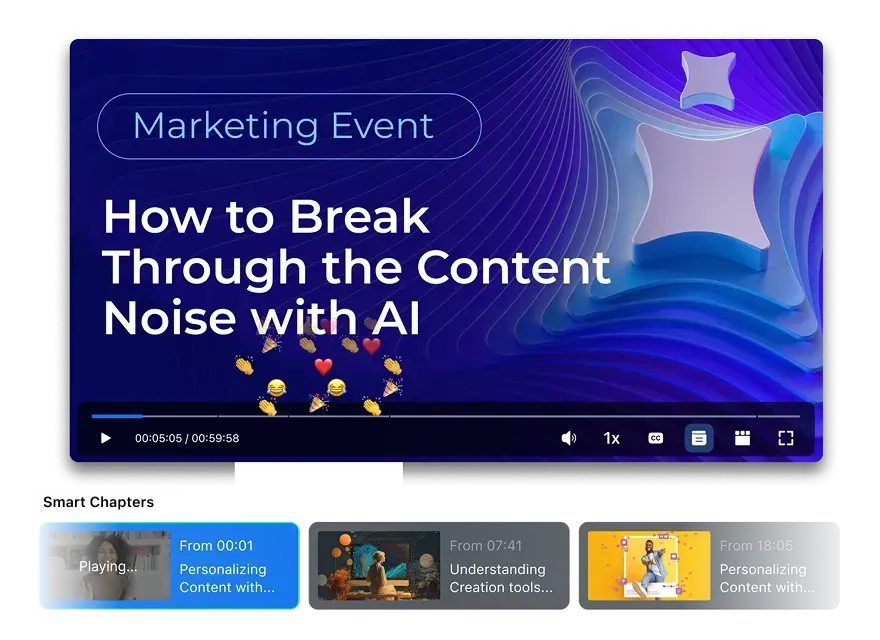
Second, short-form clips. The AI identifies what it thinks are shareable moments and cuts them for LinkedIn or Instagram. The selections aren't always right and you'll probably want to review them, but the alternative is either a video editor or doing it yourself at 11pm.
Third, the recording library is searchable by what was actually said, not just by event title or date. A sales rep hunting for the session where someone asked about pricing can search "pricing" and find it, instead of scrolling through a list of event names and hoping.
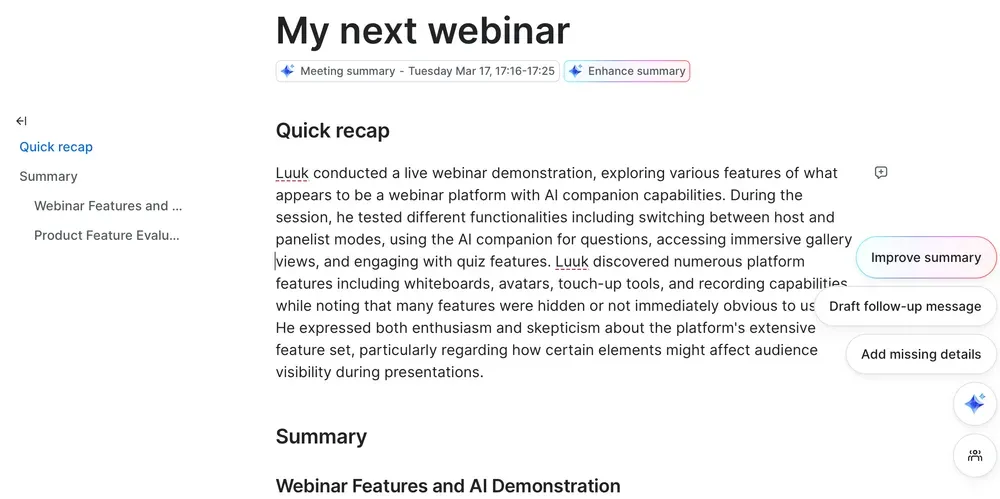
AI Companion: The AI Companion can provide summaries and "catch me up" features if a user joins late. While the idea is sound, it is somewhat hidden in the menu and I doubt many users will find it naturally. We can imagine other use cases that will become more valuable in the future.
AI Avatars: You can generate an AI avatar with a script for the registration page. The AI Avatars are awfully robotic and will in no way do your brand justice. Please stay away from them.
Analytics and ROI
Webinars without analytics are just broadcasts. The whole business case comes down to a few questions: Who showed up? How engaged were they? Which accounts should sales be calling? Did any of this move pipeline? If your platform can't answer those without someone exporting to a spreadsheet, it isn't really a marketing tool. It's a conferencing tool with a registration form in front of it.
The analytics gap between Standard and Plus is one of the bigger differences in this whole comparison. Not subtle. And it matters a lot for how useful either product actually is for demand gen.
Zoom Webinar
The analytics on Zoom Webinars Standard isn't good enough for a professional B2B marketing operation.

Everything is CSV-based. No live view, no in-app dashboard. To find out how your event performed, you download a spreadsheet. The reports you get are:
- Registration report: who registered, with basic contact fields
- Attendee report: who joined, join/leave time, duration attended
- Performance report: high-level registration and attendance summary
- Q&A report: questions submitted and answers given
- Poll report: poll responses by attendee
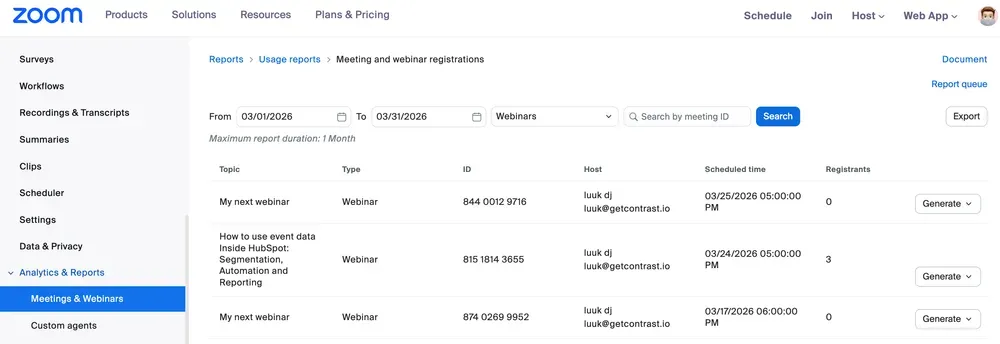
The data is there. That's about it. To answer "which registrants were engaged enough to be worth a follow-up call?" you download at least two CSVs, cross-reference them, and manually score people based on things like how long they stayed and whether they answered a poll. This is technically possible. Most marketing teams won't do it consistently. A lot won't do it once.
The part that stood out most in hands-on testing: there's no registrant list anywhere in the product. Looking for one during testing was genuinely disorienting — the data just isn't in the UI. To see who registered for your own event, you export a CSV. Or, you go in the report builder and build one manually.
For a product marketed to B2B marketing teams in 2025, that's a hard thing to explain.
There's also no engagement scoring, no benchmark data, no account-level attendance view, and no way to connect webinar participation to pipeline without manually exporting and re-importing somewhere else.
Zoom Webinar Plus
Webinars Plus has genuinely different analytics from Standard. The in-app dashboard shows:
- Total registrants and attendees in a single view
- Attendance rate as a calculated metric
- Average session duration
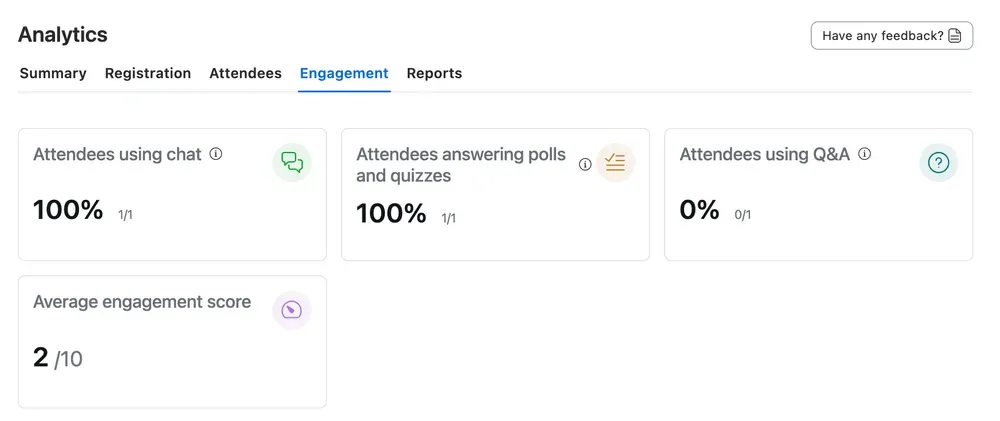
- An aggregate engagement score for the event
- A breakdown of attendees who entered the lobby only vs. those who joined the main session
- Individual attendee engagement scores
- Benchmark comparisons against your historical event data
The engagement score is the part that changes how the follow-up works. Instead of downloading CSVs and scoring attendees by hand, Plus does it automatically: time in session, poll responses, Q&A submissions, chat activity. The output is a ranked list. Your highest scorers are your warmest leads. Your low scorers and no-shows get a different sequence. It's just lead scoring logic, but applied to webinar data in a way Standard can't do.
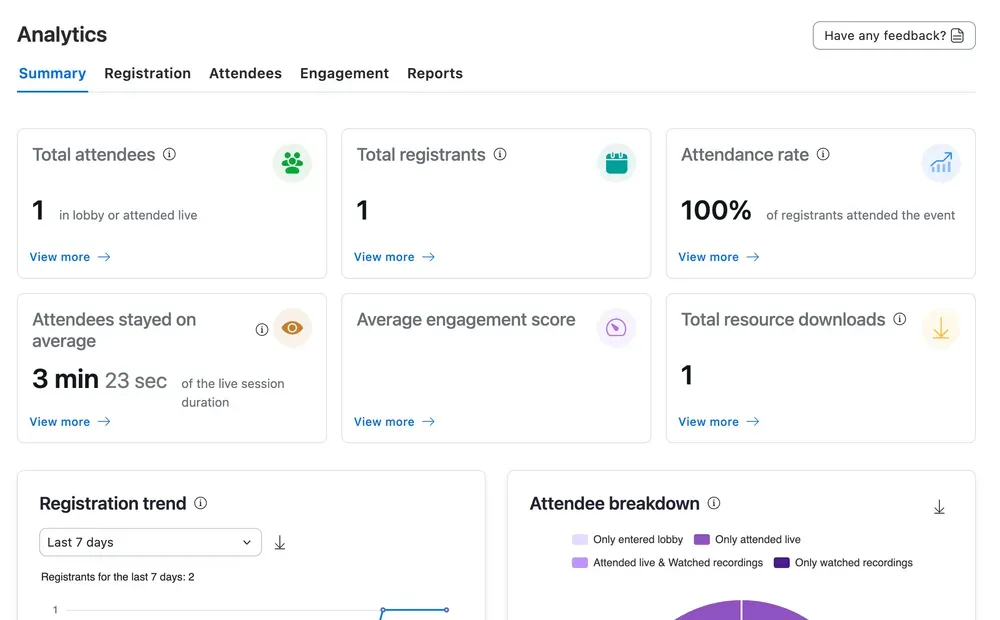
The lobby vs. main session split sounds like a minor detail but isn't. Someone who registered, clicked into the lobby, and never made it into the main session is not the same as someone who never showed up at all. They showed intent. Something got in the way — a conflict, a competing priority, possibly just friction in the join flow. Plus tells you who these people are. Standard doesn't, because Standard doesn't surface this in the UI.
The benchmark data lets you compare a current event against your own historical averages: attendance rate, engagement score, session duration. Without this, you're guessing whether a 45% attendance rate was good for you. Standard has nothing equivalent.
HubSpot integration
There exist no differences between the two webinar platforms and their integrations for HubSpot. To better understand how the integration works, we refer to this article.
This is why hundreds of teams have switched to Contrast - the webinar platform for HubSpot. Book a demo to find out how you can make the switch.
Support
For both products, there exist an AI chat bot that you need to talk to first. You can also request speaking to a human. In our research, we found that support was relatively fast and could help solve problems adequately.
For both products, Premier Support — which includes 24/7 phone support, faster response SLAs, and a named technical support engineer — is available as a paid add-on. It is not included in either webinar plan by default.
Pros & Cons
Zoom Webinar — Standard
Pros
- ✓ Familiar interface for teams already on Zoom
- ✓ Affordable pricing
- ✓ Reliable, solid video
Cons
- ✗ Not tailored to B2B Marketers
- ✗ Registrant list only accessible via CSV export
- ✗ Emails are Zoom-branded and barely editable
- ✗ Everything is off by default — unsuitable for B2B workflows
- ✗ No single brand kit — branding applied per-context
- ✗ Hidden prerequisite costs (requires Workplace Pro subscription)
- ✗ Reminder timing fixed at 1hr / 1 day only
- ✗ Functionally a Zoom meeting with a registration gate
Zoom Webinar Plus
Pros
- ✓ Production studio with real broadcast layouts and scenes
- ✓ Backstage mode for speaker coordination
- ✓ Customizable drag-and-drop email builder
- ✓ Analytics dashboard with engagement and lobby breakdown
- ✓ Accurate, fast live captions
- ✓ Content Hub / channel for post-event video management
Cons
- ✗ UX complexity — too many settings, poor defaults
- ✗ Most features (production studio e.g.) although useful are hard to use
- ✗ Add-ons may add significant cost
- ✗ Production studio scene setup is disconnected from the live configuration
What platform to choose?
If you're evaluating Zoom Webinar (standard) for B2B marketing, lead generation, pipeline events, demand generation, we'd recommend against it. It works in the same way a hammer works as a screwdriver: eventually you'll get there, but something designed for the job does it better. The absence of CRM integration, locked email templates, and CSV-only registrant access are dealbreakers for marketing operations teams.
If you're evaluating Zoom Webinar Plus, the picture is meaningfully different. The production studio is legitimate, the analytics are functional, and the AI features are impressive. If your team is already embedded in Zoom, comfortable with setup complexity, and primarily needs a better broadcast experience than standard Zoom meetings, Plus is worth considering. It's the only serious option for B2B Marketers
Yet be wary, please. Basic tasks like setting up a new webinar can become complex due to the many features Zoom Webinars Plus has. There is a learning curve that some people might not be prepared to take.
Other features such as the production studio are impressive at first. But clunky and time consuming in setup.
The one-line verdict: Zoom Webinar Standard is a Zoom call with a registration form. Zoom Webinar Plus is a real product — just not quite a great one yet. It works. Has most features B2B Marketers need, but is difficult in use. And doesn't exactly convey a look and feel modern brands want to associate themselves with.
If neither product fits your needs, our guide to Zoom Webinar alternatives covers the platforms most commonly chosen by teams switching away from Zoom. If you have already decided to move on from Zoom entirely, check out Contrast
Contrast webinars: the best Zoom Webinars Alternative
Whether you're using Zoom Webinars, or Webinars Plus – Contrast webinars is the best Zoom alternative. In recent years, hundreds of businesses have switched from Zoom to Contrast, because:
- Fully branded and customizable experience for attendees and speakers – without having to download an app
- Everything set up for B2B Marketers who have little time, from registration pages, to reminder emails and calendar invites
- Turns your webinars into blog articles, short video clips with subtitles and more thanks to the power of Ai
And of course all of the data your attendees generate is automatically synced to HubSpot, or another CRM.
Book a demo now and explore how easy it is to get started with Contrast
