
10 Best Webinar Integrations for HubSpot Users [2026]

Not all webinar integrations with HubSpot are equal. Some platforms send 50+ data points directly to your CRM: registrations, live attendance, replay views, poll responses, watch time, and UTM attribution. Others send a contact name and an email address and call it an integration.
If you are a HubSpot user running webinars, this distinction matters more than any other feature on your webinar platform's pricing page. A weak integration means manual CSV exports, broken attribution, and no visibility into which prospects are actually engaging with your content.
This guide covers everything you need to choose the right webinar platform for HubSpot: what a strong native integration actually looks like, the difference between native OAuth connections and third-party tools like Zapier, and a platform-by-platform comparison of the best webinar software available in 2026.
Want step-by-step setup guides for specific integrations? Check out our HubSpot Academy for easy-to-follow walkthroughs.
Key Takeaways
- Choosing the right webinar platform for HubSpot comes down to integration depth, not features. Platforms that sync engagement data, UTM attribution, and revenue signals into HubSpot give marketing teams full visibility into webinar ROI.
- Contrast is the only webinar platform that sends UTM attribution back to HubSpot natively, mapping source data to HubSpot's Original Source fields so you can track which channels are actually driving webinar registrations and pipeline.
- Contrast's HubSpot integration syncs 50+ data points including registrations, live attendance, replay views, poll responses, watch time, and UTM attribution directly into HubSpot contacts, timelines, and workflows.
- Contrast is the top-rated webinar integration on the HubSpot Marketplace (4.9/5, 75+ reviews) and was named a HubSpot Leading Technology Partner in 2026.
- A native OAuth integration means setup takes seconds, and webinar data flows into HubSpot in real time with no CSV exports, no Zapier workarounds, and no manual work after every event.
What to look for in a HubSpot webinar integration
Before comparing platforms, it helps to know what separates a strong HubSpot webinar integration from a weak one. Most platforms will claim they integrate with HubSpot. The quality of that integration varies enormously. Here are the six things that actually matter:
1. No more manual CSV imports and exports
We're not in the early 2000s anymore, you shouldn't have to export and download a CSV from your webinar software and re-upload it and import it into HubSpot after every webinar.
Pretty much every HubSpot webinar integration is going to manage this for you: creating new contacts in your CRM when they sign up to your webinar.
Top-tier HubSpot integrations will allow you to add custom fields to your registration form that are linked back to your HubSpot properties and that will update in real-time when someone signs up.
2. Easily find who registered and attended your webinars
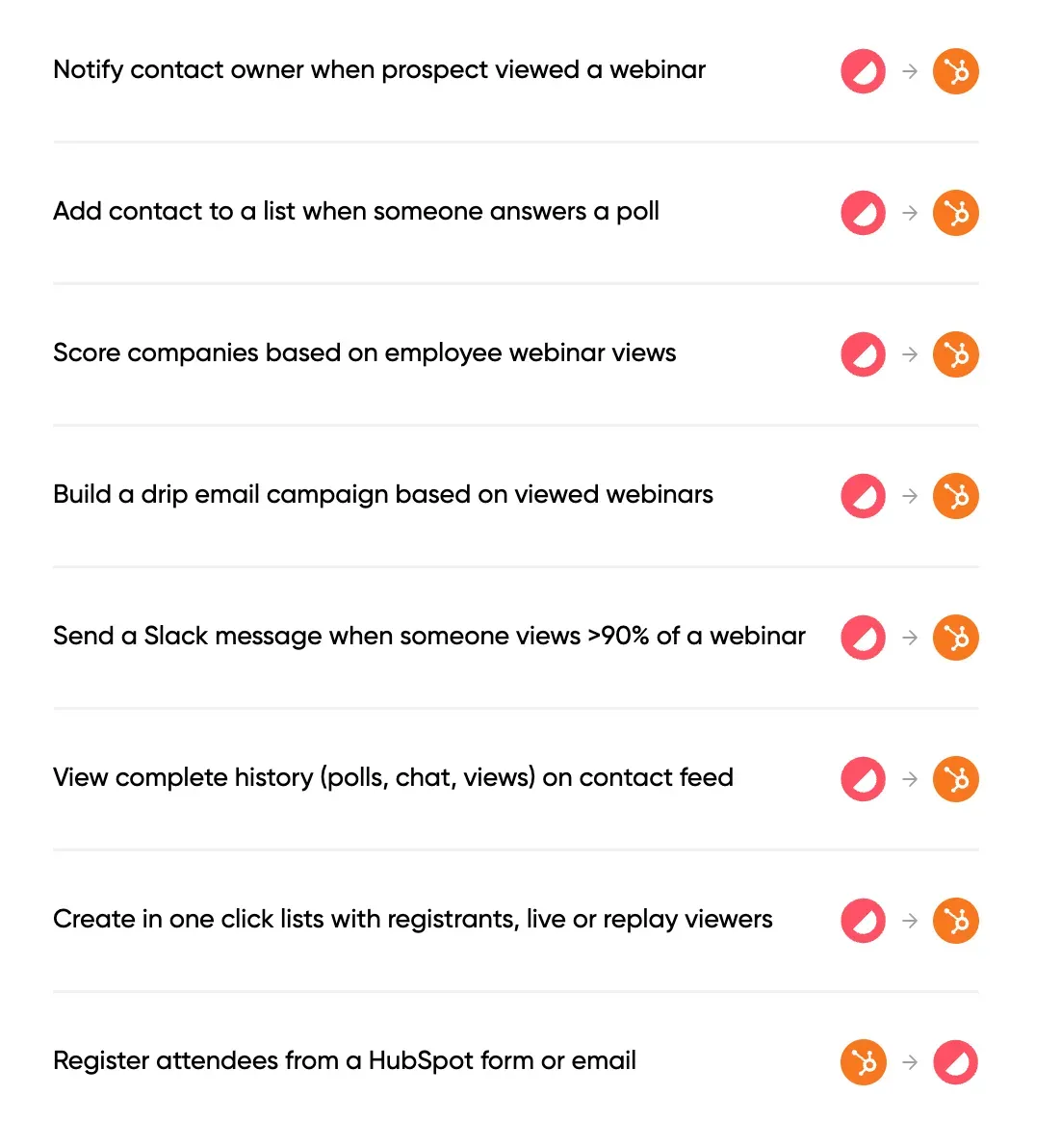
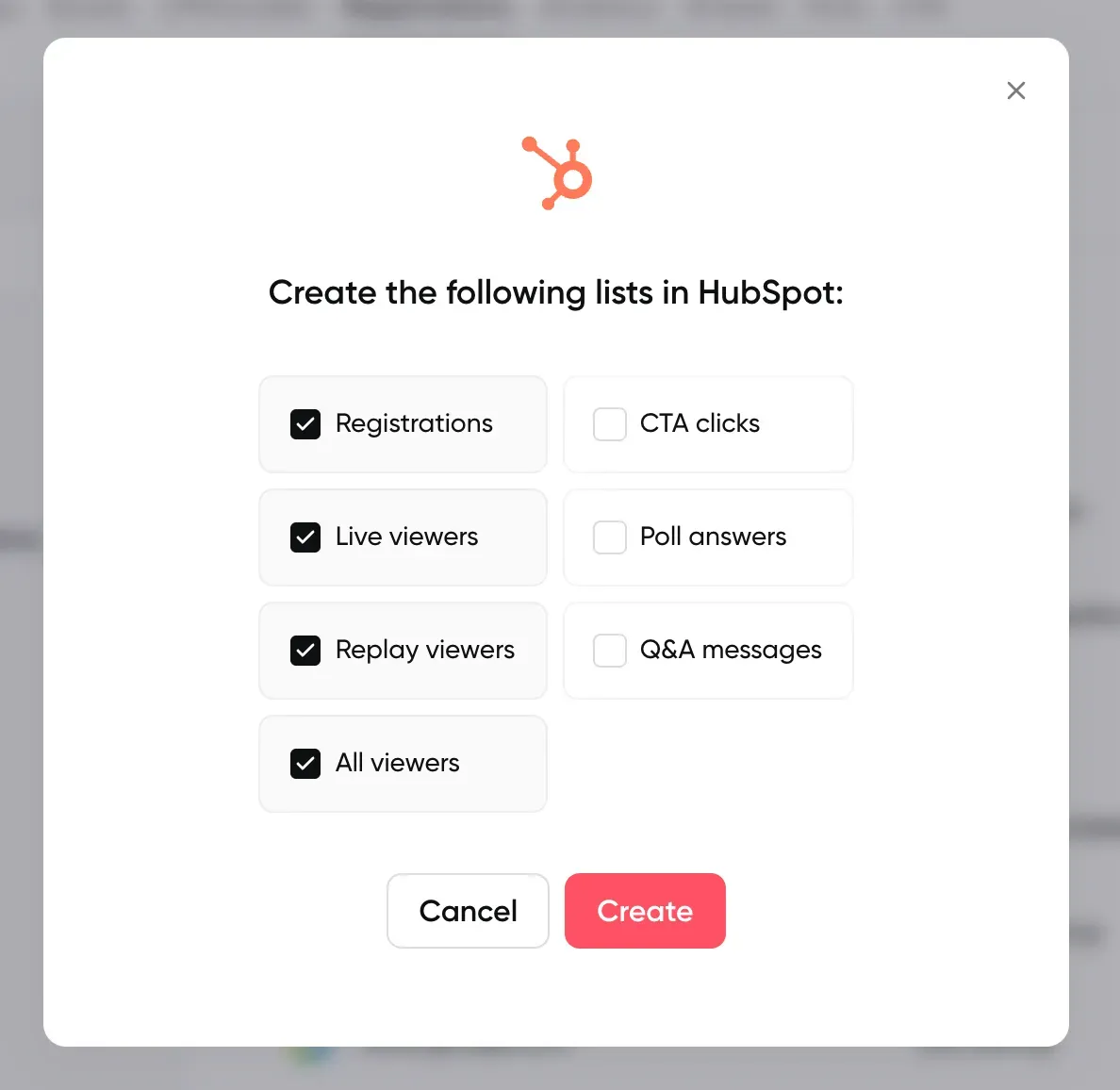
So now that you have all your webinar registrants in HubSpot, the next step is to figure out who actually registered or attended your different webinars and create lists. These lists will be useful for many reasons: send them to your sales team to have them reach out, add them to your newsletter, or send a follow-up marketing communication for example.
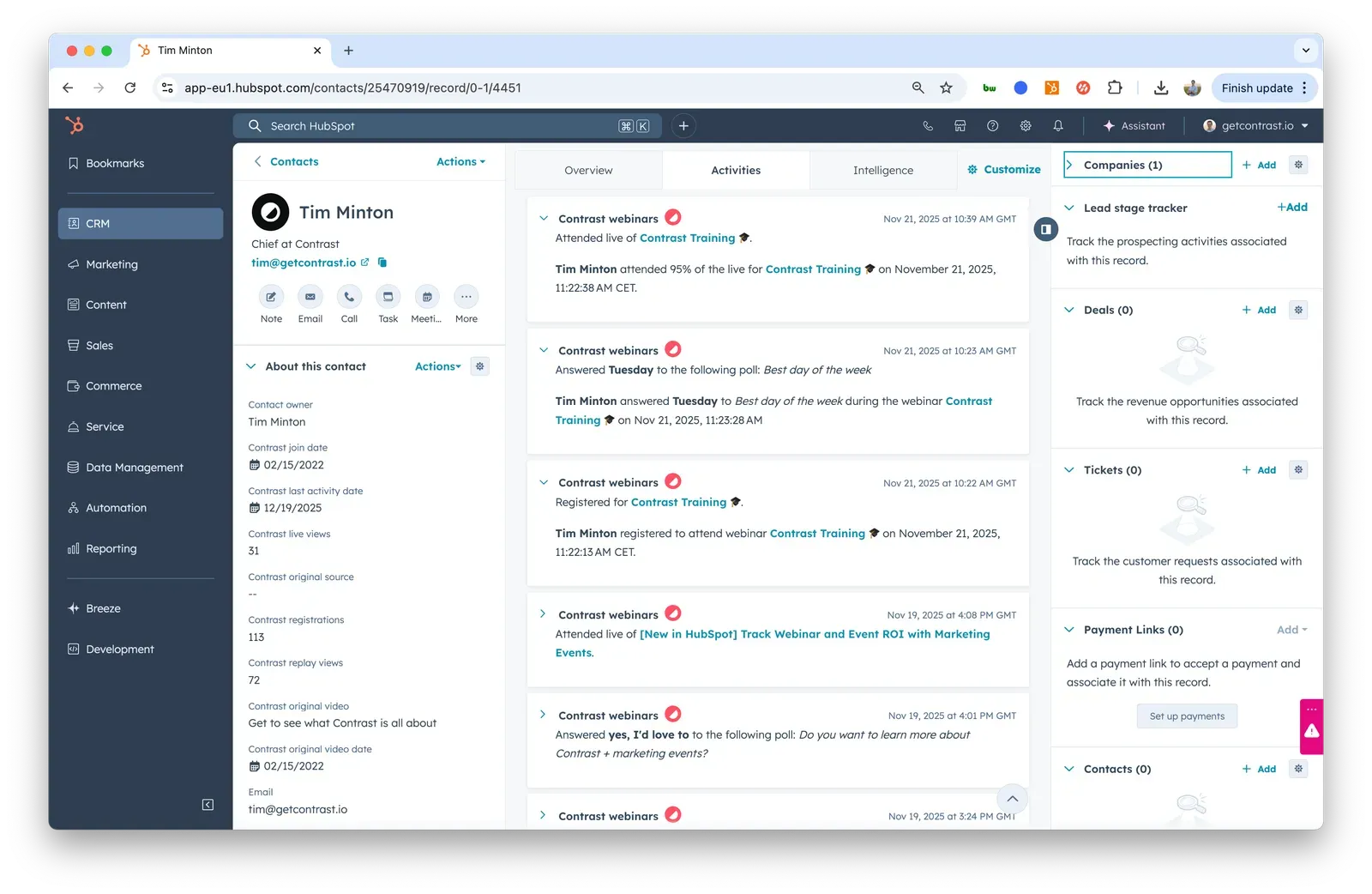
Modern HubSpot webinar integrations will use timeline events. These can be accessed from lists, workflows, and are visible on the contact's activity feed. They make it easy to create lists of registrants, attendees, replay viewers — but also combinations of these: people who registered to webinar A but not webinar B.
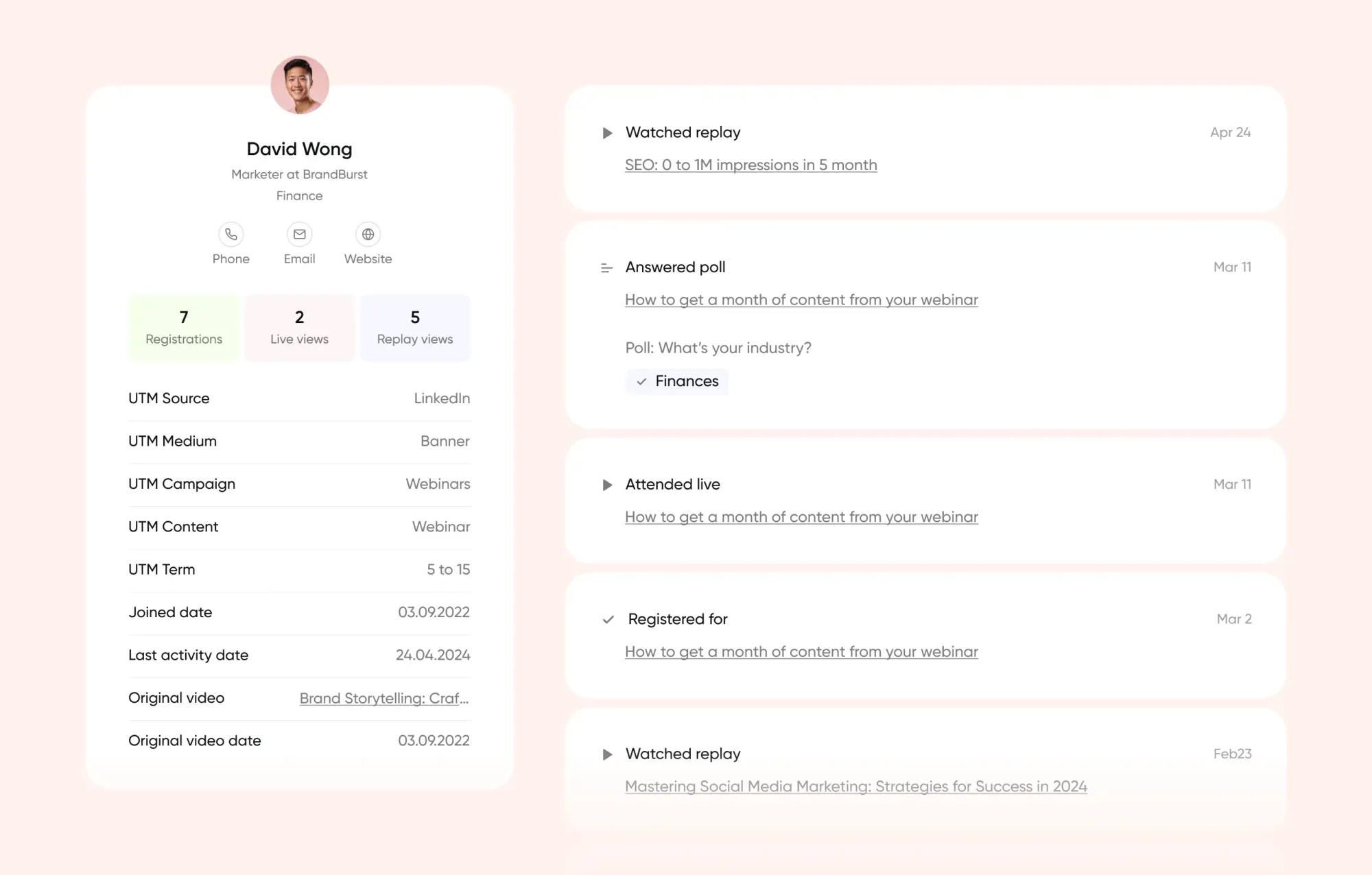
Top-tier HubSpot integrations will also create timeline events for engagement: polls, chat messages, questions, watch time, etc.
3. Control your webinar registration flow
When you create a new webinar, webinar platforms will usually create an associated registration page — but these aren't always on par with your expectations. Some companies will want to have more control over their webinar registration page to make sure it fits their specific requirements (branding, design, copy, etc.).
Should you decide to manage registration pages on your own website, make sure the webinar platform makes it easy for you to send registrations from HubSpot to the platform. Then, when someone signs up for your webinar on your company's registration page, they instantly get an email confirmation from the webinar platform, and the user gets enrolled into reminders and follow-ups.
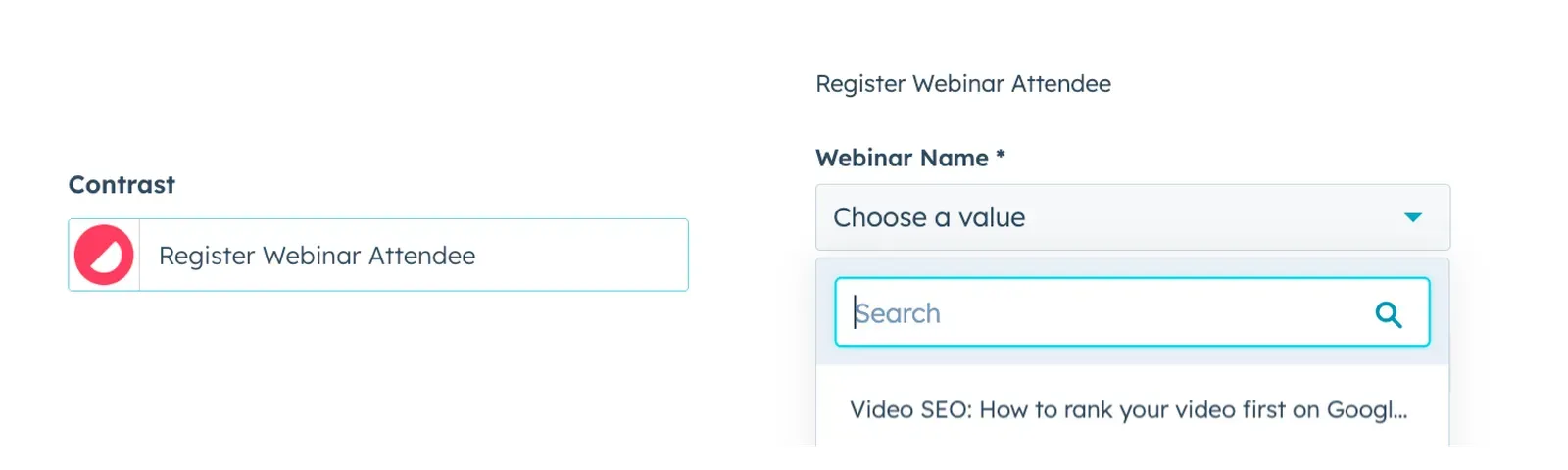
Some platforms will allow you to register contacts to your webinar with tools like Zapier or Make, but this will cost you credits that will increase your webinar costs.
4. Find the most engaged audience members
Most of the people who sign up to your webinar won't be ready to buy your product or service straight away. But people who are engaging the most with your webinars are going to be the most likely to buy. Chat messages, questions asked, total watch time, replay views, all of these are indicators that someone is interested in your company.
Some HubSpot integrations create custom incremental properties in your account so you can measure how contacts are interacting with your webinars. It's possible to create a webinar scoring system by using a combination of all of these properties. For poll answers, timeline events are commonly used to make them accessible in lists or so they can be used to trigger workflows.
Find engaged viewers directly in HubSpot with using Contrast's integration
5. Double down on your best marketing channels
Email marketing, social media, a header on your website — there are many ways to drive users to sign up to your webinars. Your webinar software should make it easy to create and track links with UTMs: both for first conversions but also for every webinar and repeat viewers.
Make sure your HubSpot webinar integration sends over at minimum first conversion UTMs for contacts so you can store them in your own properties. They can then be used in reports and dashboards to easily report on and identify the most effective channels.
6. Attribute revenue to your webinar strategy
Webinars often get the reputation of a short-term lead-generation strategy, but any marketer that runs webinars knows that they have a much stronger long-term impact, too. It's just hard to measure. Studies show that webinars can shorter sales cycles and improve close rates, you just need a way to show the impact webinars have on deals.
Some HubSpot webinar integrations will give you detailed viewer data (for example incremental properties with the number of registrations, live views, or replay views) at the contact level. You can use these properties at the contact level or aggregate them at the deal/company level using calculated properties. These aggregated properties can be used to filter the deal pipeline or to find the most engaged companies.
For a step-by-step guide to building attribution charts, Q&A routing workflows, and lead scoring using this data, see our complete guide to HubSpot App Events for webinars.
One more thing to check before comparing platforms: whether the integration is native or third-party. A native integration connects directly to HubSpot via OAuth and syncs data in real time without additional tools. A third-party integration requires a middleware tool like Zapier or Make, which adds cost, creates potential sync gaps, and often limits the data points available. All of the top-rated platforms in this guide offer native HubSpot integrations. WebinarJam and Crowdcast do not, and they require Zapier instead, which we cover in their sections below.
Does HubSpot have native webinar hosting?
No. HubSpot does not offer native webinar hosting as part of its platform. You cannot create, host, or broadcast a webinar directly inside HubSpot. What HubSpot does offer is a set of Marketing Events features that allow webinar data from connected platforms to appear on contact timelines, trigger workflows, and feed into lead scoring.
This is exactly why the integration quality of whichever webinar platform you choose matters so much. HubSpot is the destination for your data, not the source. The webinar platform you choose determines how much of that data actually makes it there.
HubSpot webinar integration comparison
Here is how the top webinar platforms compare across the six integration criteria that matter most for HubSpot users. We cover each platform in detail below.
| Integration feature | Contrast | GoToWebinar | Livestorm | Demio | Zoom | ON24 | WebinarGeek | BigMarker | WebinarJam | Crowdcast |
|---|---|---|---|---|---|---|---|---|---|---|
| Native HubSpot integration | ✅ | ✅ | ✅ | ✅ | ✅ | ✅ | ✅ | ✅ | ❌ | ❌ |
| No CSV exports | ✅ | ✅ | ✅ | ✅ | Partial | ✅ | ✅ | ✅ | ❌ | ❌ |
| Find registrants and attendees | ✅ | ✅ | ✅ | Partial | Partial | ✅ | ✅ | ✅ | ❌ | ❌ |
| Control registration flow | ✅ | ✅ | ✅ | ✅ | ✅ | ✅ | ✅ | ✅ | ❌ | ❌ |
| Audience engagement metrics | ✅ | ❌ | Partial | ❌ | ❌ | ✅ | ✅ | ✅ | ❌ | ❌ |
| UTM and source tracking | ✅ | ❌ | ❌ | ❌ | ❌ | ❌ | ❌ | ❌ | ❌ | ❌ |
| Revenue attribution | ✅ | ❌ | ❌ | ❌ | ❌ | Partial | ❌ | Partial | ❌ | ❌ |
The 10 best webinar platforms for HubSpot
Watch: how to objectively evaluate HubSpot webinar integrations, and why Contrast comes out on top.
1. Contrast — Top rated HubSpot Integration
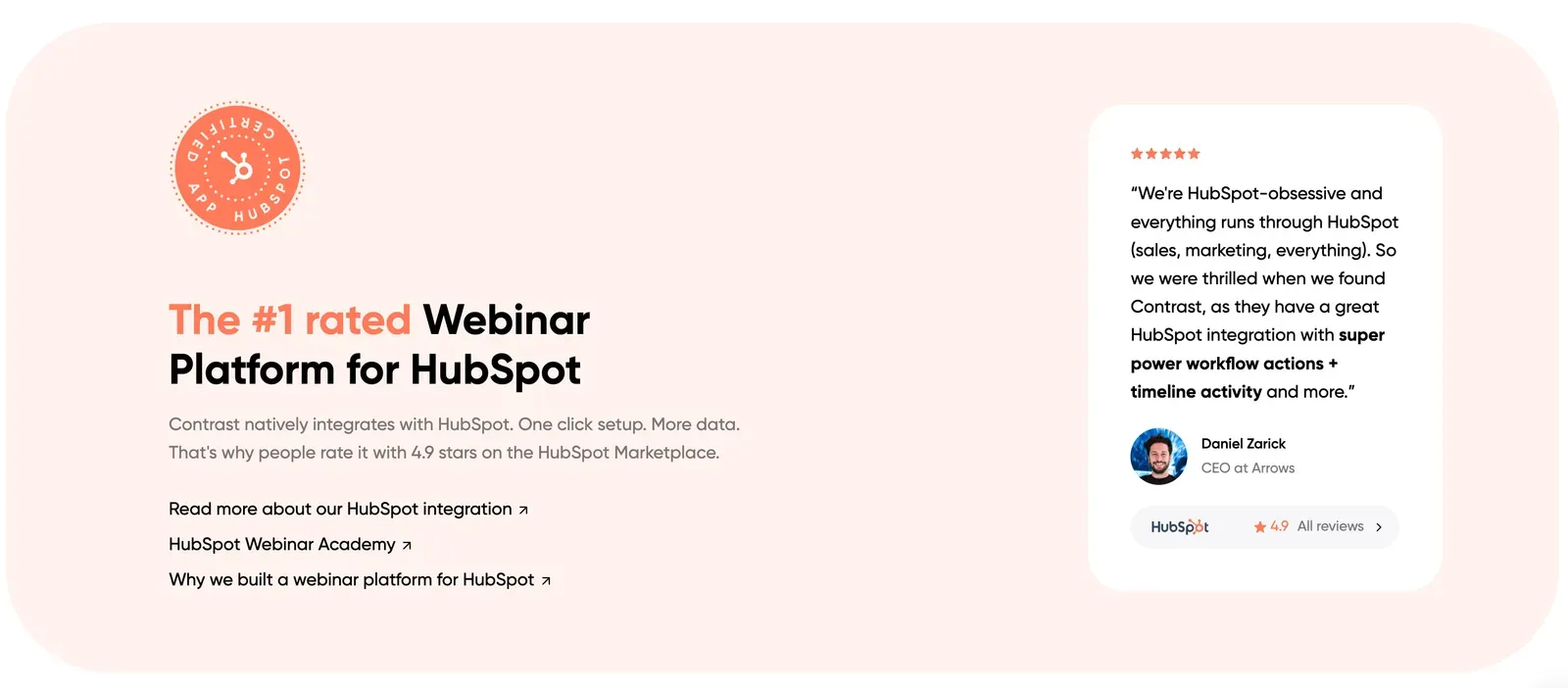
Contrast is the modern webinar platform built to make it easy for marketers to host engaging and fun webinars. You can run branded webinars, build high-converting registration pages in seconds and repurpose your webinar with Ai.
They also have the top-rated HubSpot integration on the marketplace, with a 4.9 average rating and 75+ 5* reviews. Pair that with a special offer for HubSpot users and Contrast becomes the obvious choice for HubSpot clients wanting to run webinars.
Contrast was named a Leading Technology Partner in HubSpot’s 2026 Technology Partner Program, reflecting its strong adoption, top marketplace rating, and native integration with HubSpot. Learn more about Contrast’s HubSpot Leading Partner status.
Pros
- Ease of use
- Unlimited seats
- High-quality audio and video
- Features built for engagement
- Custom branding and white labeling
- Webinar channel to host upcoming & replays
- Repurpose AI to turn each webinar into 10+ pieces of content
- Freemium plan and scalable usage-based plans
- Premium support and in-app chat
Cons
- Doesn't support breakouts
- Not built for virtual hybrid events
HubSpot Integration Review
| Categories | Contrast |
|---|---|
| No CSV exports | ✅ |
| Find registrants & attendees | ✅ |
| Control registration flow | ✅ |
| Audience engagement metrics | ✅ |
| UTM & Source tracking | ✅ |
| Revenue attribution | ✅ |
Contrast's HubSpot integration is a native OAuth integration — meaning it only takes a couple of seconds to securely connect. It covers all the requirements mentioned earlier and sends 50+ Properties to HubSpot.
The integration also sends all the information you need on viewer' data: registrations, live views, replay views — but also poll data and engagement information.
A specificity of Contrast is that they're the only HubSpot integration that tracks UTM data and sends it back to HubSpot: both raw as custom properties but also using the Original Source and Drill-down properties.
Best For
HubSpot teams that want the deepest possible CRM integration — full engagement data, UTM attribution, revenue tracking, and native OAuth connection all in one platform.
User Reviews
- G2 rating: 4.8/5
- HubSpot Marketplace rating: 4.96/5
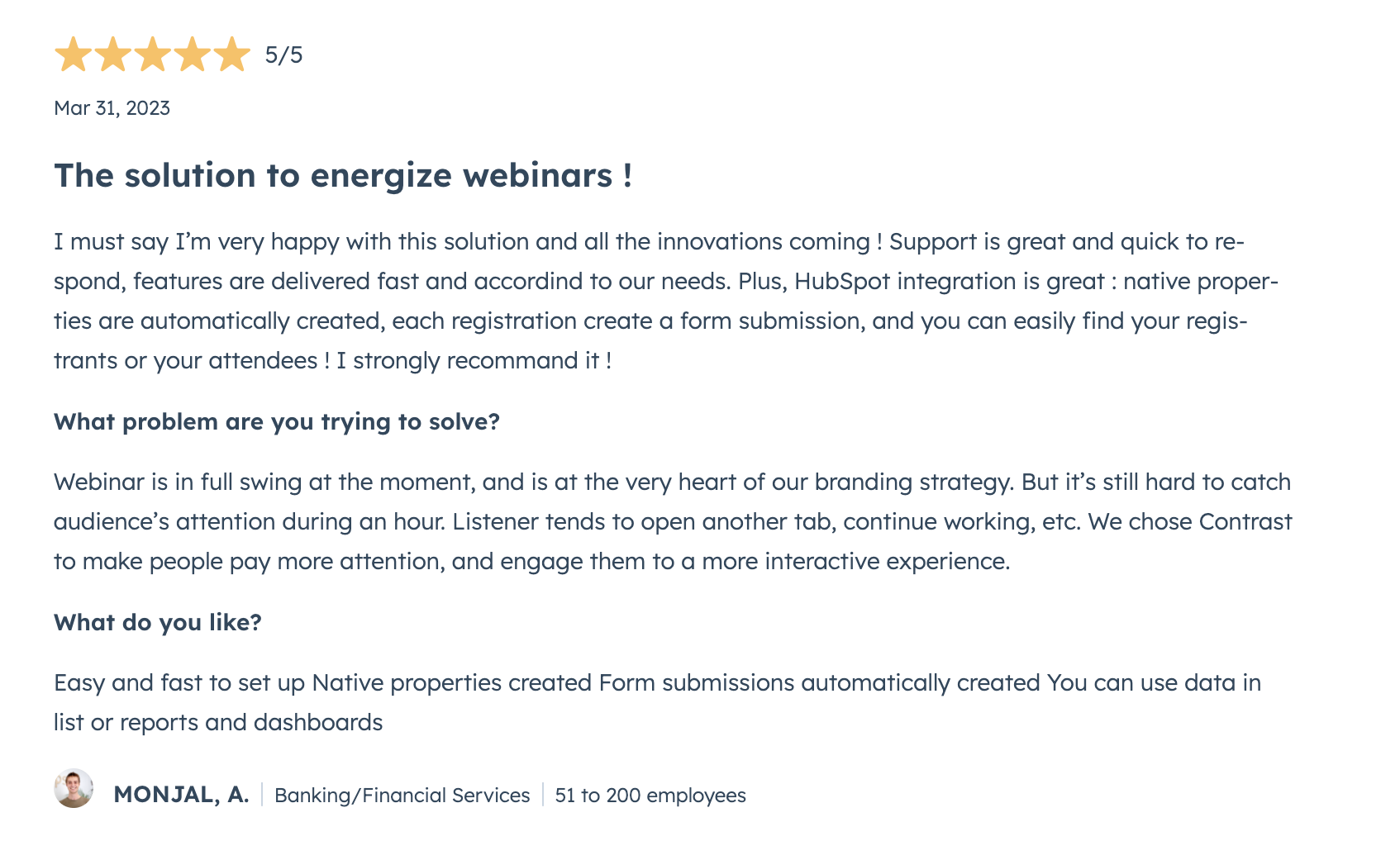
The reviews are on average extremely positive and underline primarily:
- The ease of use of Contrast
- Seamless HubSpot integration
- Reactive and high-quality support
All of these reasons are why we put Contrast #1 on this list.

Try the #1 HubSpot Webinar Integration
Start for free with up to 50 registrants. No credit card needed.
Start for free2. GoToWebinar HubSpot Integration
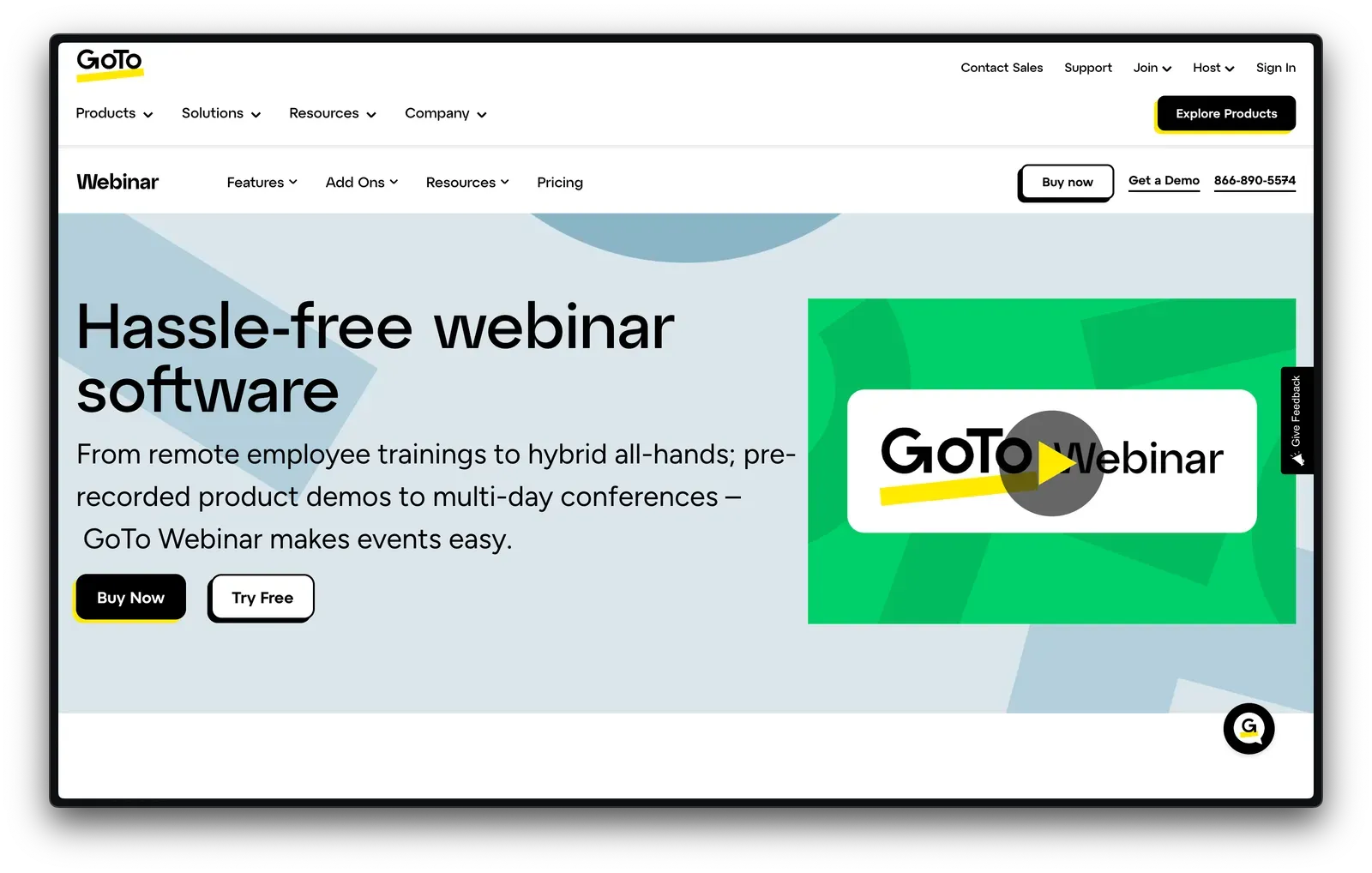
GoToWebinar is a webinar platform from the GoTo suite (along with GoToMeetings and GoToTraning), and was one of the first players to make it to the webinar market and have a recognizable name in the industry. They focus primarily on marketing and training/enablement use cases and have a basic set of functionalities.
Their HubSpot integration is one of the most installed on the marketplace and the reviews seems generally satisfied with the quality of the integration. However, despite being one of the most installed they still lack some key features to make the integration seamless.
Pros
- Recognizable name in the webinar industry
- Basic engagement features like Chat, Polls, Q&A
- Affordable pricing for small audiences
Cons
- No free plan
- Limited customer success/support
- Can only support up to 3000 attendees
- Outdated interface that can be difficult to navigate
HubSpot Integration Review
| Categories | GoToWebinar |
|---|---|
| No CSV exports | ✅ |
| Find registrants & attendees | ✅ |
| Control registration flow | ✅ |
| Audience engagement metrics | ❌ |
| UTM & Source tracking | ❌ |
| Revenue attribution | ❌ |
GoToWebinar's HubSpot integration is also native OAuth integration that most users describe as being easy to use however it might be lacking some key features. They focus a lot of their integration on upcoming events, not replays (which can account for >50% of views).
Best For
Teams that need a basic, reliable HubSpot sync for registrations and attendance, and don't require engagement data or attribution tracking.
User Reviews
- G2 rating: 4.2/5
- HubSpot Marketplace rating: 3.9/5
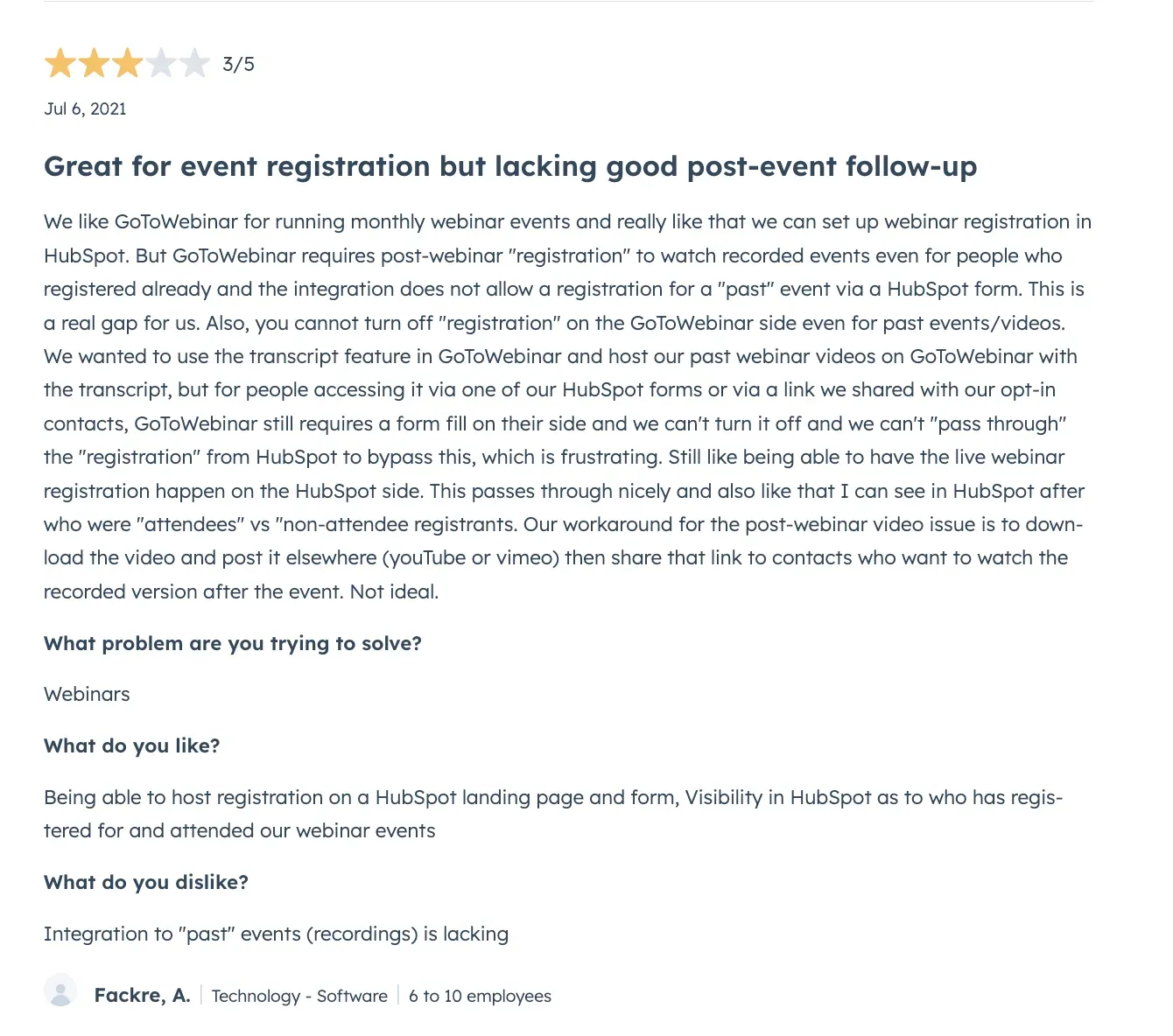
This review encapsulates the general opinion on the GoToWebinar HubSpot integration: it's easy to use but has its limits. Registering users from HubSpot works well, but there is limited functionality when it comes to managing replays or getting engagement data back into HubSpot.
The GoToWebinar HubSpot integration connects via native OAuth. What it does not send back is engagement data — poll responses, watch time, and Q&A activity do not flow to HubSpot, which limits its usefulness for lead scoring and follow-up workflows.
3. Livestorm HubSpot Integration
Livestorm is a platform for video engagement. You can use it for webinars or virtual events. The company has recently expanded into virtual meetings, offering additional features that aren't related to webinars.
Their HubSpot integration is one of the better ones in the webinar space — however, it is still lacking some important features.
Pros
- Multiple language support boosts accessibility
- Custom integrations offer flexibility
- Automations simplify workflows
Cons
- Limited free plan
- Limited branding
- Limited video production capabilities
- No repurposing features
- No video clipping features
- HubSpot integration is limited on free plans
- Users report problems with HubSpot integration
- Some users report needing to use Zapier to integrate data.HubSpot Integration Review
| Categories | Livestorm |
|---|---|
| No CSV exports | ✅ |
| Find registrants & attendees | ✅ |
| Control registration flow | ✅ |
| Audience engagement metrics | Partial |
| UTM & Source tracking | ❌ |
| Revenue attribution | ❌ |
The Livestorm HubSpot integration connects via native OAuth and covers the core use cases well: contact creation, registration sync, attendance tracking, and basic workflow triggers. Where it falls short is UTM and source tracking, which does not flow back to HubSpot natively, and revenue attribution, which requires manual configuration. For teams that need clean registration and attendance data without complex attribution, it is a solid option.
Best For
Teams running straightforward lead generation webinars who need reliable registration and attendance sync but do not require deep engagement data or attribution tracking in HubSpot.
User Reviews
- G2 rating: 4.4/5
- HubSpot Marketplace rating: 4.0/5
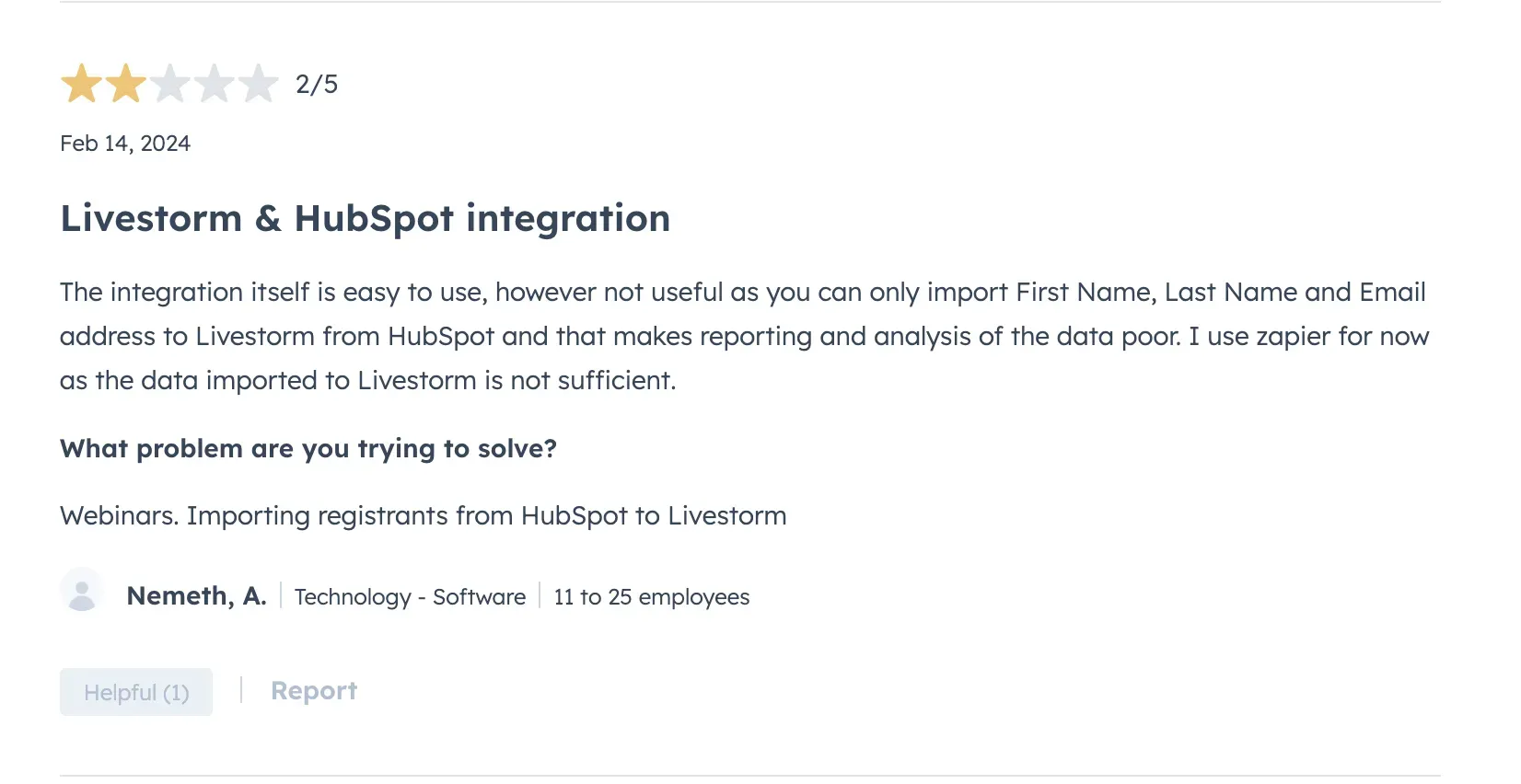
The reviews lack detail on what users think about their HubSpot integration. Some users complain about downtime, missing data, and needing to use Zapier for certain data flows, incurring additional costs. The pattern in the negative reviews points to the same limitation the table above shows: the integration handles the basics well but falls short when teams need richer engagement data or attribution tracking inside HubSpot.
4. Demio HubSpot Integration
Demio is a webinar tool that provides all the basics you need to host webinars. They focus on providing a very basic platform at a cheap price point that makes it easy for attendees to join from their browser.
Their HubSpot integration is far from one of the best ones available on the HubSpot marketplace and the reviews seem to tell the same story. For simple use cases it might suffice, but for advanced teams hoping to use webinar data to power their marketing efforts, it's lacking some important data.
Pros
- Ease of use
- Browser-based platform
- Wide array of engagement features
- Main CRM integrations available
Cons
- Viewer experience is outdated
- No free plan and very limited free trial (20 attendees)
- HubSpot only on premium plans ($ +2k/year)
HubSpot Integration Review
| Categories | Demio |
|---|---|
| No CSV exports | ✅ |
| Find registrants & attendees | Partial |
| Control registration flow | ✅ |
| Audience engagement metrics | ❌ |
| UTM & Source tracking | ❌ |
| Revenue attribution | ❌ |
The Demio HubSpot integration connects via native OAuth. It supports registering contacts to webinars via HubSpot workflows and sends basic registration and attendance data back to HubSpot. However it does not send engagement data — poll responses, watch time, and Q&A activity do not flow to HubSpot — which limits its usefulness for lead scoring and follow-up campaigns. One significant constraint worth noting: the HubSpot integration is only available on premium plans starting at $2,000 per year, which makes it one of the most expensive integrations on this list for teams that need CRM connectivity.
Best For
Small teams running simple lead capture webinars who don't need engagement data in HubSpot and are already invested in Demio's platform. Note that the HubSpot integration requires a premium plan.
User Reviews
- G2 rating: 4.6/5
- HubSpot Marketplace rating: 2.0/5
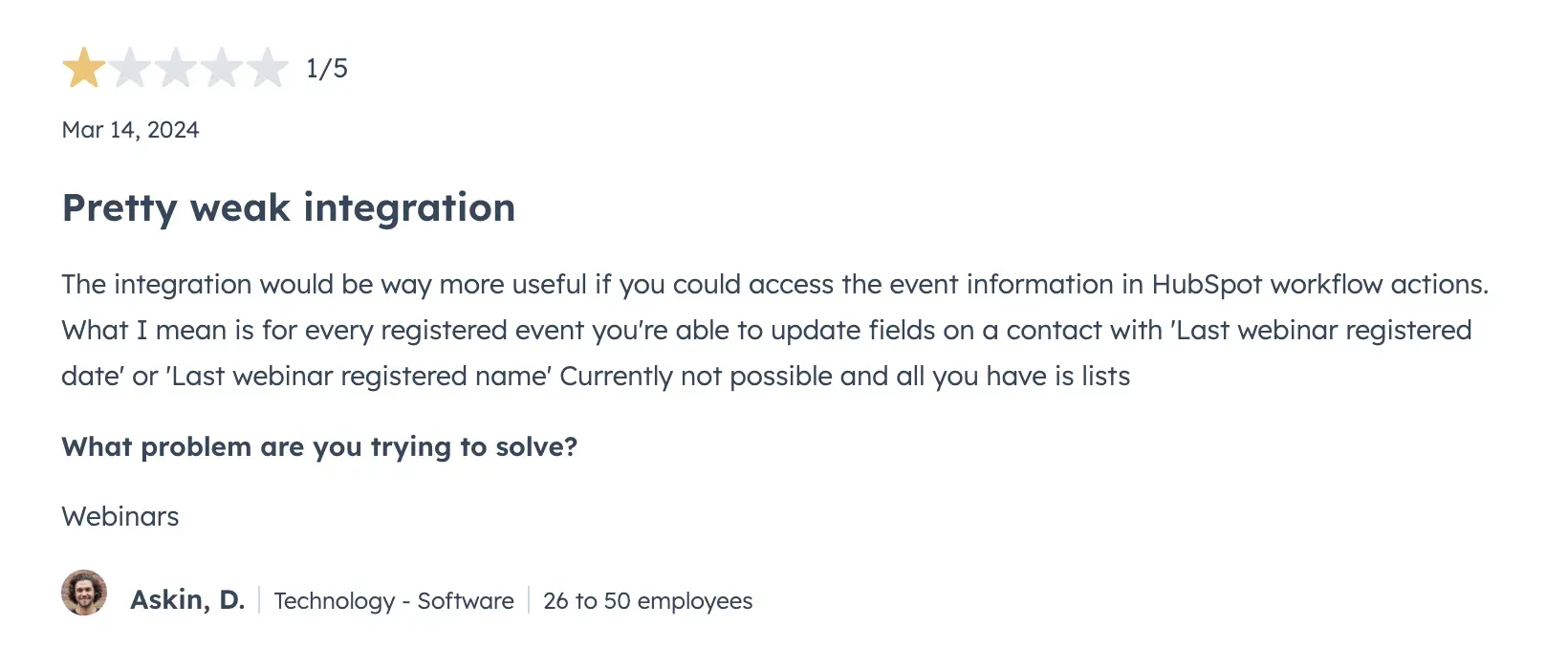
Demio has very few reviews on the HubSpot marketplace (especially for the number of total installs) which makes it difficult to get an idea of what users think of their HubSpot integration. However, multiple users complain about the lack of dynamic lists and having to use multiple static lists to see who has registered and and attended their webinars.
5. Zoom Webinars HubSpot Integration
Zoom is probably the first tool that you think of when it comes to any kind of online video communication: hosting a webinar, running a meeting, and no one would blame you. They started as a video-conferencing tool and slowly made their way toward webinars and virtual events.
Their HubSpot integration is the #1 most installed webinar integration on the HubSpot marketplace with 10,000+ installations. However, the consensus is not positive when it comes to the quality of the integration.
Pros
- Virtual background and basic branding
- Engagement features: polls, Q&A, chat
- Affordable pricing for small businesses
Cons
- Security concerns
- Download required for optimal experience
- Lack of any video production tools
HubSpot Integration Review
| Categories | Zoom |
|---|---|
| No CSV exports | Partial |
| Find registrants & attendees | Partial |
| Control registration flow | ✅ |
| Audience engagement metrics | ❌ |
| UTM & Source tracking | ❌ |
| Revenue attribution | ❌ |
The Zoom Webinars HubSpot integration is the most installed webinar integration on the marketplace with 10,000+ installs, but installation numbers reflect Zoom's market dominance rather than integration quality. It works well for the Zoom Meetings product but falls significantly short for webinar-specific use cases that require richer data. You can use it to register contacts from HubSpot to your webinars, but engagement data does not flow back: no poll responses, no watch time, no Q&A activity. Teams building lead scoring or follow-up workflows based on webinar behaviour will find the integration insufficient.
Best For
Teams already using Zoom who need only basic registration sync and are not relying on webinar engagement data for follow-up or lead scoring in HubSpot.
User Reviews
- G2 rating: 4.5/5
- HubSpot Marketplace rating: 3.4/5
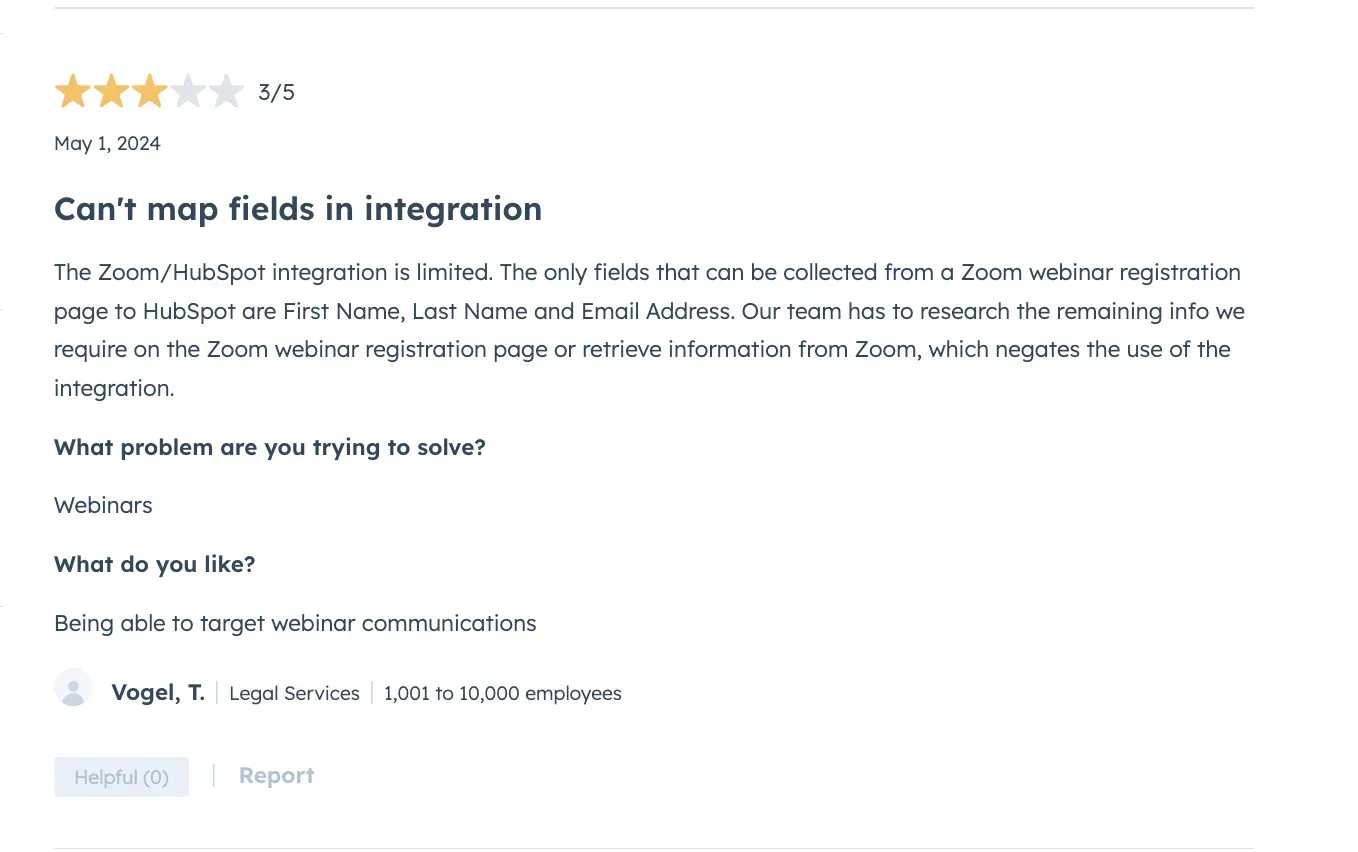
This review on the HubSpot marketplaces sums up the integration pretty well. Collecting information on your audience is really webinars 101 — and the Zoom integration doesn't allow for this. Some users also report that the integration disconnects regularly which means you might be missing some key data being sent back to your HubSpot if you're not constantly checking that the integration is connected.
PS: if you're using Zoom, or considering using it check out the Contrast Webinars vs. Zoom Webinars HubSpot integration comparison.
6. ON24 HubSpot Integration
ON24 is an enterprise-grade webinar and virtual events platform used by some of the largest B2B companies in the world. It is built for large-scale demand generation, advanced engagement analytics, and complex multi-session event programs. ON24 targets the enterprise segment with pricing to match.
Their HubSpot integration covers a significant range of data points but comes with notable complexity in setup and is primarily optimised for HubSpot Enterprise customers.
Pros
- Supports large audiences and multi-session virtual events
- Engagement data and timeline events sync to HubSpot
- Custom object support for HubSpot Enterprise customers
Cons
- Enterprise pricing — not suitable for small or mid-market teams
- Complex setup with limited support reported by users
- Data syncs every 30 minutes, not in real time
HubSpot Integration Review
| Categories | ON24 |
|---|---|
| No CSV exports | ✅ |
| Find registrants & attendees | ✅ |
| Control registration flow | ✅ |
| Audience engagement metrics | ✅ |
| UTM & Source tracking | ❌ |
| Revenue attribution | Partial |
The ON24 HubSpot integration connects via a native app in the HubSpot Marketplace and syncs contact data, registrations, attendance, engagement data, and timeline events. Custom object support is available for HubSpot Enterprise customers only, which limits the integration's depth for teams on lower HubSpot tiers. Data syncs on a 30-minute schedule rather than in real time, and users report the setup process as complex compared to other platforms on this list.
Best For
Large enterprise teams on HubSpot Enterprise who are running high-volume event programs and have dedicated technical resources to manage the setup and maintenance of the integration.
User Reviews
- G2 rating: 4.3/5
- HubSpot Marketplace rating: 2.5/5
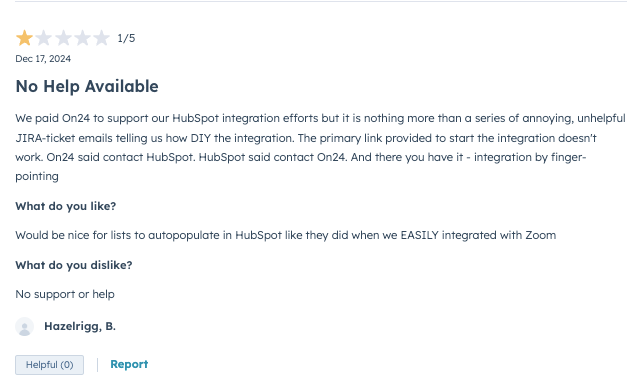
ON24's HubSpot Marketplace rating is notably lower than its G2 score. Users in the marketplace cite setup complexity and insufficient support as the main issues. The gap between the two ratings suggests the integration works better for teams with dedicated technical resources than for those attempting self-service setup.
7. WebinarGeek HubSpot Integration

WebinarGeek is a browser-based webinar platform with a focus on ease of use and automated follow-up workflows. It is positioned at the mid-market level and is particularly popular in European markets.
Their HubSpot integration covers a solid range of data points including engagement metrics, which puts it ahead of GoToWebinar, Livestorm, and Demio on that dimension. The main limitation is that custom registration fields are only available as timeline properties and cannot be used for workflow triggers or segmentation.
Pros
- Engagement data including polls, watch time, and CTAs sync to HubSpot
- HubSpot forms can be used directly for webinar registration
- Default triggers created automatically on setup — no manual configuration required
Cons
- HubSpot integration only available on Premium and Enterprise plans
- Custom registration fields cannot be used in HubSpot workflows or segments
- No UTM or source tracking back to HubSpot
HubSpot Integration Review
| Categories | WebinarGeek |
|---|---|
| No CSV exports | ✅ |
| Find registrants & attendees | ✅ |
| Control registration flow | ✅ |
| Audience engagement metrics | ✅ |
| UTM & Source tracking | ❌ |
| Revenue attribution | ❌ |
The WebinarGeek HubSpot integration connects natively and syncs registrations, live and replay viewing data, poll responses, CTA clicks, Q&A activity, and watch time as timeline events. Custom registration fields are only available as timeline properties, meaning they cannot trigger workflows or be used for contact segmentation. UTM and source tracking do not flow back to HubSpot, which limits attribution reporting for teams tracking lead sources across campaigns.
Best For
Mid-market teams that need engagement data in HubSpot and want a straightforward native setup, but do not require UTM attribution or custom field segmentation.
User Reviews
- G2 rating: 4.5/5
- HubSpot Marketplace rating: 4.1/5
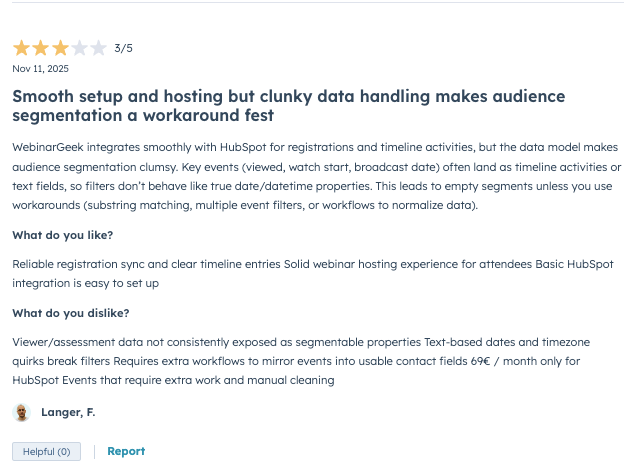
G2 reviews are generally positive, with users citing ease of HubSpot setup and time saved on manual exports. Some negative reviews note difficulty connecting HubSpot for first-time users, which aligns with the custom field limitation noted above.
8. BigMarker HubSpot Integration
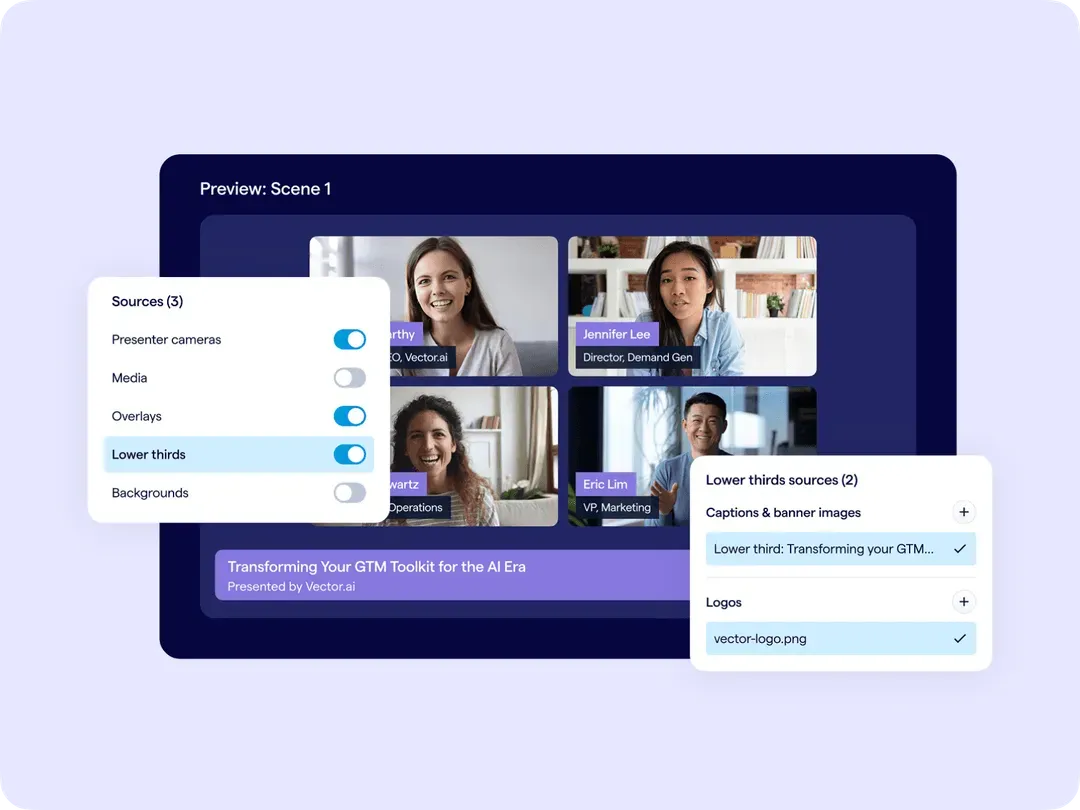
BigMarker is a platform for hosting webinars, virtual events, and hybrid events. It targets the enterprise and mid-market segments and supports larger audience sizes than most platforms on this list.
Their HubSpot integration is direct rather than via a public HubSpot Marketplace app, which means there are no public marketplace reviews to reference. The integration is configured within BigMarker itself and requires a HubSpot Sales Hub account for certain features.
Pros
- Syncs registrations, attendance, timeline events, and engagement data including chat and Q&A transcripts
- Supports HubSpot forms and lists for registration and contact import
- Suitable for large-scale events that exceed attendee limits on other platforms
Cons
- No public app in the HubSpot Marketplace — integration configured directly in BigMarker
- Some features require HubSpot Sales Hub, not available on all HubSpot tiers
- Steeper learning curve and higher price point than most platforms on this list
HubSpot Integration Review
| Categories | BigMarker |
|---|---|
| No CSV exports | ✅ |
| Find registrants & attendees | ✅ |
| Control registration flow | ✅ |
| Audience engagement metrics | ✅ |
| UTM & Source tracking | ❌ |
| Revenue attribution | Partial |
The BigMarker HubSpot integration connects directly and syncs registrations, attendance, on-demand views, and timeline events including chat and Q&A transcripts. HubSpot forms and lists can be used for registration, and contacts can be imported from HubSpot lists on a 15-minute sync schedule. The absence of a public HubSpot Marketplace listing means there is no standardised review data available, and teams cannot evaluate the integration through the marketplace before committing.
Best For
Enterprise teams running large-scale virtual or hybrid events who need engagement data in HubSpot and are comfortable with a higher price point and direct integration setup outside the HubSpot Marketplace.
User Reviews
- G2 rating: 4.7/5
- HubSpot Marketplace rating: 0/5 (not listed)
G2 reviews are generally positive. The absence of HubSpot Marketplace reviews makes it harder to evaluate how the integration performs specifically for HubSpot users compared to other platforms on this list that have public ratings.
9. WebinarJam HubSpot Integration
WebinarJam is one of the cheapest webinar platforms available on the market. They focus primarily on the marketing webinar use case and cover all the basic features you need to host a webinar: registration pages, emails, and engagement features. They also provide automated webinars and a landing page builder (that some users have called complex).
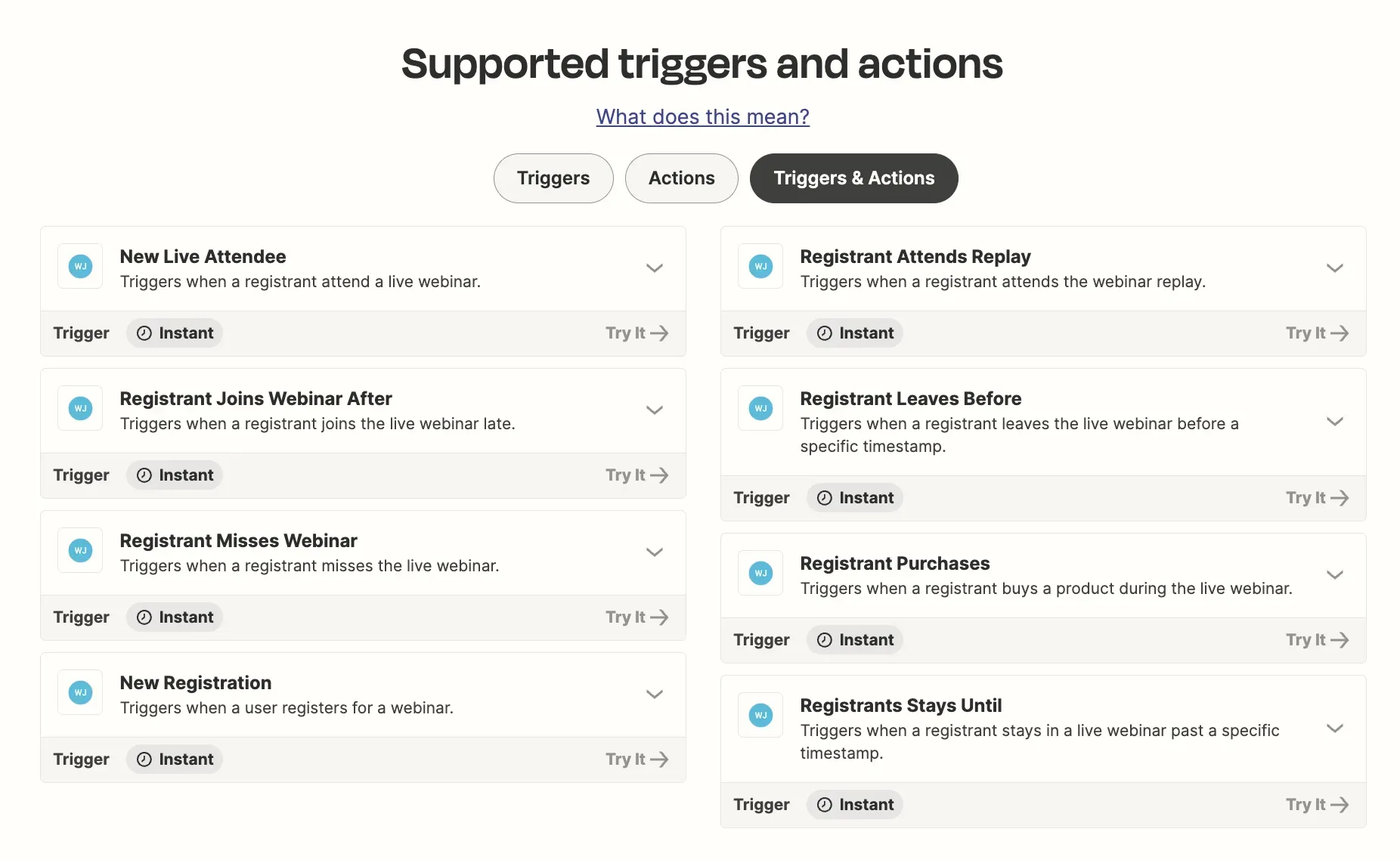
WebinarJam does not offer a native HubSpot integration. To connect WebinarJam with HubSpot you need to use Zapier or Make, which increases the total cost and adds maintenance overhead that does not apply to the native integrations on this list.
Pros
- Easy to use
- Automated webinars
- Lowest price point and scales well
- All basic features needed for webinars
Cons
- Clunky user experience
- Complex email and landing page builder
- Poor video quality
HubSpot Integration Review
| Categories | WebinarJam |
|---|---|
| No CSV exports | ❌ |
| Find registrants & attendees | ❌ |
| Control registration flow | ❌ |
| Audience engagement metrics | ❌ |
| UTM & Source tracking | ❌ |
| Revenue attribution | ❌ |
WebinarJam does not offer a native HubSpot integration. All six integration criteria in this guide require a native connection to function properly. Without one, registration sync, engagement data, UTM tracking, and revenue attribution all require manual Zapier workflows that add cost and create potential data gaps.
Best For
Budget-conscious teams whose primary use case is marketing webinars and who do not require CRM integration beyond basic contact capture via Zapier.
User Reviews
- G2 rating: 3.6/5
- HubSpot Marketplace rating: 0/5 (not listed)
Users on G2 have quite a wide array of opinions about WebinarJam — most users admit the tool is easy to use however the consensus is that it's not because it's easy to use that it actually works as expected. Most of the reviews criticize the quality of the viewer experience.
10. Crowdcast HubSpot Integration
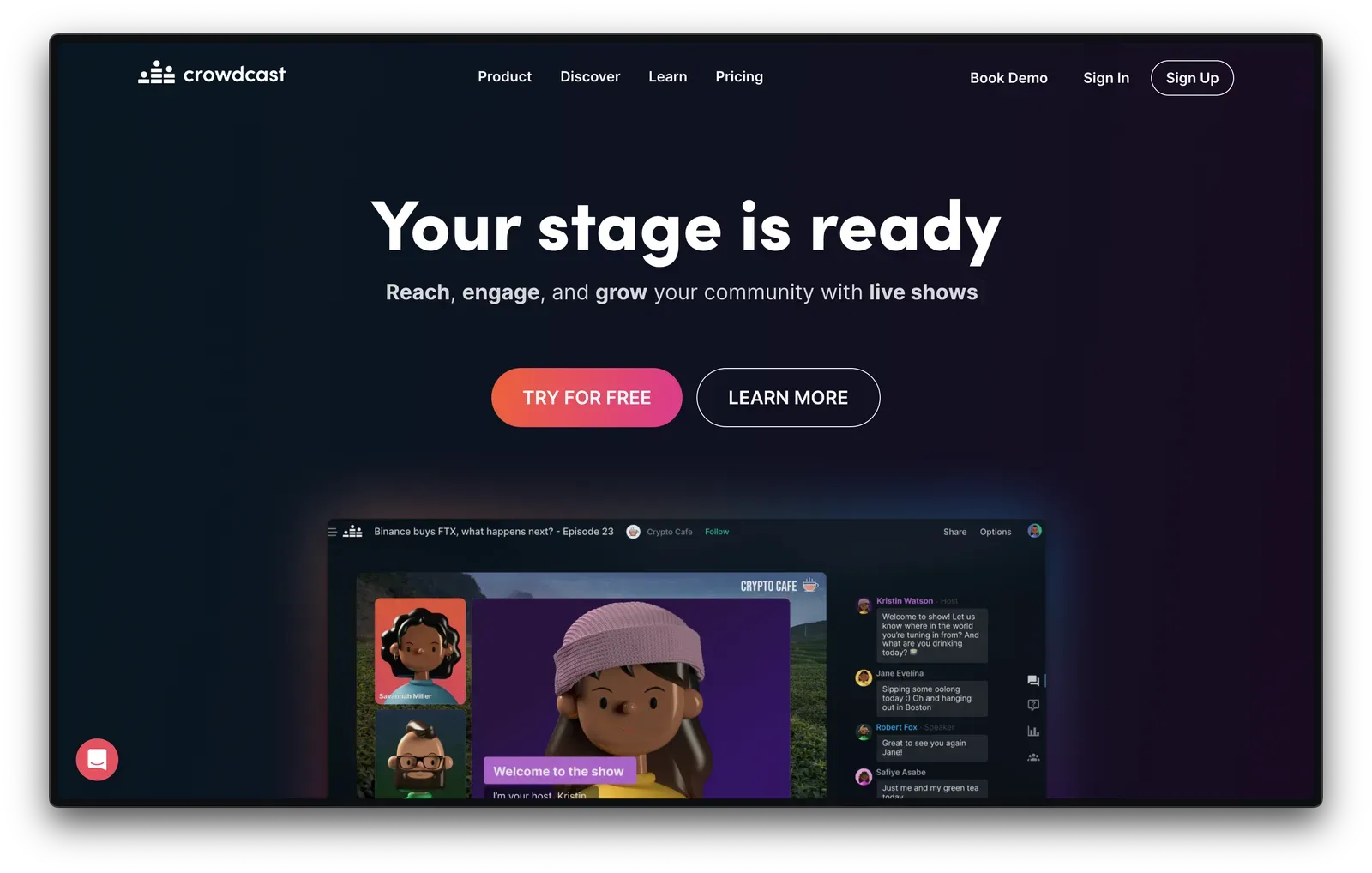
Crowdcast is an online event platform that can be used to host webinars. They focus on the community-building aspect of webinars and don't have a primary use case. They allow mature content on their platform which means they can be flagged by some firewalls, preventing viewers from accessing the content.
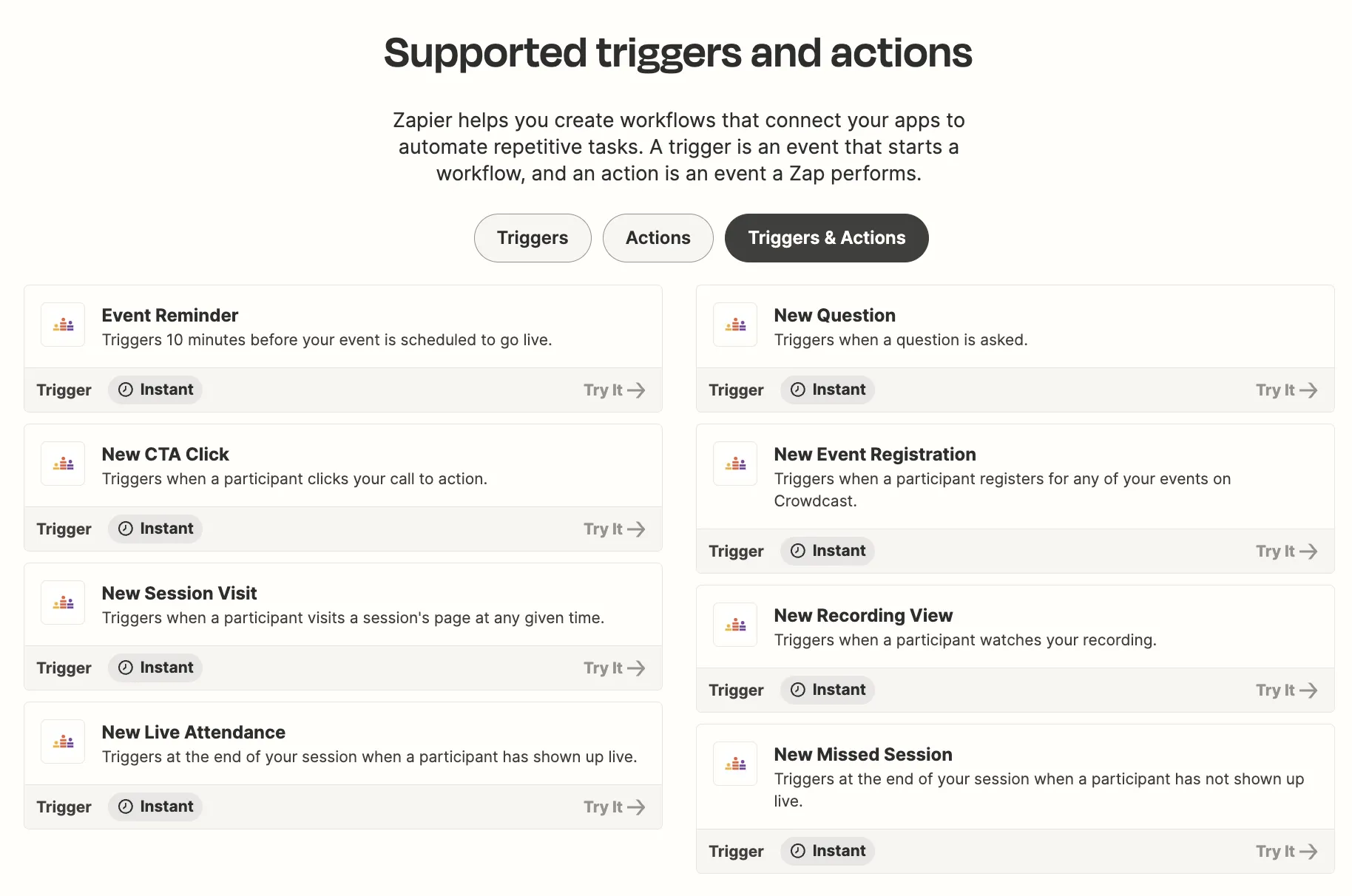
Crowdcast does not offer a native HubSpot integration. Connecting Crowdcast with HubSpot requires Zapier or Make, which adds ongoing cost and introduces the same data gaps as other third-party integrations on this list.
Pros
- Inexpensive pricing
- Modern engagement features
- Multi-cast to YouTube, LinkedIn, Twitch
Cons
- Accessibility issues due to accepted content
- Limited CRM integrations
- Reliability issues for some users
- No free plan (but 14-day trial)
HubSpot Integration Review
You're right, sorry! Here it is:
| Categories | Crowdcast |
|---|---|
| No CSV exports | ❌ |
| Find registrants & attendees | ❌ |
| Control registration flow | ❌ |
| Audience engagement metrics | ❌ |
| UTM & Source tracking | ❌ |
| Revenue attribution | ❌ |
Crowdcast does not offer a native HubSpot integration. All six integration criteria in this guide require a native connection that Crowdcast does not provide. Registration sync, attendance tracking, engagement data, and attribution all require manual Zapier workflows. An additional consideration: Crowdcast allows mature content on its platform, which can cause it to be flagged by corporate firewalls, potentially preventing attendees from accessing your webinars.
Best For
Community-focused creators and independent hosts who do not rely on HubSpot for lead management and prioritise multi-casting to YouTube, LinkedIn, and Twitch over CRM integration.
User Reviews
- G2 rating: 4.5/5
- HubSpot Marketplace rating: 0/5 (not listed)
G2 users are on average pretty happy with Crowdcast as a webinar tool — they provide a smooth and seamless user experience. However the lack of data and CRM integrations, forcing users to do CSV exports and integrate data manually is why Crowdcast makes it on the last spot of the list.
Choosing the right HubSpot webinar integration
If you are a marketer running webinars on HubSpot, the integration your platform offers determines how much of that data actually makes it into your CRM. As the comparison table in this guide shows, most platforms cover the basics — registrations and attendance — but only one passes all six integration criteria: no CSV exports, registrant and attendee tracking, registration flow control, engagement metrics, UTM tracking, and revenue attribution.
Contrast is the only platform on this list with a native HubSpot integration that covers all six. It sends 50+ properties to HubSpot, tracks UTM source data back to the original conversion, and is used by HubSpot for their own webinars. HubSpot users also get a discounted HubSpot plan as part of the partnership.
The cost of switching webinar platforms after your team has built workflows, lists, and scoring models around your current tool is significant. Choosing the right integration from the start saves that cost entirely.
Frequently Asked Questions
What is a HubSpot webinar integration?
A HubSpot webinar integration connects your webinar platform directly to HubSpot so registration, attendance, engagement, and attribution data sync automatically to your CRM. This eliminates manual CSV imports and makes webinar data actionable inside HubSpot.
Do all webinar platforms integrate natively with HubSpot?
No. Some platforms offer native integrations that securely connect via OAuth and send rich data to HubSpot. Others require third-party automation tools like Zapier or Make, which can add cost and complexity and may not send full engagement data.
What data should a good HubSpot webinar integration send?
A strong integration should send:
- Registrations and attendance status
- Live views and replay views
- Engagement metrics like polls, chat, and questions
- UTM and source tracking for attribution
- Timeline events that can be used in lists and workflows
Putting webinar engagement data directly in the CRM helps sales teams follow up faster and increase webinar ROI.
How do webinar integrations help with lead scoring?
Webinar integrations enrich contact records with engagement signals. Actions like attending, watching replays, participating in polls, or asking questions can be used in lead scoring models to identify the most sales-ready prospects. This works especially well when you use HubSpot Marketing Events to track and act on that engagement directly inside HubSpot.
What is the best webinar platform for HubSpot?
The best webinar platform is the one built for HubSpot. Contrast is the highest-rated webinar integration on the HubSpot Marketplace and is also the platform HubSpot uses for its own webinars. It is also the only platform that syncs UTM source data back to HubSpot's Original Source fields natively, making full webinar attribution possible without manual exports.
What is the difference between a native HubSpot integration and a Zapier integration?
A native HubSpot integration connects directly to your CRM via OAuth and syncs data in real time without additional tools or cost. A Zapier integration routes data through a third-party automation platform, which adds a monthly cost per task, introduces potential sync delays, and typically limits which data points can be passed to HubSpot. For teams that rely on webinar engagement data for lead scoring and follow-up workflows, a native integration is significantly more reliable.
Which webinar software works best with both HubSpot and Salesforce?
Contrast, Livestorm, GoToWebinar, and ON24 all offer integrations with both HubSpot and Salesforce. Of these, Contrast and Livestorm offer the deepest data sync for HubSpot specifically. ON24 is the strongest option for enterprise teams that need both platforms at scale, though its setup complexity is higher. If HubSpot is your primary CRM, choose based on HubSpot integration quality first and confirm Salesforce compatibility separately.
What webinar tools integrate with HubSpot natively?
The platforms on this list that offer native HubSpot integrations via OAuth are: Contrast, GoToWebinar, Livestorm, Demio, Zoom Webinars, ON24, WebinarGeek, and BigMarker. WebinarJam and Crowdcast do not offer native integrations and require Zapier or Make instead. Native integrations are preferable because they sync data directly without additional tools, cost, or maintenance.
Try the #1 HubSpot Webinar Integration
Start for free with up to 50 registrants. No credit card needed.
Start for free